
Last Updated on April 2, 2026
AI Transparency VerifiedHave you ever stared at a blank page, waiting for words to appear, only to catch yourself checking your email for the tenth time? Indeed, we have all been there. This frustration has a name: writer’s block. Whether you are a student racing to finish a paper, a freelancer juggling multiple clients, or a business owner trying to stay active on LinkedIn, creating content with tools like Rytr often feels more stressful than it should.
Therefore, this is exactly where AI writing tools step in. Today, we are taking a closer look at Rytr, an AI writing assistant that has caught attention by offering unusually aggressive pricing for budget conscious creators.
So naturally, you might wonder: is Rytr actually good, or is it just cheap? With heavyweights like Jasper and ChatGPT dominating the conversation, smaller tools often go unnoticed. However, Rytr claims that more than 8 million writers, including teams from companies like Ford, Pfizer, and Dell already use the platform.
Consequently, in this detailed analysis, we explore how Rytr actually performs. Specifically, we break down its pricing tiers using the latest data, examine the features Rytr promotes. Also, compare them with what users typically experience in real workflows. Along the way, we also highlight the most common complaints people report. By the end, you will have enough context to decide whether Rytr fits your needs or not.
You can read our full Heygen Review here: HeyGen AI: Your Path to Awesome, Easy Videos
What is Rytr?
Rytr is marketed as an AI writing assistant designed to help users create high-quality content in seconds. So, unlike complex, expensive enterprise platforms that try to replace entire marketing teams, Rytr positions itself as a simple, effective writing companion suited for individuals and small businesses.
It operates as a browser-based application and also offers a Chrome extension, using advanced AI technology to generate text for emails, blogs, ads, and more. As a matter of fact, the tool’s primary value propositions are speed, ease of use, and extreme affordability.
The Philosophy Behind the Tool
Based on its design and feature set, Rytr aims to stay lean while other tools add increasing complexity. The interface is clean and distraction free. The apparent goal is not to confuse users with endless options, but to facilitate the journey from a “blank page” to a “working draft” as quickly as possible.
The New Pricing: A Game Changer?
This is the most critical aspect of the current Rytr offering. Rytr’s current pricing is unusually aggressive for an ‘unlimited’ plan.
Previously, budget plans had strict word count limits. The new model changes the value proposition significantly. So, here is an accurate breakdown of their three tiers based on the latest published data:
1. Free Plan
- Cost: $0/month.
- Generation Limit: 10,000 characters per month.
- Languages: 1 Language allowed.
- Plagiarism Checks: None.
- Tone Match: No Tone Match.
- Analysis: This tier appears strictly designed for testing the interface. 10k characters translates to roughly 1,500 to 2,000 words total. Without access to plagiarism checks or tone matching, it serves as a basic sandbox rather than a functional tool for ongoing work.
2. Unlimited Plan (The Value Option)
- Cost: $9/month.
- Generation Limit: Unlimited.
- Languages: 1 Language allowed.
- Plagiarism Checks: 50 per month.
- Tone Match: 1 Tone Match included.
- Input Limit: Doubled (allows users to provide more context).
- Support: Priority Email Support.
- Analysis: This is a significant market shift. Offering unlimited generations for $9 is highly unusual in this industry, where unlimited plans often cost upwards of $39. However, potential users must note the critical catch: this plan is restricted to a single language selection.
3. Premium Plan
- Cost: $29/month.
- Generation Limit: Unlimited.
- Languages: 35+ Languages.
- Plagiarism Checks: 100 per month.
- Tone Match: Multiple Tone Matches.
- Custom Use Cases: Yes (Allows building custom templates).
- Analysis: This tier is clearly aimed at agencies or freelancers working with multiple brands (requiring multiple tone matches) or international clients (requiring multi-language support).

Key Features Breakdown
Additionally, now that we know the cost structure, let us examine the utility Rytr offers according to its feature specifications.
1. 40+ Use Cases (Templates)
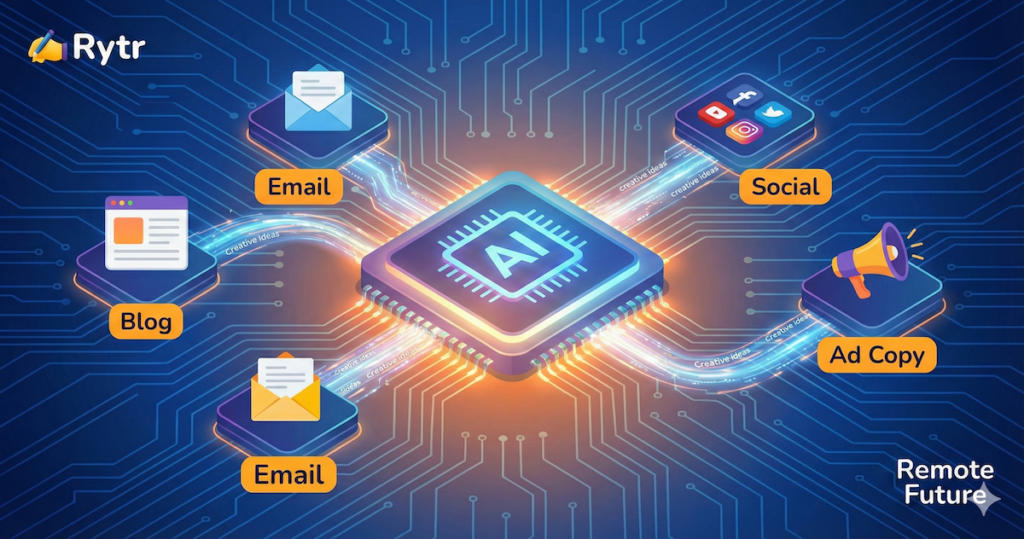
Rytr utilizes structured templates to guide the AI output. Instead of an open ended chat interface, users select specific tools tailored for distinct tasks.
- Blog Section Writing: Designed to expand short points into full paragraphs.
- Email Marketing: Templates for cold emails, welcome sequences, or newsletters.
- Social Media: Tools to generate captions for platforms like Instagram, LinkedIn, and X (Twitter).
- Copywriting Formulas: Includes proven structures like AIDA (Attention, Interest, Desire, Action) for sales copy.
2. Tone of Voice & “Tone Match”
To combat the robotic feel of standard AI, Rytr offers 20+ pre-programmed tones (e.g., Enthusiastic, Worried, Formal).
New Feature: Tone Match. Available on Unlimited and Premium plans, “Tone Match” allows users to upload samples of their writing. Rytr claims to analyze the unique style sentence length, vocabulary. Furthermore it also allows quirks to train the AI to emulate that specific voice.
- Note: The $9 Unlimited plan is restricted to one custom tone match profile.
3. Native Plagiarism Checker
Originality is a major concern for content creators. Rytr integrates a plagiarism checker directly into its editor.
- Free Plan: No checks.
- Unlimited Plan: 50 checks/month.
- Premium Plan: 100 checks/month. In practice, this is a meaningful value-add for budget users, since standalone tools like Copyscape come with separate costs.
4. Language Support (The Critical Restriction)
This feature requires careful attention due to the new pricing limits. Rytr supports generation in 35+ languages.
- Crucial Detail: Users on the Unlimited ($9) or Free plan are restricted to a single language selection for their account.
- Polyglots or businesses targeting bilingual markets would be forced to upgrade to the Premium ($29) plan to access the full language roster.
5. Custom Use Cases
In addition, exclusive to the Premium plan, this feature allows users to create “Custom Use Cases.” If existing templates do not meet specific needs. For example, with a highly specific internal memo format, users can build their own template form to ensure the AI follows that exact structure repeatedly.
Step-by-Step Guide: The Typical Rytr Workflow
Here is what using Rytr typically looks like.
Step 1: Set Parameters On the left sidebar, the user selects their language (locked to one on cheaper plans) and desired tone (e.g., “Convincing”).
Step 2: Choose a Use Case For a blog post, the user selects the “Blog Section Writing” template from the dropdown menu.
Step 3: Input Details The user provides context for the AI.
- Section Topic: e.g., “Benefits of remote work for mental health.”
- Key Points: e.g., “reduced stress, more time with family, flexible schedule.”
- Note: The Unlimited and Premium plans allow for expanded character input limits here, enabling users to provide more background information.
Step 4: Generate Clicking the “Ryte for Me” button triggers the AI. Rytr typically generates three variants of text based on the inputs.
Step 5: Edit and Polish The user reviews the output in the built in rich text editor. Sentences that feel clunky can be highlighted to access the “Improve” or “Rephrase” ribbon menu options.
Rytr vs. The Titans: Market Comparison 2025
How does a $9 tool stack up against the established heavyweights in the AI space?
Rytr vs. Jasper AI
Jasper is generally considered an enterprise-grade solution, featuring advanced marketing integrations and complex workflow capabilities.
- Cost Comparison: Jasper plans often start significantly higher, around $39-$49/month.
- Primary Difference: In practice, Jasper tends to handle long form content (2,000+ word articles) better in a single workflow. Rytr is positioned better for short-form copy (emails, ads, social) and building articles section-by-section.
- Analysis: Rytr wins on pure price value; Jasper wins for power users requiring advanced features.
Rytr vs. ChatGPT Plus
Given the ubiquitous nature of ChatGPT, why consider Rytr?
- Structure vs. Chat: ChatGPT is a conversational interface. Rytr is a structured workspace. Rytr offers document management via folders, one click formatting, and pre prompted templates, reducing the need for complex prompt engineering.
- Price: ChatGPT Plus is $20/month. Rytr Unlimited is $9/month.
- Analysis: For users wanting a dedicated, organized writing environment for less money, Rytr is a strong contender. For general purpose assistance (coding, math, reasoning), ChatGPT is superior.
Rytr vs. Claude 3.5 Sonnet (Free)
For users strictly looking at free tools, Claude is a major competitor.
- The Offer: Claude is widely regarded as having more natural, human like prose than base level ChatGPT or Rytr models. However, the free usage limits are strict, often locking users out after a few high quality interactions.
- Analysis: Claude is better for one off, high-nuance rewriting tasks. It is too restrictive for high-volume content creation.
Tutorial Strategy: Writing Long-Form Content with Rytr
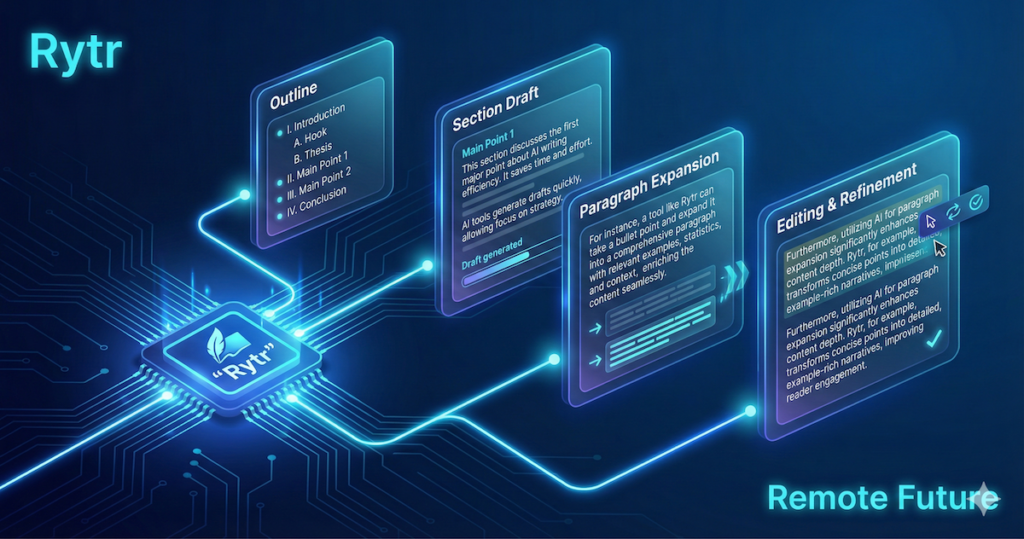
A common criticism of budget AI writers is their inability to write long, coherent articles in a single pass. They often lose focus or repeat themselves after a few hundred words. Based on expert user reviews, the most effective strategy for writing long-form content with Rytr is the “Modular Stacking” method. Here is that theoretical workflow.
Phase 1: The Blueprint
Users report failure when asking budget AI to “write a 2,000-word article.” The successful strategy starts with a skeleton.
- Use Case: Select “Blog Idea & Outline.”
- Input: Provide the main topic, e.g., “The Ultimate Guide to Brewing Coffee at Home.”
- Output: Rytr generates a list of headings (H1, H2, H3).
- Action: This outline is copied into the main editor to serve as the article’s map.
Phase 2: The Section Build
The user then treats each header as an individual mini-article.
- Highlight: Highlight the first H2 header.
- Use Case: Switch to “Blog Section Writing.”
- Input: Paste the header into the “Section Topic” box and add specific keywords relevant to that section.
- Generate & Insert: Rytr writes 200-300 words specifically on that narrow topic, which is inserted under the header.
- Repeat: This process is repeated for every section in the outline.
Phase 3: The Glue
Once the sections are generated, the article may feel disjointed.
- Manual Transitions: Users must read the transitions between sections.
- Paragraph Tool: Users place the cursor between sections and type a manual “bridge sentence” to connect the thoughts.
- Polish: The “Rephrase” tool is used on the bridge sentence to smooth it out.
So, by breaking the article into small chunks, users can bypass the AI’s memory limitations to create longer, cohesive pieces.
If you find that Rytr’s output occasionally sounds too formal or robotic, pairing it with a humanizer can help. Our Undetectable AI review breaks down whether it is worth adding as a finishing step to your writing workflow.
In-Depth Pros and Cons Analysis
So, based on Rytr’s feature set and the most common patterns users report, here is a summary of Rytr’s strengths and weaknesses.
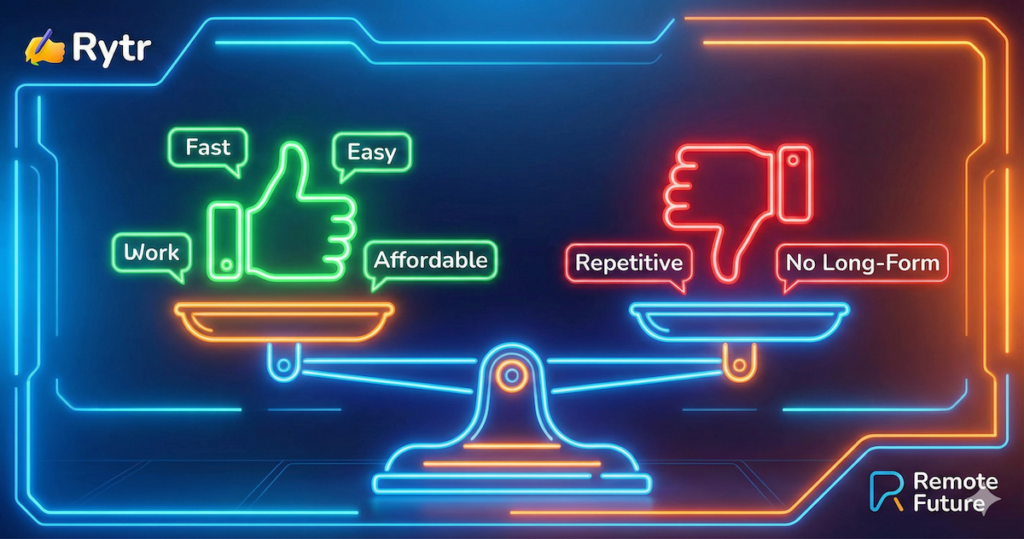
The PROS: Why Users Stay
- Unbeatable Pricing Structure: The new $9 Unlimited plan is widely considered one of the best value deals in the current AI market. Unlimited character generation for under ten dollars is highly competitive.
- The “One-Click” Polish Tools: User reviews frequently praise the specific editing tools—”Shorten,” “Expand,” and “Rephrase.” The ability to instantly highlight and improve clumsy sentences is a highly valued feature.
- Folder Structure Organization: Unlike the linear chat history of ChatGPT, Rytr offers a traditional file and folder structure. This is cited as vital for freelancers juggling multiple client projects.
- The Magic Command: This feature allows for flexibility outside of the templates. Users report success typing custom instructions like “Write a breakup letter to my gym membership” and having Rytr execute it.
- Speed and Lightweight Design: The interface is frequently described as snappy and quick to load, which matters for users rushing to finish daily tasks.
The CONS: Why Some Users Leave
- The “Repetition Loop”: This is the most common complaint regarding output quality. When generating multiple paragraphs on similar topics, the AI often reuses opening phrases or structures, requiring aggressive human editing to fix clichés.
- Confusion Over Character Counts: On plans with limits (Free), Rytr counts characters (letters and spaces) rather than words. This confuses many users, as “10,000 characters” sounds substantial but depletes quickly.
- Lack of SEO Data: Rytr is purely a writer, not an SEO strategist. It does not provide keyword search volume, difficulty scores, or SERP analysis. Users still require separate SEO tools for research.
- Limited AI Context/Memory: The AI struggles to remember context from 500 words prior in the same document. This necessitates the modular writing method described earlier.
- Strict Language Restrictions: Locking the attractive $9 plan to a single language is a significant negative for international or bilingual users, forcing a hefty price jump to Premium.
Rytr for Agencies: Is It Enough?
Small agency owners or marketing managers often eye Rytr’s low price tag to reduce overhead. So, can it replace more robust team tools?
Potential Benefits for Teams:
- Tone Matching Consistency: The ability to create custom “Voices” for different clients helps ensure consistency across different accounts managed by different team members.
- Seat Management: The Premium plan allows for adding team members to the shared workspace (usually for an additional per seat fee).
Significant Limitations for Teams:
- Basic Collaboration: Rytr lacks advanced collaboration features found in Google Docs, such as commenting, suggesting mode, or tagging team members within the document.
- No Bulk Processing: There is no capability to upload a spreadsheet of headlines and generate articles in bulk. Each piece of content must be created individually, creating a bottleneck for high-volume agencies.
Agency Verdict: In practice, Rytr works well for VA (Virtual Assistant) teams that need to generate standardized emails and social captions. But, it is likely not robust enough for high end content marketing agencies requiring complex SEO workflows and bulk generation capabilities.
Who is Rytr For? (And Who Should Avoid It?)
Based on its feature set and limitations, Rytr is not a universal solution. Here is a breakdown of ideal and non ideal user personas.
Rytr is likely the perfect tool for:
1. The Small Business Do-It-All
You run a local business or an ecommerce shop. You are not a writer, but you need product descriptions, weekly newsletters, and social media captions immediately.
- Why it fits: The pre-built templates for “Product Description” and “Email” remove the friction of starting from scratch. The $9/month cost is negligible for the time saved.
2. The Non-Native English Speaker
You are a professional, but English is not your first language. You worry about unnatural phrasing in emails or proposals.
- Why it fits: Drafting thoughts roughly and then using Rytr’s “Rephrase” and “Improve” tools can help polish grammar and flow, increasing confidence in professional communication.
3. The Freelance “Drafter”
You write for a living but struggle with the initial “vomit draft.” As a matter of fact, you spend too much time outlining and getting the first 500 words down.
- Why it fits: Using Rytr to generate outlines and rough section drafts handles the heavy lifting of getting ideas onto the page, allowing the user to step in faster as an editor.
Rytr is likely to frustrate:
1. The “One-Click” SEO Blogger
You want to type a keyword, click one button, and generate a 2,500-word, SEO-optimized, ready-to-publish article.
- Why to avoid: Rytr is not designed for this. It requires a modular, section by section approach for long content. Therefore, users seeking automation should look at specialized long form AI tools.
2. The Academic or Researcher
You need to write essays or technical documentation requiring 100% factual accuracy and proper citations.
- Why to avoid: Like all current AI models, Rytr can “hallucinate” facts. It lacks built in fact checking or citation generation capabilities. So, using it for academic or rigorous technical work is risky without heavy manual verification.
3. The Budget Polyglot
You are an international freelancer needing to switch between multiple languages daily, but you have a limited budget.
- Why to avoid: The new pricing locks the affordable Unlimited plan to a single language, forcing an expensive upgrade to access multilingual support.
Troubleshooting Guide: Common User Issues
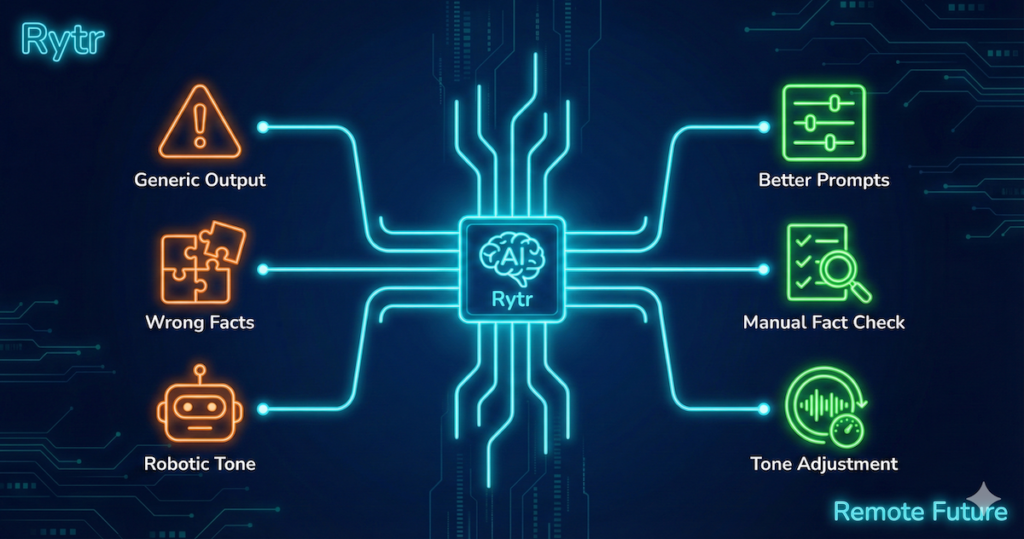
User feedback often highlights specific recurring issues. So, here are common problems reported by users and standard workarounds.
Problem 1: The Content is Too Generic.
- The Likely Cause: Vague input prompts.
- The Fix: Users report better results when providing highly specific constraints. Instead of “Write about yoga,” try “Write about the benefits of Hatha yoga for men over 40 with back pain.”
Problem 2: The Facts are Wrong (Hallucinations).
- The Reality: AI models predict text; they do not “know” facts.
- The Fix: Never rely on Rytr for statistics or dates. Users should find facts manually and paste them into the “Key Points” input box for the AI to weave into sentences.
Problem 3: The Tone Sounds Robotic.
- The Fix: Ensure the “Tone” dropdown is not left on “Default.” Selecting tones like “Casual,” “Humorous,” or “Critical” adds flavor. If output remains stiff, using the “Rephrase” tool on specific sentences can break up repetitive rhythm patterns.
Frequently Asked Questions (FAQs)
1. Is the Rytr Unlimited plan truly unlimited?
Yes. The pricing page lists the generation limit as “Unlimited” for the $9 plan. However, standard fair usage policies almost always apply to prevent bot abuse, though a human writer is unlikely to trigger them.
2. Can I switch languages on the $9 plan?
No. The Unlimited plan is restricted to one language selection per account. Accessing the 35+ language roster requires the Premium plan.
3. Does the Free plan have plagiarism checks?
No. The Free plan specs list “Plagiarism Checks: None.” Users must upgrade to at least the Unlimited plan to receive 50 checks per month.
4. What is “Tone Match”?
Tone Match is a feature designed to analyze user-provided writing samples to learn their specific style. The Unlimited plan allows saving one Tone Match profile; the Premium plan allows multiple.
5. Can I use Rytr on my phone?
Rytr does not have a dedicated mobile app, but their website is fully responsive and functions well on mobile web browsers.
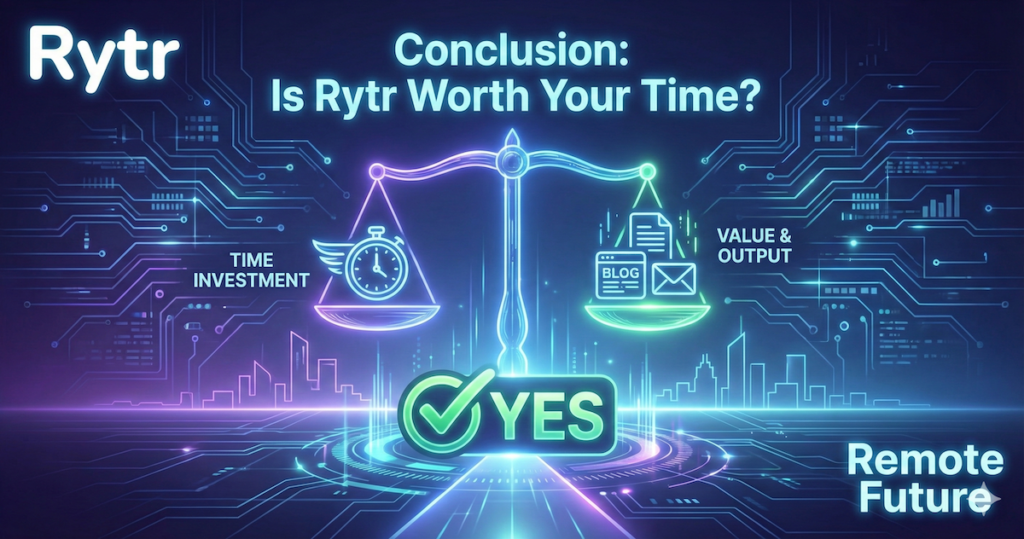
Conclusion: Is Rytr Worth Your Time?
We have covered significant ground in this analysis, from the disruptive new $9 pricing model to the specific utility of features like “Tone Match.”
So, is Rytr really great?
If you are looking for a magic wand that will generate flawless, long-form content while you sleep, Rytr—like virtually all current AI tools—will disappoint you.
However, based on its feature set and pricing, if you are looking for a reliable, highly affordable, and easy to use writing assistant, Rytr appears to be an excellent value proposition. It is designed to bridge the painful gap between a blank screen and a working draft.
Think of Rytr as a talented prep cook. It handles the chopping and organizing—the meta descriptions, email outlines, and social captions—so the human “head chef” can focus on the creative cooking and final plating.
For freelancers, students, and small business owners operating on a budget, Rytr offers a compelling return on investment. As a result, it remains one of the more compelling budget-friendly tools to consider in 2025.
Ready to Crush Writer’s Block?
You have read the analysis and seen the feature breakdown. The best way to determine if it fits your workflow is to test it yourself.
Rytr offers a Free Forever plan that requires no credit card to get started. You can sign up, get a feel for the interface, and generate your first pieces of content in minutes.
Why keep struggling with the blank page when assistance is readily available?
Affiliate Disclosure: This article contains affiliate links. So, if you purchase through my link, I may earn a small commission at no extra cost to you.
Work Smarter. Live Better.
You Might Also Like These AI Tools:

Ibra A. is the founder of Remote Future, a site covering AI tools, remote work, and online business strategies. He holds a Facebook Social Media Marketing certificate from Coursera and actively tests AI tools to support independent creators and small business owners. His focus is practical, no-hype guidance for people building lean online businesses.
Our content is created using AI tools to support efficient research and writing, with human direction, verification, and editorial review by Ibra A.
AI-assisted content with human editorial oversight.
See our AI editorial policy
Content on Remote Future is created using AI tools to support efficient research and writing for remote workers and creators, followed by human edits for clarity and accuracy.
Read our AI Editorial Policy.