

Last Updated on September 9, 2026
AI Transparency VerifiedIf you have been trying to run ads on TikTok, Instagram Reels, or Meta without a camera or editing skills, you have probably already heard of Creatify AI. It is one of the fastest-growing AI ad tools right now, and there is a good reason for that. If you are new to UGC and want to understand how it works before diving in, check out our beginner guide to what is UGC and how to make money with it.
In this Creatify AI review, we cover everything: what it does, how it works, who it is for, and whether it is worth paying for in 2026.
Why Creatify AI Is So Popular in 2026
Short-form video is no longer optional for online businesses. TikTok, Reels, and YouTube Shorts now drive more product discovery than Google Search in many niches. The problem, however, is that creating video ads is slow, expensive, and exhausting, especially if you do not want to be on camera.
That is exactly where Creatify AI comes in. Instead of hiring a UGC creator or spending hours in CapCut, you paste a URL and get a finished ad in under a minute. As a result, it has become one of the go-to tools for dropshippers, ecommerce brands, and agencies in 2026.
It is not trying to replace Hollywood production. Rather, it is designed to help everyday creators make more ads, test more angles, and convert more sales, without burning out or blowing the budget.
If you are building an online store or scaling a dropshipping business, video ads are no longer a nice-to-have. Fortunately, tools like Creatify AI make them a realistic, repeatable part of your workflow.
Affiliate Disclosure: This post contains affiliate links. So, if you purchase through my link, I may earn a small commission at no extra cost to you. This helps support Remote Future at no cost to you.
Quick note: have not personally tested Creatify AI. Everything in this review is based on thorough research of its features, documented workflows, verified user reports, and publicly available information. Therefore, I share what I find accurately and without hype, so you can make an informed decision.
What Is Creatify AI?
Creatify AI is an AI-powered ad creation platform built for performance marketing. Unlike general-purpose video editors like CapCut or all-in-one social media tools like Predis AI, its entire focus is on one outcome: ads that convert.
Here is what you can create with it:
- UGC-style ads — AI avatars delivering reviews and testimonials in a casual, relatable tone
- Product demo videos — highlight features and usage moments from a single image or URL
- Short-form social ads — fast cuts, bold captions, trending pacing for TikTok and Reels
- Cinematic promos — polished, high-end look for premium products and services
- App and SaaS demos — onboarding walkthroughs, UI showcases, feature highlights
- Image ads — static visuals optimized for Meta, Google Display, and Pinterest
- Service ads — professional intro clips for coaches, agencies, and local businesses
Everything is generated automatically, then customizable before export. In other words, no timeline editing and no technical skills needed.
How It Works – Step by Step
The workflow is simple enough for a complete beginner, yet powerful enough for an agency. Here is how it goes.
Step 1 — Paste your URL or upload a product image Creatify AI accepts a Shopify page, an Amazon listing, a SaaS homepage, or even a plain product image. This is your starting point.
Step 2 — The tool analyzes the page The AI scans your URL and pulls out key features, benefits, and selling points. Most importantly, it identifies what matters most for ad performance — not just what is written on the page.
Step 3 — A script is generated automatically The tool uses proven ad frameworks — like Problem → Solution → CTA — to write a script for your product and platform. You can keep it as-is or rewrite it entirely.
Step 4 — Scenes are built and styled Next, choose your video style: UGC, product demo, cinematic, or app explainer. The tool then builds scenes using your images, AI-generated visuals, transitions, and overlays.
Step 5 — Voiceover, captions, and music are added Voiceovers come in multiple tones and languages. Captions are auto-synced in bold, platform-native styles. Meanwhile, background music is matched to the mood of your ad.
Step 6 — Export in the right format Finally, export in 9:16 for TikTok and Reels, 1:1 or 4:5 for Meta Feed, or 16:9 for YouTube. Creatify AI handles aspect ratios and compression automatically, so you do not need to think about it.
The whole process — from URL to finished ad — takes under two minutes for most users.

Creatify AI Key Features
URL-to-Video Generator
This is the feature that sets Creatify AI apart. You just paste any product page or landing page, and it generates a complete, ready-to-publish ad — script, storyboard, voiceover, captions, and all. In fact, what would take a human team hours is done in seconds.
Moreover, it works especially well for ecommerce sellers who have a product but no video assets. Simply paste the link and get the ad.
AI Avatars and UGC Presenters
The avatars in Creatify AI are built for short-form ad formats. They feature realistic lip-syncing, smooth facial expressions, and adjustable tones, including friendly, professional, enthusiastic, and calm options. Therefore, you can choose from multiple personas depending on your niche.
That said, some avatars still look slightly AI-generated in fast or emotional scenes. For most short ads, it is not noticeable. However, for deeply personal storytelling, real human creators still perform better.
If you want a full guide on this, we covered how to make TikTok AI UGC ads fast and free using Creatify in a separate post.
Creatify AI Batch Mode for A/B Testing
Batch Mode is one of the most powerful features for advertisers. Instead of creating one ad and hoping it works, you generate 10, 20, or 30 variations at once, with different hooks, lengths, CTAs, and pacing. You then run them all and let the data tell you which one wins.
As a result, most users find their winning ad much faster than they would with manual testing. The platform makes iteration cheap and quick.
Asset Generator
No product photos? No problem. The built-in image generator creates lifestyle visuals, product close-ups, and aesthetic backgrounds. Furthermore, it matches the setting and brand style based on your product and script.
This is especially useful for new ecommerce brands that are launching without a photography budget.
Editing Controls
Even though Creatify AI automates the heavy lifting, you keep full control over the output. For instance, you can rewrite the script, swap scenes, change avatars, adjust captions, or modify CTAs whenever you want. Think of it as having a professional editor on standby, without the cost or the back-and-forth.
Platform Optimization
The tool does not simply export a generic video and leave you to figure out the rest. Instead, it adapts pacing, caption style, aspect ratio, and visual density for each platform, including TikTok, Reels, Meta Ads, YouTube Shorts, and Pinterest.
A TikTok ad and a Meta Feed ad are structurally different, and Creatify AI handles that gap automatically.

Who Is Creatify AI Best For?
Ecommerce Sellers and Dropshippers
If you sell on Shopify, WooCommerce, Etsy, or Amazon, Creatify AI is one of the most practical tools for turning product listings into video ads. No camera needed. Similarly, dropshippers benefit because fast iteration is the whole game. Simply paste a supplier URL, generate an ad, and test it on TikTok or Meta within minutes.
Not sure which products to test? Our guide to the best dropshipping products in 2026 covers eight proven niches that work perfectly with Creatify video ads.
Affiliate Marketers and Content Creators
Affiliate marketers often lack product assets or video footage. Fortunately, that is not a problem here. Simply paste your affiliate link, generate a video, and publish on TikTok or Reels. This works especially well for promoting AI tools, SaaS platforms, and digital products.
Agencies and Freelancers
Batch Mode makes it possible to deliver 15 to 30 ad variations per client per month, without hiring editors. That is a major operational advantage. As a result, agencies can take on more clients without increasing their team size.
Service Businesses and Coaches
AI avatars remove the need to film yourself. So, coaches, consultants, real estate agents, and local businesses can create intro videos, service explainers, and promo clips without touching a camera.
Beginners Launching Their First Product
Creatify AI handles everything automatically, including scripts, visuals, captions, and transitions, so beginners can focus on launching rather than learning video production. In other words, you do not need any prior experience to get a professional-looking result.

Pros and Cons
Pros
URL-to-video works fast and well — Paste a link and get a finished ad in under two minutes. This alone saves hours per week. Based on user feedback, it works well for most short ads. One G2 reviewer noted achieving click-through rates over 35% on Meta ads after switching to Creatify AI. You can read verified Creatify AI reviews on G2 to see what real users say.
Built specifically for ads — Every template and workflow is oriented around conversions, hooks, and platform performance. It is not a general video editor in disguise.
Batch Mode is a serious advantage — For anyone running paid ads, generating dozens of variations and running A/B tests is genuinely valuable.
Beginner-friendly with no learning curve — No editing software, no timeline, no technical setup. If you can paste a link, you can use Creatify AI.
Multi-language support — Generate ads in Spanish, French, Portuguese, Arabic, and more. This is useful for global brands and multilingual campaigns.
Cuts production costs significantly — No need to pay for UGC creators, video editors, or studio time for most ad formats.
Cons
Some avatars still read as AI in emotional scenes — They work well for most short ads, but will not fully replace a real human in a vulnerable storytelling format.
It is Not built for long-form content — Creatify AI is optimized for 6–60 second ads. If you need YouTube tutorials or video courses, look elsewhere.
Limited deep editing control — There is no frame-by-frame editing or complex layering. For heavy customization, you would need to export to CapCut or Premiere Pro.
Scripts occasionally need tone refinement — Auto-generated scripts are solid starting points, but they may need adjustment to match your specific brand voice.
Render times can slow during peak traffic — This is not common, but it has been reported during high-demand periods. Even so, it is still far faster than manual editing.
Strict refund policy — Before committing, it is worth reading user reviews on Product Hunt — particularly around the refund policy, which some users have flagged as strict. Always check the latest terms on the official Creatify AI website before purchasing.
Creatify AI Pricing
Disclaimer: Pricing changes regularly. Always verify on the official Creatify AI website before making a decision.
Free / Trial Plan — Limited credits, watermarked exports, and access to basic templates. Good enough to test the tool before committing.
Creator Plan — For solo creators and beginners. Includes full HD exports, AI avatars, basic Batch Mode, and commercial rights. It is an affordable entry point.
Business Plan — For ecommerce brands and small teams. You get more render credits, advanced templates, full URL-to-video, and improved batch capabilities. This is the sweet spot for most active advertisers.
Agency / Pro Plan — Built for high-volume production. Priority rendering, large monthly limits, white-label features, unlimited brand kits, and dedicated support. It is worth it if you manage multiple clients or produce hundreds of videos per month.
Creatify AI vs The Competition
Creatify AI vs Predis AI — Predis AI is stronger if you want a tool that goes beyond ad creation into full social media content management. It handles carousels, image posts, content calendars, and scheduling alongside UGC video ads. Creatify AI, on the other hand, wins on ad-focused templates, batch testing, and ecommerce performance workflows. If your primary goal is running paid ads at scale, Creatify is the better fit. If you want one tool to manage both your ads and your organic social content, Predis AI is worth exploring.
Creatify AI vs Synthesia — Synthesia is a strong enterprise-level avatar tool, great for internal training and corporate explainers. However, Creatify AI is faster for social ads and better optimized for short-form ad creation.
Creatify AI vs StoryShort AI — StoryShort AI is built for repurposing long-form content into short clips and now includes a full faceless video suite. Creatify AI, by contrast, is built for generating fresh ads from scratch. These are different jobs entirely.
Creatify AI vs InVideo AI — InVideo is a solid general-purpose AI video tool. Nevertheless, Creatify AI is more specialized and stronger specifically for performance advertising and UGC-style ad creation.
Creatify AI vs Pippit AI — Pippit AI also turns a product link into a finished video draft, but leans more on ecommerce marketplace integration and batch product photo generation. Creatify wins on ad-specific templates and Batch Mode testing; Pippit is worth a look if you also want built in product image tools.
We also did a direct head-to-head: Creatify vs Tagshop AI covering how these two tools compare for social commerce and ad creation specifically. If you want a dedicated breakdown of TagShop AI on its own, our TagShop AI review covers features, pricing, and who it is best for in detail. Or if you are ready to get started with Tagshop AI, our step-by-step Tagshop AI tutorial walks you through the full workflow with verified screenshots.
Tips to Get the Most Out of It
A few principles that separate good results from average ones:
Start with the hook, not the product. The first 1–2 seconds decide whether someone keeps watching. The tool generates hooks automatically, but you should review and tweak them to speak directly to your audience’s pain point.
Use Batch Mode from day one. Do not publish one ad and wait. Instead, generate at least 3–5 variations per product angle and let platform data show you what resonates.
Test angles, not just visuals. A problem-focused hook often beats a benefits-focused one, or vice versa. The only way to know is to test. Fortunately, the platform makes that easy and cheap.
Keep CTAs specific. “Shop now” converts better than “Click here.” Similarly, “Start your free trial” beats “Learn more” in most cases. So, customize your CTA in the script before rendering.
For a full walkthrough of the UGC ad creation process, our guide on making TikTok AI UGC ads covers it step by step.

📌 Frequently Asked Questions
Is Creatify AI good for beginners? Yes, absolutely. There is no editing timeline, no technical setup, and no need for a camera. Simply paste a URL and the tool handles the rest. It is one of the most beginner-friendly platforms in the AI ad space.
Does Creatify AI create real UGC videos? It creates UGC-style videos using AI avatars. They look like authentic user content and perform well in paid ad campaigns. However, for deeply personal or emotional storytelling, real human creators still have an edge.
Can I edit the script before generating the video? Absolutely. The auto-generated script is a starting point. Feel free to rewrite any section, adjust the tone, or add brand-specific language before rendering.
What platforms can I export Creatify AI videos to? You can export to TikTok, Instagram Reels, YouTube Shorts, Facebook Reels, Meta Ads Manager, Google Ads, Pinterest, LinkedIn, and your website. Each video is exported in the correct format for the platform you choose.
Does Creatify AI support multiple languages? Yes, it does. Voiceovers, captions, and scripts can all be generated in multiple languages. As a result, it works well for global campaigns and multilingual audiences.
More Questions About Creatify AI
Is Creatify AI worth it for affiliate marketers? It is one of the best tools for affiliate marketers. Simply paste your affiliate product URL, generate a video, add your CTA, and publish on TikTok or Reels. No product assets or filming are required.
Can I upload my own footage into Creatify AI? Of course. Mixing your own clips with AI-generated scenes is fully supported. This gives your ads a more authentic feel if you prefer a hybrid approach.
Does Creatify AI work for long-form videos? No. It is designed for short-form ads in the 6–60 second range. For tutorials, courses, or long YouTube videos, you will need a different tool.
How fast does Creatify AI render videos? Most short ads render in 20–60 seconds. Longer or cinematic clips take 1–2 minutes. Occasionally, render times slow during peak usage, but this is not common.
Is Creatify AI better than HeyGen? For short-form ads, ecommerce, UGC-style content, and batch testing — yes. For polished talking-head spokesperson videos, however, HeyGen is the stronger pick. They serve different primary use cases.
What’s New in Creatify AI (April 2026)
Creatify AI has just rolled out some significant updates worth knowing about before you dive in.
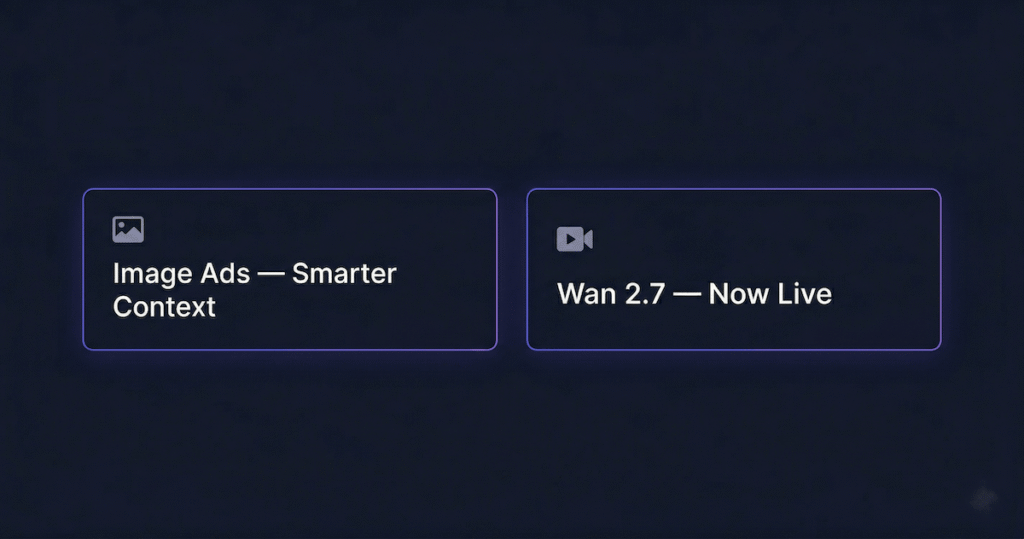
Image Ads got smarter. The Image Ads feature now delivers better performance where it matters most. The model has improved context awareness, meaning it better understands your product, your audience, and your angle before generating the ad. As a result, the output is sharper, more relevant, and requires less back-and-forth to get right.
Wan 2.7 is now live in Asset Generator. This is the biggest update in this release. Here’s what it brings:
- 3×3 grid-to-video — feed 9 images and get one cohesive video with multi-reference control
- Native 1080p output — next-gen motion, style, and sound, up to 15 seconds per generation
- First/last frame control — set your exact start and end points and the model handles everything in between
- Real human image input — feed actual product or talent photos directly into generation
This is a meaningful upgrade for e-commerce sellers. Being able to feed real product photos and talent images directly into video generation closes one of the biggest gaps between AI ads and real UGC.
Bottom line: Creatify AI is moving fast. These updates make the tool more capable and the output more convincing, which is exactly what you need when running TikTok AI UGC ads at scale.
Conclusion: Is Creatify AI Worth It in 2026?
For most people reading this, including ecommerce sellers, dropshippers, affiliate marketers, and content creators, Creatify AI is therefore worth it. It effectively removes the three biggest barriers to video ad creation, namely time, technical skill, and cost.
The URL-to-video generator alone can save hours every week. Moreover, Batch Mode makes A/B testing realistic even for solopreneurs. And the UGC-style templates deliver ad formats that actually perform on TikTok and Reels right now.
It is not a perfect tool. The avatars are not always 100% convincing in emotional scenes, and the editing control has limits. Nevertheless, for short-form, performance-focused ad creation, it is one of the best options available in 2026.
So, if you want to produce more ads, test more angles, and compete with bigger brands, Creatify AI consequently gives you a real shot at doing that without a studio or a large budget.

Work Smarter. Live Better.
Affiliate Disclosure: This article contains affiliate links. So, if you purchase through my link, I may earn a small commission at no extra cost to you.
Related Reads You Might Enjoy
- How to Make TikTok AI UGC Ads (Fast & Free)
- Creatify vs Tagshop AI: Secret to Better Ads
- Predis AI Review: Your New Social Media Strategy Friend
- Best AI Tools for Content Creators in 2026
- How to Start an Online Store in 2026 & Make Your First Sale
- TagShop AI: Quick Awesome AI UGC Video Ads
- Tagshop AI Tutorial: How To Make Cool UGC Ad
- What Are The Best Dropshipping Products in 2026 (Proven)
- Pippit AI: A Stunning AI Video Generator

Ibra A. is the founder of Remote Future, a site covering AI tools, remote work, and online business strategies. He holds a Facebook Social Media Marketing certificate from Coursera and actively tests AI tools to support independent creators and small business owners. His focus is practical, no-hype guidance for people building lean online businesses.
Our content is created using AI tools to support efficient research and writing, with human direction, verification, and editorial review by Ibra A.
AI-assisted content with human editorial oversight.
See our AI editorial policy
Content on Remote Future is created using AI tools to support efficient research and writing for remote workers and creators, followed by human edits for clarity and accuracy.
Read our AI Editorial Policy.