Last Updated on September 9, 2026
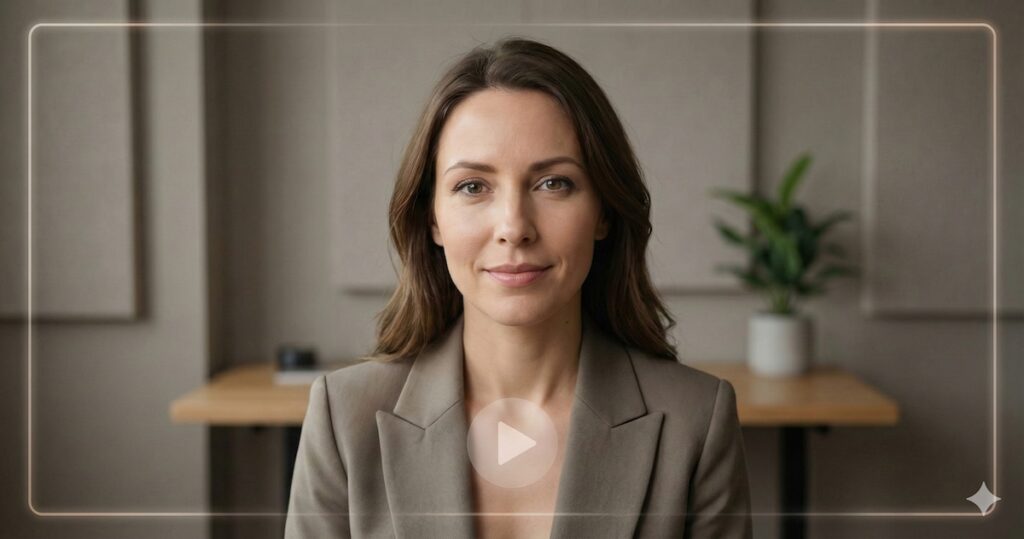
AI Transparency VerifiedLet us be honest: most of us hate being on camera. You have to set up lights, fix your hair, memorize a script, and then do twenty takes because you stumbled over one word. It is exhausting, and it is the main reason why so many creators are turning to Synthesia AI.
But what if you could create a digital version of yourself?
Synthesia AI promises to remove the camera, the microphone, and the anxiety from video creation completely. You just type text, and a photorealistic human avatar speaks it for you. It sounds like science fiction, but for thousands of creators, it is already the new normal.
But is it actually any good?
In this deep-dive review, we are going to explore everything you need to know about Synthesia AI. We will look at its features, its pricing, and most importantly, its limitations. Whether you are a course creator, a marketer, or just someone who hates the sound of their own voice on tape, this guide is for you. Let us find out if this tool is the future of video production.
What Is Synthesia AI?
At its core, Synthesia AI is a video generation platform. However, it is quite different from the video editors you might be used to, like Adobe Premiere or Final Cut Pro.
Traditional editors require you to bring the footage. Synthesia AI creates the footage for you.
It uses advanced artificial intelligence to generate realistic AI avatars—digital presenters that look and sound like real humans. Therefore, you simply type in your text, choose an avatar, and the software generates a video of that person saying your words. The lip-syncing is automatic, and the facial expressions are powered by AI algorithms.
Why Is Everyone Talking Synthesia AI?
The buzz around Synthesia AI comes from its ability to scale video production.
- No Equipment Needed: You can create videos from your laptop in a coffee shop.
- Speed: A video that used to take three days to film and edit can now be done in 15 minutes.
- Global Reach: You can instantly translate your video into Spanish, Mandarin, or French without hiring new actors.
For businesses that need to make hundreds of training videos, this is a game-changer. But for the average creator, does it hold up? Let us dig deeper.
Synthesia AI Key Features Breakdown
Synthesia AI is packed with tools designed to make video creation as easy as writing an email. So, here are the standout features that you should know about.
1. The AI Avatars
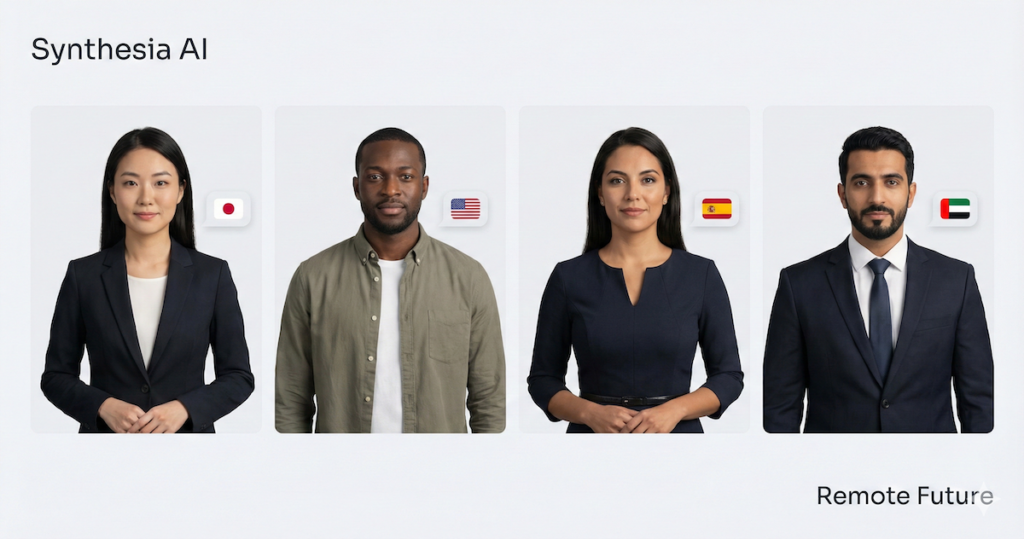
This is the main attraction. Synthesia offers over 160 stock avatars. These are digital representations of real actors who have been paid for their likeness. This means you get a diverse range of presenters—different ages, ethnicities, and styles—without the legal headache of usage rights.
Why this matters: You can match the presenter to your audience. If you are creating a corporate training video for a bank, you can choose a professional-looking avatar in a suit. If you are making a casual explainer for a Gen Z audience, you can pick someone younger and more casually dressed.
From what research indicates, the quality of these avatars has improved significantly. In the early days, they looked a bit stiff. Today, they include limited natural gestures like subtle nods and facial movement, which makes them feel more human than earlier versions
2. 140+ Languages and Accents
This feature is a massive time-saver. Synthesia AI supports over 140 languages.
But it is not just about translation. It is about localization. You can choose different accents for the same language. For example, if your script is in English, you can select a British, American, Australian, or even an Indian accent.
The benefit for you: If you run a global company, you do not need to record the same training video five times with five different voice actors. You just duplicate the project, translate the text (which Synthesia can help with), and switch the language setting. The avatar will seamlessly switch to the new language, maintaining the same voice tone.
Synthesia supports 140+ languages and voices. However, automated one-click translation workflows are available for a smaller subset of languages, mainly on higher-tier plans.
3. Text-to-Speech Quality
The visual part is only half the battle. Audio quality creates trust. Synthesia uses advanced Neural Text-to-Speech (NTTS) engines.
Based on demos, the voices sound surprisingly natural. They are not the robotic “GPS voices” of the past. They have inflection, pauses, and a natural rhythm. However, some users note that for very emotional or dramatic scripts, the delivery can still feel a little flat compared to a professional voice actor.
4. The Video Editor
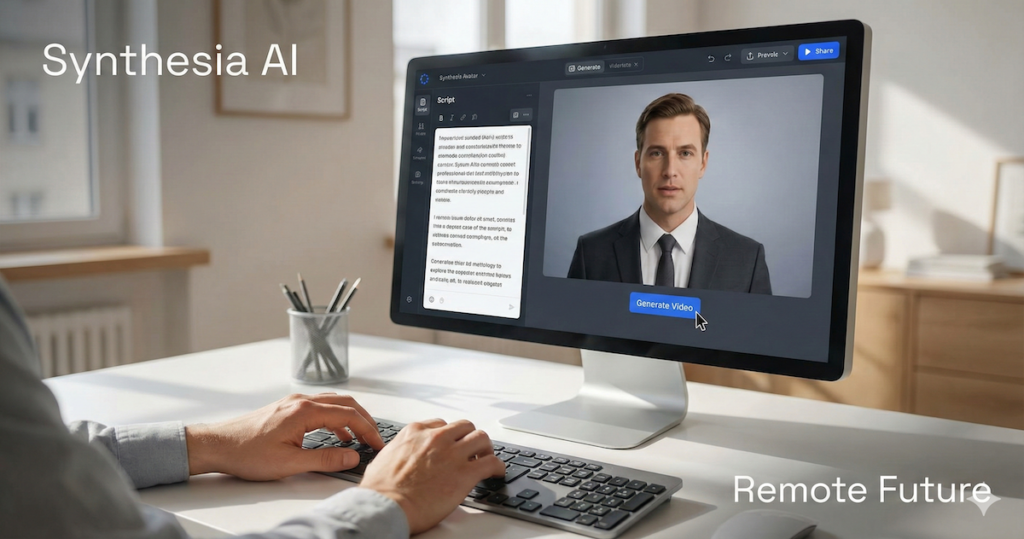
You do not need to be a video editing pro to use this tool. The interface is built to look and feel like a slide deck builder, similar to PowerPoint or Google Slides.
How it works. You:
- Have “scenes” instead of a timeline.
- Drag and drop text, images, and shapes.
- Type your script into a box at the bottom of the screen.
This lowers the barrier to entry significantly. If you can make a slide deck, you can likely make a Synthesia video.
5. Custom Avatars
If you want to build a personal brand, you might not want to use a stock avatar that everyone else is using. Synthesia allows you to create a Custom Avatar (or Digital Twin).
You film yourself for about 10-15 minutes reading a specific script. You upload that footage, and Synthesia trains the AI on your face and voice. Once it is done, you can generate videos of yourself just by typing.
A note on cost: Historically, this was a very expensive add-on, but new pricing tiers have made this feature accessible to more creators (more on that in the Pricing section below).
Who Is Synthesia AI For?
While anyone can use it, research suggests it is better suited for specific types of users. It is not necessarily for filmmakers or vloggers who need cinematic storytelling. It is a tool for information delivery.
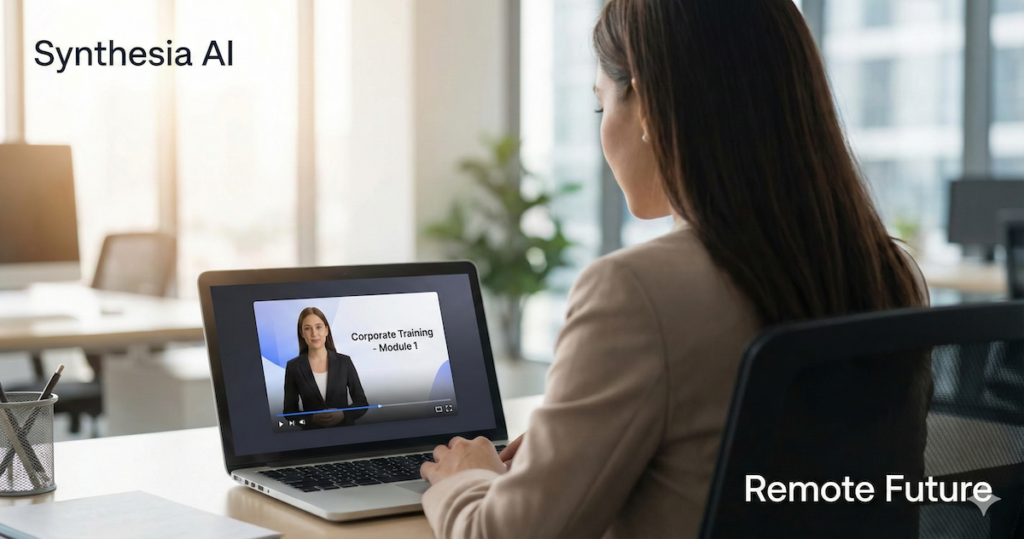
1. Learning & Development (L&D) Teams
This is the biggest use case. Companies like Zoom and Xerox use tools like this for employee onboarding. Instead of sending a boring PDF handbook, they send a video.
- Pros: Easy to update. If a policy changes, you just edit the text and re-generate the video. No re-filming required.
2. Customer Support
Imagine replacing your text-based FAQ page with a library of videos. A friendly avatar can walk customers through how to reset their password or how to use a feature.
- Pros: It builds more trust than text, and visual learners appreciate seeing the steps.
3. Sales & Marketing
Sales teams use it for “cold outreach.” Instead of a cold email, they send a personalized video. “Hi [Name], I saw your website and…”
- Pros: You can automate this. You can generate hundreds of personalized videos where the avatar says the prospect’s name, without recording each one individually.
4. Bloggers and Content Marketers
If you have written 2200-word blog posts (like this one!), you can repurpose them into YouTube videos or social media clips. Synthesia can summarize your article and turn it into a script, giving you video content for practically zero extra effort.
How Synthesia AI Works: A Step-by-Step Look
Since I have not logged in personally, I have analyzed their documentation and user walkthroughs to give you a clear picture of the workflow. It seems incredibly linear.
Step 1: Choose Your Template You do not have to start with a blank screen. Synthesia provides dozens of professionally designed templates. These cover categories like “Training,” “Sales Pitch,” or “How-to.”
Step 2: Select Your Avatar Pick the person who fits your brand. You can filter by attire (casual vs. corporate) or age. You can also frame them differently—full body, waist up, or just a headshot in a circle (great for screen recordings).
Step 3: Type Your Script This is the magic moment. You type what you want them to say. You can also upload a voice recording if you prefer using a real human voice but want the AI video.
Step 4: Customize Visuals Add your background. This could be a solid color, a stock image, or video footage. You can add bullet points, text overlays, and your company logo.
Step 5: Generate Once you are happy, you hit “Generate.” This is not instant. It takes time for the cloud servers to render the video. For a short video, it might take 10 minutes. For longer ones, it could take longer.
Step 6: Download or Stream You get an MP4 file, or a link to a hosted page where viewers can watch the video.
Synthesia AI Pricing: Is It Worth The Investment?
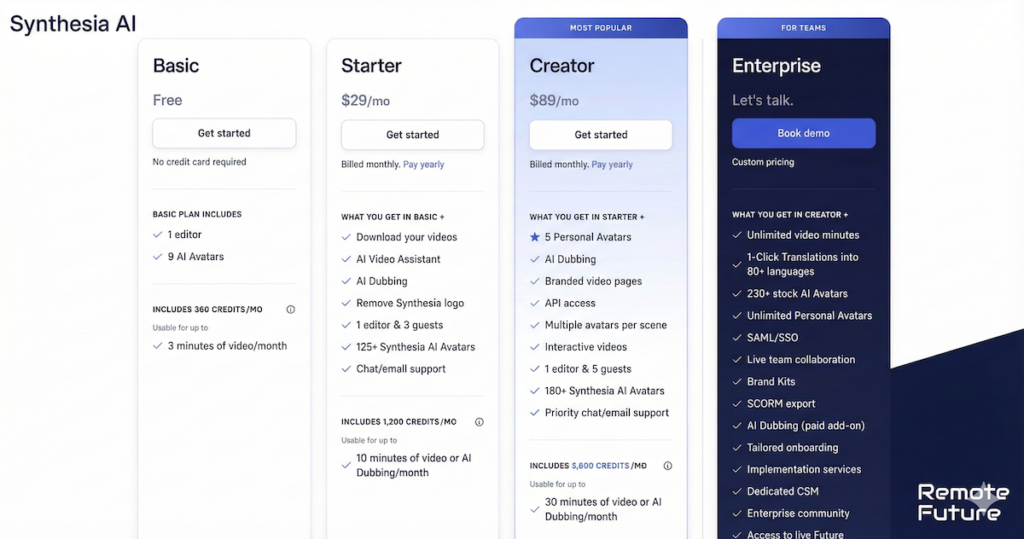
Synthesia AI has recently updated its pricing structure to be much more accessible. They now operate on a “Credit” system, where roughly 120 credits equal 1 minute of video.
Here is the breakdown of the four current tiers:
1. Basic Plan (Free Forever)
Cost: $0 / month
- Best for: Testing the waters and creating very short clips.
- What you get: 3 minutes of video per month (360 credits), access to 9 avatars, and 1 editor seat.
- The Catch: You cannot remove the Synthesia branding, and your avatar selection is limited.
- Verdict: This is perfect for verifying if the tech works for you before spending a dime.
2. Starter Plan
Cost: $29 / month
- Best for: Individuals needing occasional video updates.
- What you get: 10 minutes of video or AI dubbing per month (1,200 credits).
- Key Features: You unlock 125+ avatars, the ability to download videos without watermarks, and access to their AI Video Assistant.
- Limitation: 10 minutes goes fast. This is roughly 3-4 short explainer videos a month.
3. Creator Plan (Most Popular)
Cost: $89 / month
- Best for: Power users and small teams.
- What you get: 30 minutes of video or AI dubbing per month (3,600 credits).
- The Big Bonus: This plan includes 5 Personal Avatars. Previously, creating a digital twin of yourself cost thousands of dollars. Now, it is included here.
- Key Features: You also get 180+ stock avatars, branded video pages, and priority support.
4. Enterprise Plan
Cost: Custom Pricing
- Best for: Large organizations.
- What you get: Unlimited video minutes.
- Key Features: Access to all 230+ avatars, automated one-click translation workflows for a subset of supported languages (availability varies by plan), single sign-on (SSO) security, and SCORM export for Learning Management Systems (LMS).
Synthesia AI Pros and Cons: The Honest Truth
No tool is perfect. Based on extensive research and user feedback, here is a balanced view of Synthesia AI.
The Pros (Why you should use it)
- Massive Time Savings: This is the undeniable benefit. You skip pre-production, filming, and audio recording.
- Consistency: Your audio levels are always perfect. Your presenter never has a “bad hair day.” Your brand looks consistent across every video.
- Updates are Easy: Changing a product price in a video used to mean re-shooting. Now, you just change one line of text and re-render.
- Scalability: You can produce 50 videos as easily as you produce one.
The Cons (The limitations)
- Credit Limits: The monthly plans operate on strict time limits (e.g., 10 minutes for the Starter plan). If you are planning to produce hours of course content, you will burn through your credits quickly and may need the Enterprise plan.
- Lack of Genuine Emotion: AI has come a long way, but it cannot yet replicate the passion of a great motivational speaker. It is best for “information,” not “inspiration.”
- The “Uncanny Valley”: Occasionally, the avatars might blink weirdly or their lip movements might be slightly off. Viewers usually know it is AI.
- Strict Moderation: Synthesia has strict ethical guidelines (which is good!). However, this means you cannot use it for political content or anything they deem risky. Your scripts go through a moderation filter.
Synthesia AI Alternatives to Consider
Synthesia is a market leader, but it is not the only player.
- HeyGen: Very similar to Synthesia. Some users claim HeyGen’s lip-syncing is slightly better for certain languages. They also have a very strong video translation feature and a new AI Video Agent that builds complete videos from a single prompt. Read our full HeyGen AI Review for a detailed breakdown of everything it offers in 2026.
- Colossyan: Often focuses heavily on the “Learning and Development” market with features specifically for quizzes and interactivity in videos.
- D-ID: Famous for animating still photos. If you want to make a historical figure (like a painting) speak, D-ID is the specialist there.
If you’re looking for an AI video tool built specifically for TikTok product ads rather than corporate content, our guide on how to make TikTok AI UGC ads with Creatify AI is worth a read. It’s purpose-built for e-commerce sellers and dropshippers.
If you need a more complete faceless video tool that combines UGC ads, AI influencers, niche content generators, and long-form video automation in one platform, our StoryShort AI review covers a strong alternative worth considering alongside Synthesia.
Real World Insights: When to Use It (And When Not To)
Since I want to help you rank on Google and build trust, I need to be real with you about application.
Use Synthesia If you:
- Have a high volume of boring, repetitive content (policies, manuals).
- Audience speaks multiple languages.
- Have zero budget for cameras and actors.
- Need to stay anonymous but want a human face on screen.
Do NOT Use Synthesia If you are:
- Making an emotional apology video.
- Filming a comedy sketch (timing is hard for AI).
- Building a personal brand that relies on your specific personality and quirks (unless you pay for a very high-end custom avatar).
If you need short-form video ads rather than corporate explainers, Creatify AI is built specifically for that use case.
For fast product ads specifically, with built in ecommerce marketplace sync, our Pippit AI review covers a tool built for that exact use case.
Frequently Asked Questions
1. Can I use Synthesia videos on YouTube? Yes, absolutely. Many channels use it for “faceless” cash cow channels or news summaries. However, YouTube now requires you to label content as “AI-generated” in the settings.
2. Do the avatars look fake? They look “95% real.” On a mobile screen, most people will not notice. On a large 4K monitor, you can tell. It is impressive, but not indistinguishable from reality yet.
3. Can I upload my own voice? Yes. If you do not like the AI voices, you can record your own voiceover and upload it. The avatar will lip-sync to your real voice.
4. Is there a free trial? Yes, and it is better than a trial. Synthesia now offers a Basic Free Plan. You do not even need a credit card to sign up. It gives you 3 minutes of video generation per month, which is enough to create a quick social media clip or test the lip-sync quality personally.
Conclusion
Synthesia AI represents a massive shift in how we create content. It democratizes video production, making it accessible to anyone with a keyboard.
Is it perfect? No. It lacks the soul and spontaneity of a human creator. But is it useful? Incredibly. For businesses and educators, it solves the problems of cost, speed, and language barriers in a way that traditional video never could.
If you are looking to scale your content production without scaling your budget, Synthesia is likely the best tool currently on the market to do it.
Ready to try it out? Go to the Synthesia website and create your free account to see if it meets your standards.
Disclaimer: This post is for informational purposes. I have not personally tested the paid version of this tool, and pricing/features may change.
Work Smarter. Live Better.
Affiliate Disclosure: This article contains affiliate links. So, if you purchase through my link, I may earn a small commission at no extra cost to you.

Ibra A. is the founder of Remote Future, a site covering AI tools, remote work, and online business strategies. He holds a Facebook Social Media Marketing certificate from Coursera and actively tests AI tools to support independent creators and small business owners. His focus is practical, no-hype guidance for people building lean online businesses.
Our content is created using AI tools to support efficient research and writing, with human direction, verification, and editorial review by Ibra A.
AI-assisted content with human editorial oversight.
See our AI editorial policy
Content on Remote Future is created using AI tools to support efficient research and writing for remote workers and creators, followed by human edits for clarity and accuracy.
Read our AI Editorial Policy.