

Last Updated on May 26, 2026
AI Transparency VerifiedTikTok Wants UGC — But Hiring Actors Is Expensive
If you’re running a dropshipping store or selling products online, you already know the truth: TikTok rewards content that feels real. That’s exactly why TikTok AI UGC ads are becoming one of the most powerful tools for e-commerce sellers in 2026. If you are not sure what UGC is yet, start with our complete beginner guide to what is UGC and how to make money with it before diving into this tutorial. Not polished brand videos. Not stock footage. Real-feeling people, talking to a camera, showing off a product like they just bought it themselves.
That’s what TikTok AI UGC ads promise to replicate — without the talent fees, scheduling headaches, or creative back-and-forth. And if you’re just starting out, spending $150–$500 per UGC video on platforms like Billo or Fiverr can drain your budget before you’ve made a single sale.
So what’s the alternative? Tools like Creatify AI are changing the game by letting you generate UGC-style video ads from a simple product link. In this guide, you’ll learn exactly how it works, what the step-by-step workflow looks like, and — honestly — where it still falls short.
Quick note: I haven’t personally tested Creatify AI yet. Everything in this guide is based on thorough research of its features, documented workflows, and verified user reports. I’ll share what I’ve found accurately and without hype.
Heads up: This post contains affiliate links. So, if you click through and make a purchase, I may earn a small commission — at no extra cost to you. I only recommend tools I’ve genuinely researched and believe can help you. Thanks for supporting Remote Future!
Why TikTok AI UGC Ads Outperform Regular Ads
Before we dive into the tool, it’s worth understanding why UGC-style content performs so well on TikTok in the first place.
TikTok’s algorithm doesn’t care about follower count the way Instagram does. It cares about engagement signals — watch time, shares, comments, and replays. UGC content wins on all of these because it:
- Feels native to the feed. Viewers don’t immediately know it’s an ad.
- Builds instant trust. A real person (or a convincing avatar) talking about a product feels more credible than a brand shouting at you.
- Drives action. The “I saw this on TikTok” buying cycle is very real. TikTok Shop alone is pushing billions in product sales every year.
If you’re building your online store in 2026, getting your ad creative right — and doing it affordably — is one of the highest-leverage things you can do early on.
What Is Creatify AI?
Creatify AI is a video ad generation platform built specifically for e-commerce brands and marketers. Its core promise is simple: paste a product URL, and it spits out a ready-to-publish video ad — complete with an AI avatar, a script, background music, and captions.
It’s not a general-purpose video editor. It’s purpose-built for ad creative, which is what makes it interesting for dropshippers and online store owners who need a steady stream of content without hiring a whole video team.
Think of it as sitting somewhere between a creative agency and a content automation tool. You bring the product; Creatify handles the rest.
For a full breakdown of its plans, features, and pricing, check out this detailed Creatify AI review.
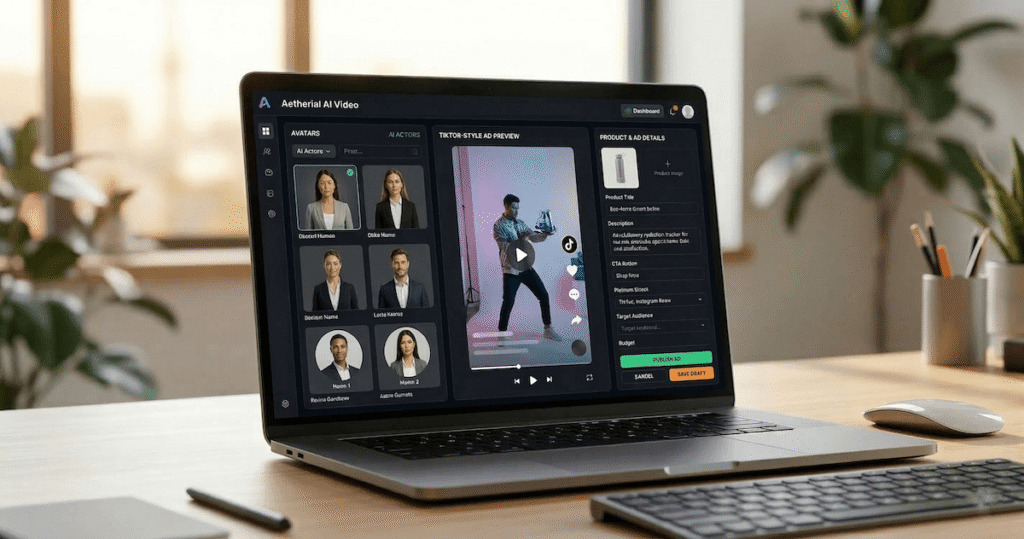
Step-by-Step: How to Make TikTok AI UGC Ads With Creatify
Here’s how the workflow actually flows from start to finish.
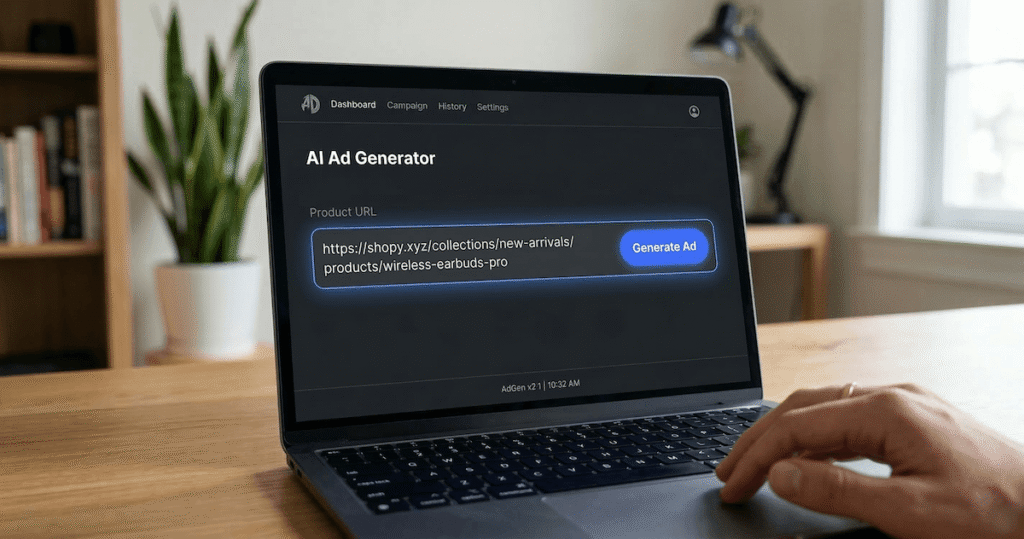
Step 1: Paste Your Product URL
Start by logging into Creatify and selecting the URL-to-Video feature. Paste your product page link — this works with Shopify stores, WooCommerce pages, Amazon listings, and most major e-commerce platforms.
Creatify’s AI will automatically scrape the page, pulling in:
- Product images and any existing video assets
- The product title and description
- Key selling points it detects in the copy
This is the part that saves the most time. Instead of manually uploading assets and writing a brief, the tool does the heavy lifting for you.
Step 2: Choose Your AI Avatar
Once Creatify processes your product, you’ll be taken to the avatar selection screen. This is where the UGC magic happens.
You can browse a library of AI-generated avatar “creators” — diverse in age, appearance, style, and vibe. Some look casual and authentic (perfect for lifestyle products), others look more polished (better for tech or B2B adjacent items).
You’re choosing the “face” of your ad here, so take your time. Think about who your target customer is and which avatar they’d trust. A skincare ad aimed at women in their 30s will feel very different coming from a 22-year-old male avatar.
Pro tip: Match the avatar’s energy to your product niche. Casual, relatable avatars tend to outperform overly-polished ones on TikTok.

Step 3: Review and Edit the AI-Generated Script
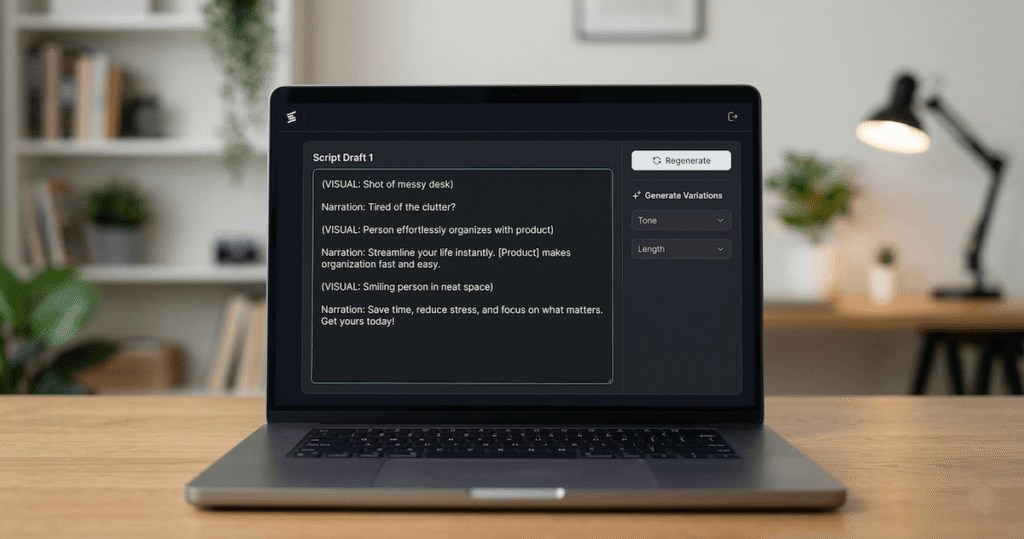
Creatify will generate a short video script based on the product data it scraped. This is usually a 15–30 second talking-head style script — the exact format that performs well as a TikTok ad.
You can:
- Accept the script as-is for speed
- Edit it manually to add your brand’s voice or specific hooks
- Generate variations and pick the one that feels most natural
The scripts tend to be short and benefit-focused, which is the right instinct. But they can sometimes feel a little generic out of the box, so a quick pass to punch up the hook (the first 3 seconds) is usually worth it.
Step 4: Customize the Video Style
Before rendering, you’ll have options to tweak:
- Background music — Creatify provides a library of royalty-free tracks
- Captions — auto-generated, with font and style options
- Video format — 9:16 vertical for TikTok and Reels, or 1:1 for other placements
- Call-to-action overlays — “Shop Now,” “Link in Bio,” etc.
This is also where you can set the overall pacing and tone. Keep it snappy — TikTok ads live and die by the first 2–3 seconds.

Step 5: Render and Download Your Ad
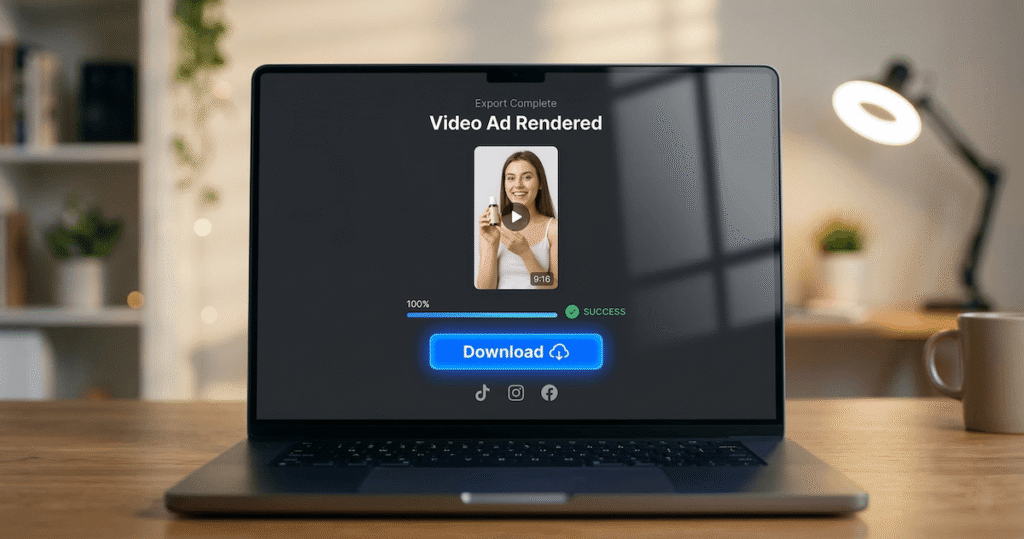
Hit render. Creatify will process and produce your video, typically in a few minutes depending on your plan and queue. Once it’s done, download the file and you’re ready to upload to TikTok Ads Manager or post directly to your page.
The output is a complete, polished video — no editing required unless you want to make additional tweaks in a tool like CapCut or similar.
Honest Pros & Cons of TikTok AI UGC Ads With Creatify
I want to be straight with you here. Creatify AI is genuinely impressive for what it does, but it’s not magic — and it’s not right for every situation.
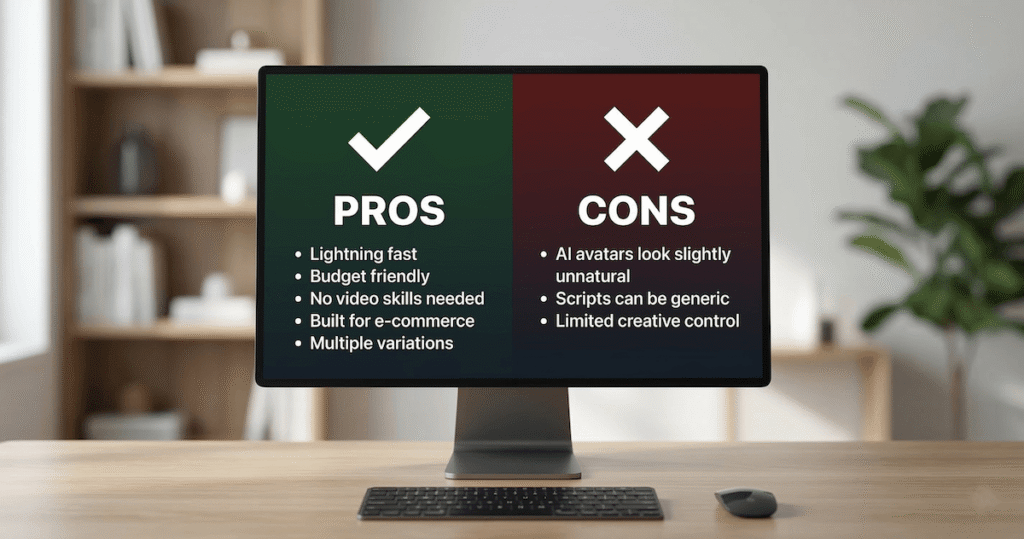
✅ Pros
- Insane speed. Going from a product URL to a finished video ad in under 10 minutes is a real, documented capability. For testing multiple ad concepts quickly, nothing beats it.
- Cost-effective for beginners. Compared to hiring UGC creators ($150–$500 per video), Creatify’s subscription model can produce dozens of ads per month at a fraction of the cost.
- No video skills required. You don’t need to know anything about editing, scripting, or production. That lowers the barrier massively for new store owners.
- Built for e-commerce. The URL scraping feature is genuinely smart. It understands product pages and structures scripts around benefits — not just features.
- Multiple variations fast. You can generate 5–10 ad variations quickly and A/B test them, which is how serious TikTok advertisers scale.
- Consistent output. Unlike human creators, Creatify doesn’t have bad days, missed deadlines, or creative differences.
❌ Cons
- AI avatars can look slightly unnatural. This is the honest truth of the current state of AI video. Creatify’s avatars have gotten better, but a sharp-eyed viewer — or TikTok’s algorithm — may still detect the synthetic quality. Real UGC from actual humans will almost always outperform AI avatars on authenticity.
- Limited creative control. You’re working within the platform’s templates and avatar library. If you have a very specific creative vision, Creatify may feel restrictive.
- Scripts can be generic. The AI-generated scripts are a solid starting point, but rarely exceptional. Budget time for editing.
- TikTok’s algorithm evolution. TikTok is getting smarter at identifying AI-generated content. It’s unclear how this will impact ad performance long-term.
- Not a replacement for a real content strategy. Creatify is a production tool, not a strategy tool. You still need to understand your audience, test your hooks, and iterate on what works.
Who Should Be Running TikTok AI UGC Ads?
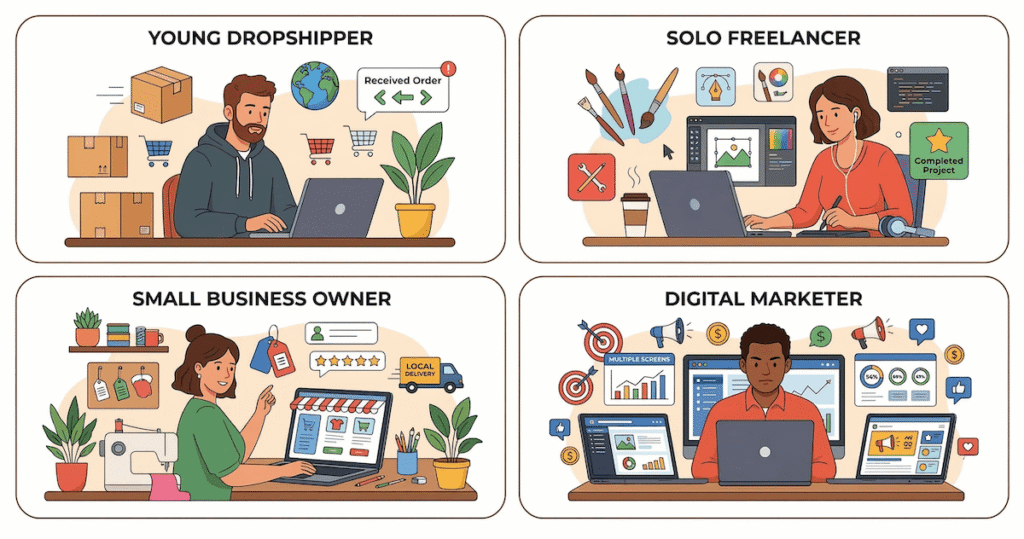
Based on everything I’ve researched, Creatify AI is a great fit if you:
- Run a dropshipping store and need affordable ad creative at scale — check out the best dropshipping tools in 2026 for a broader look at your toolkit. Not sure which products to promote yet? Our guide to the best dropshipping products in 2026 covers eight proven niches that work perfectly with TikTok UGC ads.
- Are testing a new product and want to validate demand with a few ad variations before investing in real creators.
- Are a solo entrepreneur or small team without the budget or bandwidth for a full creative production workflow.
- Manage multiple stores or clients and need to produce ad content efficiently across several products.
It’s less ideal if you’re running a high-trust brand where authenticity is a core value, or if your audience is particularly sophisticated and likely to notice AI-generated content.
How Creatify Compares for TikTok AI UGC Ads
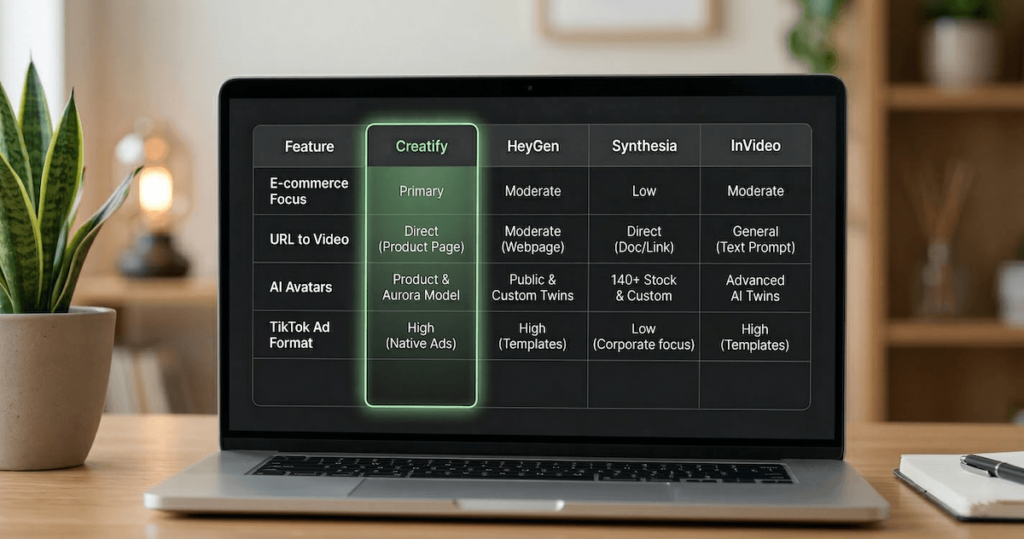
Creatify isn’t the only player in the AI video ad space. It’s worth knowing how it fits in.
Alternatively, if you want a tool that combines UGC video ad creation with full social media content scheduling and AI product photoshoots in one dashboard, our Predis AI review covers a strong option worth adding to your comparison.
Synthesia AI is geared more toward training videos and corporate content. It’s less optimized for TikTok ad formats.
InVideo AI is a strong text-to-video tool with broad use cases. It doesn’t have the same URL-to-ad pipeline that makes Creatify specifically useful for dropshippers.
If you need a faceless video tool that combines UGC ads with long-form video generation and niche content creators in one platform, our StoryShort AI review covers a strong option worth considering alongside Creatify.
Creatify’s advantage is its e-commerce-specific workflow. The URL-to-video pipeline and UGC avatar library are purpose-built for product ads in a way competitors aren’t.
Tips to Make Your TikTok AI UGC Ads Actually Perform
Generating the video is only half the job. Here’s how to give your AI UGC ads the best chance of working.
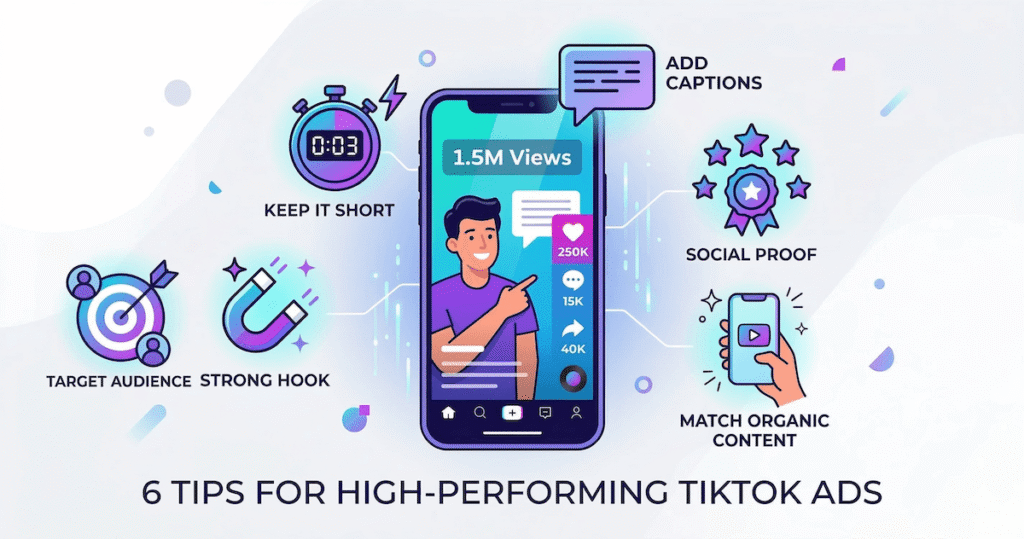
1. Nail the hook. The first 2–3 seconds determine everything. Edit the AI script so the opening line is a bold claim, a relatable pain point, or a surprising statement — not “Hi, I just discovered this amazing product.”
2. Add social proof where you can. Even a quick caption overlay like “4.8 stars — 2,000+ reviews” boosts credibility.
3. Test multiple avatars. Don’t assume one avatar will work for everyone. Run two or three versions simultaneously and let the data decide.
4. Keep it short. 15–20 second ads typically outperform longer ones on TikTok. Creatify’s default scripts are usually in this range — resist the urge to pad them out.
5. Use captions. A large portion of TikTok is watched on mute. Auto-captions are non-negotiable.
6. Match the energy of organic content. The best TikTok ads feel like something a regular person would post. Avoid overly scripted language or anything that screams “corporate ad.”
For broader content creation strategy and tools, the best AI tools for content creators in 2026 is a great resource to bookmark.
Frequently Asked Questions About TikTok AI UGC ads
What are TikTok AI UGC ads? TikTok AI UGC ads are video advertisements that use AI-generated avatars to mimic the style of user-generated content — the kind of authentic, talking-head videos that perform well organically on TikTok.
Is Creatify AI free to use? Creatify offers a free trial with limited credits. Paid plans unlock more avatar options, higher render limits, and additional features. Check their website for current pricing.
Do TikTok ads made with AI actually work? Research and user reports suggest they can work, especially for product testing and top-of-funnel traffic. Real human UGC typically converts better on authenticity, but AI ads win on speed and cost for early-stage testing.
Does Creatify work with Shopify? Yes. You can paste a Shopify product page URL directly into Creatify and it will pull the product details automatically.
Are AI-generated TikTok ads detectable? TikTok’s algorithm and savvy viewers may detect AI avatars, particularly if lip sync or micro-expressions look slightly off. Quality has improved significantly, but it’s not yet indistinguishable from real human video.
Can I use Creatify for platforms other than TikTok? Yes — Creatify supports multiple aspect ratios and is used for Instagram Reels, YouTube Shorts, and Facebook ads as well.
What’s the difference between Creatify and Predis AI? Predis AI is more focused on full social media content management, combining UGC video ads with post scheduling, carousels, and AI product photoshoots in one dashboard. Creatify is optimized specifically for e-commerce ad creative, with features like URL-to-video that Predis AI does not offer in the same focused way.
Final Thoughts TikTok AI UGC Ads
TikTok AI UGC ads are not a silver bullet — but they’re a genuinely useful tool in the modern e-commerce stack, especially if you’re bootstrapping and need content volume without a huge budget.
Creatify AI makes the workflow accessible. Paste a URL, pick an avatar, tweak a script, render a video. That’s a remarkable simplification of what used to require a production budget, a creator platform subscription, and days of back-and-forth.
The limitations are real: AI avatars aren’t quite there yet in terms of raw human authenticity, and the scripts need editing to be truly great. But for testing product ideas, running initial traffic, and generating creative volume quickly, it’s hard to argue with the time and cost savings.
You can go deeper on the platform’s features and pricing before committing, this full Creatify AI review covers everything you need to know.
If you’re weighing up your options beyond Creatify, we’ve put together a full Creatify vs Tagshop AI comparison that breaks down how both tools handle UGC-style video ad creation — so you can pick the right one for your business. And if you have already decided on Tagshop AI, our step-by-step Tagshop AI tutorial walks you through the full workflow with verified screenshots.
If you want a dedicated look at TagShop AI on its own, our TagShop AI review covers the features, pricing, and who it’s best for in detail

Work Smarter. Live Better.
Affiliate Disclosure: This article contains affiliate links. So, if you purchase through my link, I may earn a small commission at no extra cost to you.
You Might Also Like These AI Tools:
- How to Start Your Online Store in 2026
- The Best Dropshipping Tools in 2026
- What Are The Best Dropshipping Products in 2026 (Proven)
- Best AI Tools for Content Creators in 2026
- StoryShort AI Review 2026: A Powerful Faceless Video Tool
- TagShop AI Review – Quick Awesome AI UGC Video Ads
- Tagshop AI Tutorial: How To Make Cool UGC Ads
- What Is UGC and How to Make Money With It

Ibra A. is the founder of Remote Future, a site covering AI tools, remote work, and online business strategies. He holds a Facebook Social Media Marketing certificate from Coursera and actively tests AI tools to support independent creators and small business owners. His focus is practical, no-hype guidance for people building lean online businesses.
Our content is created using AI tools to support efficient research and writing, with human direction, verification, and editorial review by Ibra A.
AI-assisted content with human editorial oversight.
See our AI editorial policy
Content on Remote Future is created using AI tools to support efficient research and writing for remote workers and creators, followed by human edits for clarity and accuracy.
Read our AI Editorial Policy.