

Last Updated on September 30, 2026
AI Transparency VerifiedWhat Is UGC and How to Make Money With It
Brands are paying everyday people to make short videos from home. In fact, you do not need a camera, a following, or any prior experience. It is called UGC and this free guide shows you exactly how it works and how to get your first paid video.
You may have seen the term “UGC creator” in Facebook groups or on TikTok. Sometimes people post screenshots showing big payouts and claim it is easy money. Some of that is real. However, a lot of it is exaggerated.
What is true is that brands do pay people to make short videos that look natural and honest. Moreover, with AI tools, you do not even need to film yourself to do it.
In this post, you will discover what UGC is, why brands pay for it, and how you can get started using three AI tools, even if you have never made a video before.
Affiliate Disclosure: This post contains affiliate links. So, if you click through and make a purchase or sign up, we may earn a small commission at no extra cost to you.
No credit card required. Cancel anytime.
What Is UGC?
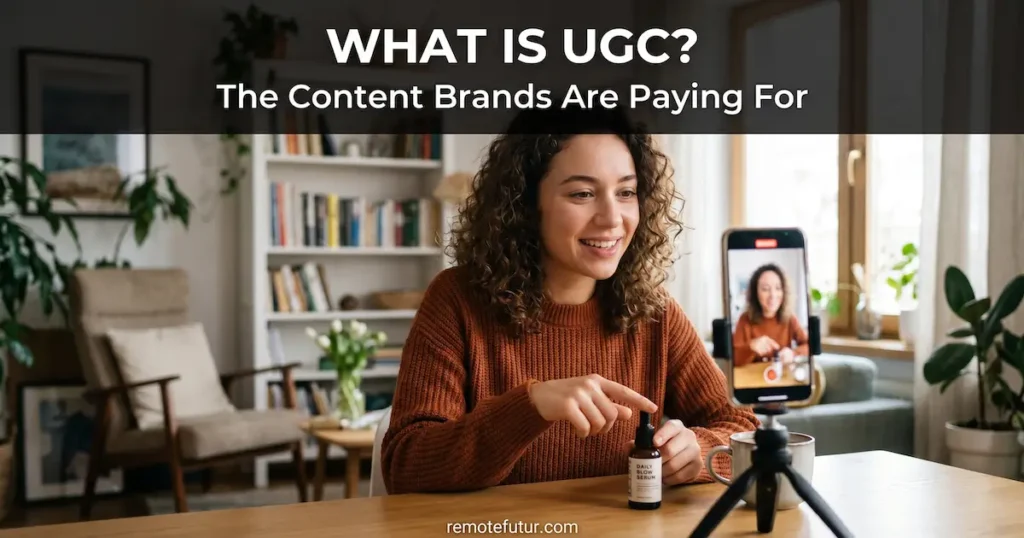
UGC stands for user-generated content. Originally, it referred to content that real customers posted on their own, like reviews or unboxing videos on social media.
Brands noticed something important along the way. These videos performed better in ads than polished, expensive ones. They felt more real, and as a result, people trusted them more and kept watching.
So brands started paying people to make videos that look like organic customer content, on purpose. As a result, that is how the UGC creator business was born.
Today, a UGC creator is someone a brand hires to make short videos. The videos look like regular customer content but are actually scripted and paid for. Brands then use them in Facebook ads, TikTok ads, and on product pages.
To be clear, you do not need to be an influencer. A following is not required either. Instead of being a spokesperson, you are simply delivering a video like any other freelance service. Now that you understand what is UGC, let us look at why brands are willing to pay for it.
Why Do Brands Pay for UGC?
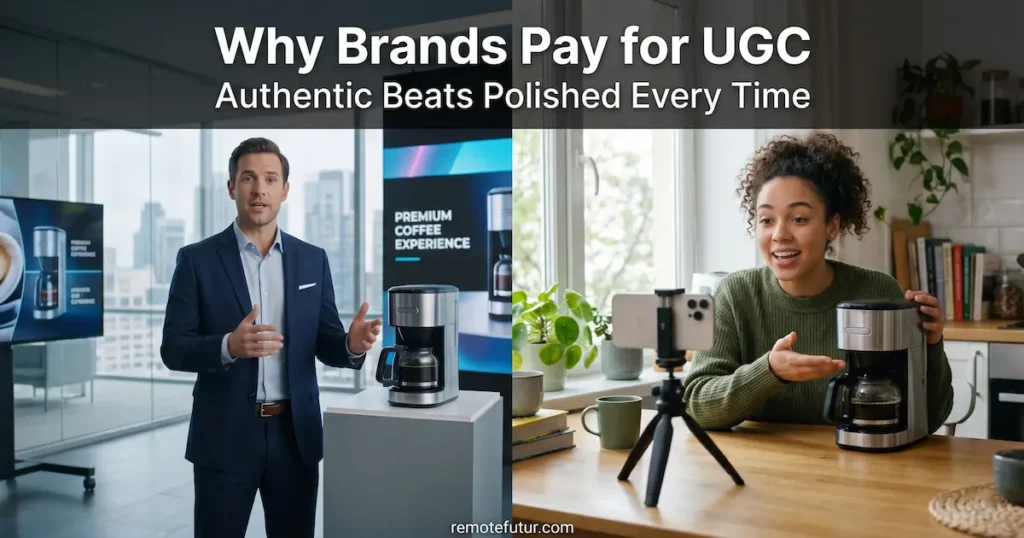
Brands get better results from authentic UGC videos than from expensive studio productions.
Because it works better than traditional ads.
When someone scrolls through social media and sees a polished corporate video, they skip it. In contrast, when they see someone talking casually about a product from their couch, they slow down and watch.
That difference in attention leads to more sales. In fact, brands running ads on Meta and TikTok have tested this over and over. As a result, natural-looking videos beat polished ones in most cases.
For brands, hiring a UGC creator is cheaper than making a studio ad. For creators, it is one of the easiest freelance services to get started with.
What Does a UGC Creator Actually Do?
The job is straightforward. You make a short video, usually between 15 and 60 seconds. The brand tells you what they want, you deliver the video, and they use it in their ads.
Common video formats include:
- A product review or testimonial
- An unboxing or first-impression video
- A problem and solution video
- A day-in-the-life video featuring the product
Most brands just want the video file and do not ask you to post it on your own account. This is called “dark UGC” and it requires zero social media following.
How much can you charge? Entry-level creators typically start around $75 to $150 per video. More experienced creators charge considerably more. However, use those numbers as a rough guide, not a promise.
How to Make UGC Videos Without a Camera
This is where it gets interesting for people who do not want to be on camera.
AI tools let you create UGC-style videos using AI avatars, product images, and simple text prompts. Basically, you type in what you want, and the tool builds the video for you.
One important note: always be honest with brands about how you make your videos. Some brands want real people on camera. Others, however, are happy with AI-generated content as long as it looks good. Therefore, always ask before you pitch.
Before we get into the tools, here is a practical angle worth considering first.
A Simple Way to Start Your UGC Side Hustle: Local Businesses

You do not have to compete with thousands of online creators from day one. Once you know what is UGC and how it works, you can start much closer to home.
Small businesses around you, such as restaurants, salons, gyms and local shops, need video content all the time. Most of them have no idea how to make it, and furthermore, they do not have the budget for a video agency or the time to learn.
That is a gap you can fill.
With an AI video tool, you can make a short promo video for a local business without filming anything yourself. In fact, all you need is a script and a few minutes of work. No camera and no crew required.
The math is simple. AI video tools cost a fraction of what you can charge for a single video. If you land even one small business client, your monthly tool cost is already covered. Two or three clients per month, and you have a real side income.
Start local first, build a small portfolio, and then decide if you want to grow online.
Three AI Tools to Create UGC Videos From Home
Creatify AI
Creatify AI is built specifically for making video ads. You give it a product URL or a short description, and it creates a short video ad using an AI avatar and voiceover.
For beginners especially, it is one of the best options because everything is set up for ad creation. In other words, you are not starting from a blank page.
If you want to offer AI video ads to small businesses or e-commerce brands, Creatify is a great place to start.
No credit card required. Cancel anytime.
TagShop AI
TagShop AI works a little differently. Instead of building ads from scratch, it helps you turn product images and social media content into video ads that are ready to run.
While Creatify is better for generating content from nothing, TagShop is a stronger fit when you already have product photos or customer content to work with. It is therefore a good choice for online store owners who want to turn existing images into video ads quickly.
If you plan to offer UGC services to e-commerce brands in particular, TagShop is worth knowing about.
No credit card required. Cancel anytime.
Predis AI
Predis AI is a social media content tool that also generates UGC-style video ads using AI avatars and voiceovers. Simply give it a product description or URL, choose an AI spokesperson, and it builds a short video ad ready to publish.
What makes it different from Creatify and TagShop is that it goes beyond video ads. In addition, it handles your full social media content calendar, carousels, image posts, and scheduling, all from one dashboard. Therefore, if you want one tool that covers both UGC video creation and general social media content, Predis AI is worth exploring.
Furthermore, it supports 18-plus languages and hundreds of accents, which makes it a strong option if you are targeting international audiences or multilingual markets. As a result, you can create and distribute localized content without hiring a voiceover artist or a translator.
Based on official Predis AI documentation. We have not personally tested the UGC avatar feature firsthand.
No credit card required · Cancel anytime
How to Price Your First UGC Video
Pricing is one of the biggest questions beginners have. There is no single right answer, but here are the main things that affect what you can charge.
Video length and complexity. A simple 15-second video takes less work than a 60-second ad with multiple scenes. So longer and more complex videos are worth more money.
Usage rights. This one is important to learn early. When a brand uses your video in paid ads for months, they are getting a lot of value from your work. As a result, many creators charge extra for usage rights on top of their base price. Think of it like renting your video to the brand.
Raw vs edited. Some brands want a finished, polished video. Others just want the raw file and will edit it themselves. Raw-only delivery is usually priced lower.
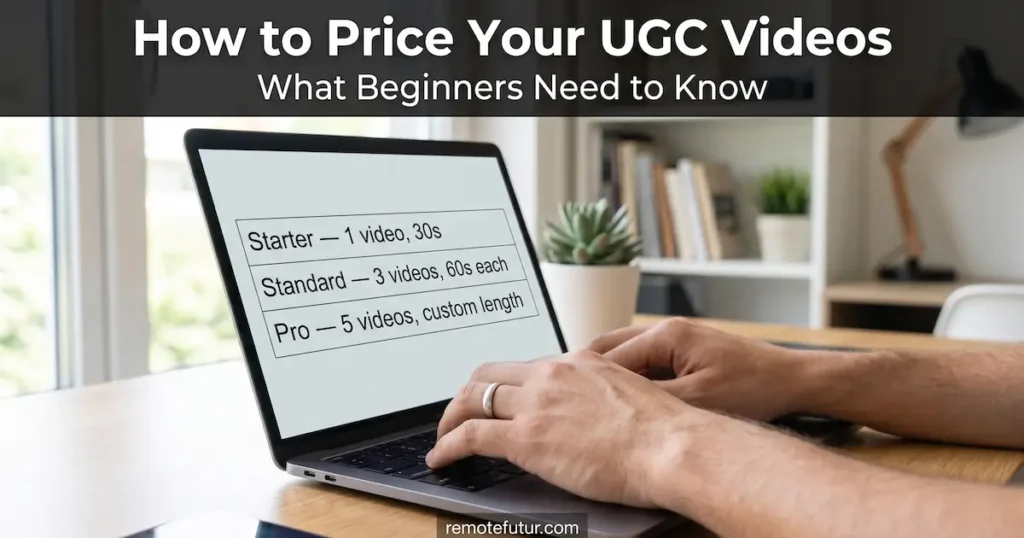
Where to start as a beginner: charging between $75 and $100 for a simple video is a reasonable starting point. As you build up samples and get results for clients, you can raise your rates and even create packages. For example, a starter package of one video, a standard package of three videos, and a pro package of five videos gives clients clear options and makes your service easier to buy.
Do not price yourself too low just to get work, but also do not charge a lot before you have a portfolio to show.
How to Pitch Brands as a UGC Creator

Most beginners overthink the pitch. In reality, a short and clear message works much better than a long one. Here is a simple structure that works well.
Line 1: Who you are and what you do. Keep it to one sentence. For example: “I create short video ads for e-commerce brands using AI video tools.”
Line 2: Why you are reaching out to them. Show that you looked at their brand. For example: “I think your product would work great in a problem-and-solution style video.”
Line 3: What you are offering. Be specific. For example: “I can deliver a 30-second video within 3 days for $100, including one revision.”
Line 4: Your portfolio link. Simply write: “Here are a few samples: [your link].”
That is all you need. Four lines, no long story. If they like it, they will reply. If not, move on and pitch the next brand. Sending consistent pitches matters more than writing the perfect one.
What Makes a Good UGC Video

Knowing this will make your videos better and easier to sell. Most good UGC videos follow a simple three-part structure.
The hook: First 2 to 3 seconds. This is the most important part of the whole video. If the viewer does not stop scrolling in the first two seconds, they will never see the rest. A good hook is usually a bold statement or a relatable problem. For example: “I wasted so much money before I found this.”
The body: The middle part. This is where you talk about the product. Keep it simple and focus on one or two benefits. Speak like a real person, not like a TV commercial.
The call to action: The last few seconds. Tell the viewer what to do next. Something like “Link in bio” or “Tap to learn more” is enough. Keep it short and natural.
A few extra tips:
- Shorter videos usually perform better. Try to stay between 15 and 30 seconds.
- Start mid-sentence or mid-action to grab attention right away.
- Do not use background music that is too loud or distracting.
- Natural lighting looks more real and authentic, even with AI avatars.
Above all, focus on making the video feel genuine and helpful to the viewer. You do not need to be a filmmaker to do that well.
How to Get Started With UGC Step by Step

You do not need to learn all three tools before you begin. Instead, pick one, get comfortable with it, and make your first sample video.
Step 1: Pick a niche. First, choose a niche like beauty, fitness, home goods, or software. A clear niche makes you easier to hire and helps you stand out. Not sure which niche to pick? Our guide to the best dropshipping products in 2026 covers eight proven niches that work well with UGC-style video ads.
Step 2: Make two or three sample videos. Next, create what are called spec videos. You make them without a paid client, simply to show what you can do. Use a product you own or a well-known brand as an example. Do not claim to be sponsored.
If you also want to build a professional-looking brand around your UGC service, our Kittl AI review covers a beginner-friendly tool for creating logos and brand assets without any design experience.
Step 3: Create a simple portfolio. After that, set up a simple portfolio. A Google Drive folder or a free Notion page works fine. You simply need somewhere to send potential clients.
Step 4: Start reaching out. Once your portfolio is ready, start pitching. Platforms like Billo and Fiverr connect UGC creators with brands. You can also reach out to local businesses or brands directly by email.
Step 5: Deliver, learn, and improve. Finally, focus on delivering good work and improving with each project. Your first videos will not be perfect, and that is completely normal.
What to Expect From UGC as a Side Hustle

UGC is a real way to earn money on the side. However, it is not passive income and it is not fast money.
Your first month will likely be more learning than earning. Building a client base takes time, especially without a portfolio or track record.
AI tools certainly lower the barrier to entry. Still, they do not replace the need for a good script, basic editing judgment, or an understanding of what makes an ad work.
Think of it as a skill you are building over time, not a shortcut. That mindset will take you much further.
UGC also means pitching brands and building a portfolio, which doesn’t suit everyone. If you’d rather use knowledge you already have, AI training is another home-based option. Companies now pay people to review and improve AI answers in areas like languages, finance, or health, with no pitching involved. My micro1 review explains how it works, what real listings pay, and who actually gets hired.
UGC Frequently Asked Questions
If you still have questions about what is UGC and how to get started, here are the most common ones.
Do I need to show my face to be a UGC creator? Not always. Many brands just want the video file. For example, AI tools like Creatify, TagShop, and Predis AI let you create content without appearing on camera. That said, some brands specifically want a real person, so it ultimately depends on the client.
Not always. Many brands just want the video file. For example, AI tools like Creatify, TagShop, Predis AI, and Pippit AI let you create content without appearing on camera. Our Pippit AI review covers a similar speed-focused workflow built around turning a product link into a finished video.
Is AI-generated UGC allowed on platforms like Meta? In most cases, yes, but with conditions. Meta requires disclosure of AI-generated content in certain situations. Therefore, always check the platform’s current rules and be upfront with brands about how your content is made.
How much can I realistically earn starting out? Entry-level UGC videos typically go for $75 to $150 each as a starting point. However, rates vary depending on your niche, the platform, and usage rights. As a result, do not expect to replace a full-time income quickly.
Do I need video editing experience? Not if you use AI tools that handle the editing for you. In fact, the ability to write a clear script and give good feedback matters more than technical editing skills.
What equipment do I need? If you are using AI tools only, a computer and a reliable internet connection are enough. If you plan to film yourself instead, a smartphone and a basic ring light will cover most client needs.
Can I offer UGC services on Fiverr? Yes, absolutely. There is a real market for UGC services on Fiverr. Just be clear about what you offer, honest about your tools and process, and realistic about turnaround times.
Conclusion

Understanding what is UGC is just the first step. The real opportunity is in acting on it. UGC is one of the most beginner-friendly ways to get into freelance content work right now. The demand from brands is real, the startup cost is low, and furthermore, AI tools mean you do not need a camera or a studio to get started.
The three tools in this post, namely Creatify AI, TagShop AI, and Predis AI, each serve a slightly different need. Therefore, explore the reviews, try the free plans where available, and find the workflow that suits how you want to work.
If you are looking for a realistic side hustle you can build from home, UGC is worth taking seriously. Just go in with honest expectations, build your samples before chasing clients, and let the quality of your work do the selling.
Start creating UGC videos today:
No credit card required for any tool. Cancel anytime.
Work Smarter. Live Better.
Affiliate Disclosure: This post contains affiliate links. So, if you click through and make a purchase or sign up, we may earn a small commission at no extra cost to you.
Related Reads
- How to Make TikTok AI UGC Ads (Fast & Free)
- Creatify vs TagShop AI: Secret to Better Ads
- Predis AI: Your New Social Media Strategy Friend
- SolidGigs Review: Is It the Ultimate Freelance Job Platform?
- What Are The Best Dropshipping Products in 2026 (Proven)
- Kittl AI Review: Easily Create Beautiful Brand Designs
- Creatify AI Review – How to Create High Converting Ads Fast
- TagShop AI: Quick Awesome AI UGC Video Ads
- Pippit AI: A Stunning AI Video Generator
- micro1 Review: How to Make Real Money Training AI

Ibra A. is the founder of Remote Future, a site covering AI tools, remote work, and online business strategies. He holds a Facebook Social Media Marketing certificate from Coursera and actively tests AI tools to support independent creators and small business owners. His focus is practical, no-hype guidance for people building lean online businesses.
Content on Remote Future is created using AI tools to support efficient research and writing for remote workers and creators, followed by human edits for clarity and accuracy.
Read our AI Editorial Policy.