

Last Updated on August 23, 2026
AI Transparency VerifiedIf you have been online for more than five minutes in 2026, you know the drill: Short-form video is eating the internet. Enter Makereels AI.
Whether you run a SaaS company, a food blog, a local plumbing business, or a faceless YouTube channel — the rules are the same. Today, if you are not publishing Reels, TikToks, or YouTube Shorts, you are practically invisible online.
Algorithms reward vertical video. They want volume. In addition, they want it daily. Unfortunately, this level of content output is simply not sustainable for solopreneurs or small teams.
But here is the problem we all face: Creating video is exhausting.
To grow a significant following today, the “gurus” tell you to post 1–3 times a day. Therefore, let us break down what that actually requires:
- Scripting: 30 minutes.
- Filming: 1 hour (setting up lights, fixing hair, 15 takes because you stuttered).
- Editing: 2 hours (cutting silence, adding captions, finding B-roll, syncing music).
- Posting: 15 minutes (hashtags, thumbnails).
Indeed, that is nearly half a workday for one piece of content that might get 200 views. In fact, It is not sustainable for solopreneurs or small teams. As a result, you burn out, you stop posting. Therefore, leading to the algorithm punishing you.
Enter the wave of AI Automation.
Indeed, tools like Makereels AI promise a different reality. A world where you can feed a robot a URL or a topic, and, as a result, it spits out a fully edited, captioned, and voiced video in minutes. In fact, it promises to turn the 4-hour process into a 4-minute one.
To begin with, does it work? Or does it just churn out garbage that looks like a PowerPoint presentation from 2005?
Therefore, this is not a fluff piece. Indeed, this is a deep-dive, comprehensive review of Makereels AI in 2026. Besides, we are going to look at the features, the pricing, the hidden flaws. And, above all, the specific strategies you can use to build a traffic machine with it.
So, grab a coffee. Let us get into it.
What is Makereels AI?
Makereels AI is a “text-to-video” generative AI platform designed specifically for vertical, short-form content.
While tools like Adobe Premiere or CapCut are editors (tools that help you manipulate footage you already have), Makereels is a generator. Its job is to create something from nothing.
The core premise is simple: You provide the “idea” (in the form of text, a news topic, or a blog link), and the AI handles the execution. It writes the script, finds relevant stock footage, generates a VoiceOver and overlays subtitles. Finally, syncs it all together.
The “Faceless” Revolution
Makereels is built primarily for the “faceless” content creator economy.
If you are not familiar with the term, “faceless” channels are social media accounts that do not feature a specific human host. Think of those accounts that post daily motivation quotes, crypto news updates, interesting history facts, or Reddit stories. They are cash cows because they are asset-based, not personality-based. In other words, you can sell a faceless channel. You cannot easily sell a personal brand.
Furthermore, Makereels targets this demographic by offering features that remove the human element entirely:
- Stock Footage Libraries: No need to film yourself.
- AI Voiceovers: No need to record your voice.
- Autopilot Scheduling: No need to manually hit “post.”
How Makereels AI Fits in the AI Landscape
To understand where Makereels sits, imagine a spectrum:
- Left Side (High Control/High Effort): Adobe Premiere, DaVinci Resolve.
- Middle (Assisted/Medium Effort): CapCut, Descript.
- Right Side (Automation/Low Effort): Makereels, InVideo AI, AutoShorts.
Makereels is firmly on the right. Indeed, it trades creative control for speed and volume.
Makereels AI Core Features (Deep Dive)
Let us peel back the layers and look at the specific engines that power this tool.
1. The “Blog-to-Reel” Engine
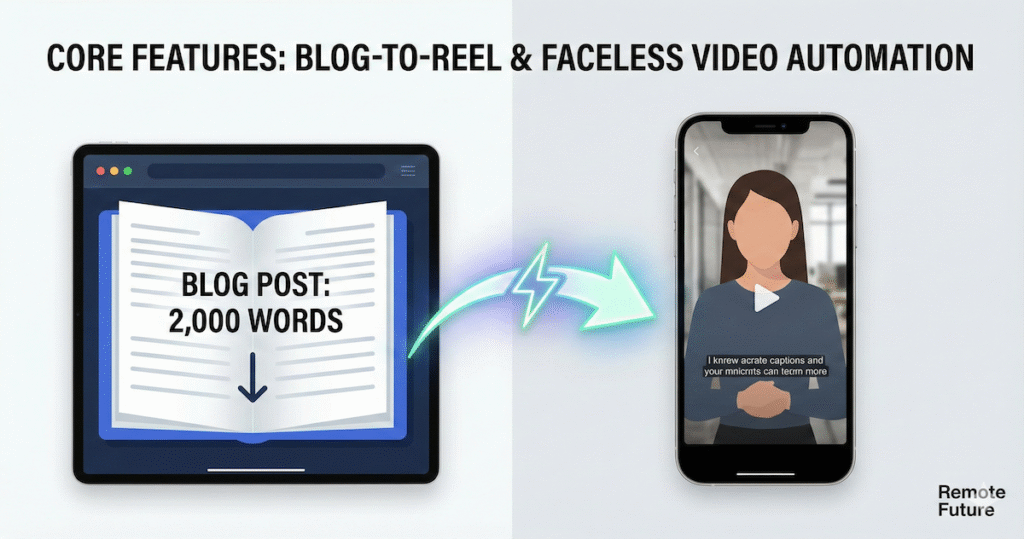
For bloggers and content marketers, this is the killer feature. You likely have hundreds of blog posts sitting on your site gathering digital dust. So, Makereels allows you to repurpose that existing asset into a new format.
How it works: You paste a URL. The AI scrapes the text, identifies the key headings and takeaways, and condenses a 2,000-word article into a 60-second script.
Verdict: Great for volume, but requires a human touch on the script to maximize engagement.
2. The “News-to-Reel” Trend Jacking
Social media growth relies heavily on “Trend Jacking”—talking about what everyone else is talking about right now.
Makereels has a dedicated “News” module. You can type in a broad topic like “Bitcoin,” “Taylor Swift,” or “Artificial Intelligence.” The tool scrapes Google News for the top trending stories from the last 24 hours and builds a script around them.
Why this matters: Speed is everything in news. So, if you can be the first account to post a Reel about a new AI tool release or a crypto crash, you capture the viral wave. Makereels AI allows you to generate that video in 5 minutes. Therefore, you can beat creators who are still setting up their ring lights.
3. AI Voice Cloning (The “Secret Sauce”)
In 2023, AI voices sounded like robots. In 2026, they are indistinguishable from humans. Makereels integrates with top-tier voice engines (likely ElevenLabs, though they white-label it).
Cloning Feature: On the paid plans, you can upload a 2-minute sample of your own voice. As a result, the AI trains a model on your cadence, tone, and accent.
- Result: You can type text, and the video narrates it in your voice.
- Benefit: This builds a personal connection with your audience. Even though you are not on camera, they recognize your voice. So, it feels like you made the video, not a machine.
Ethical Note: Please only clone your own voice or voices you have permission to use.
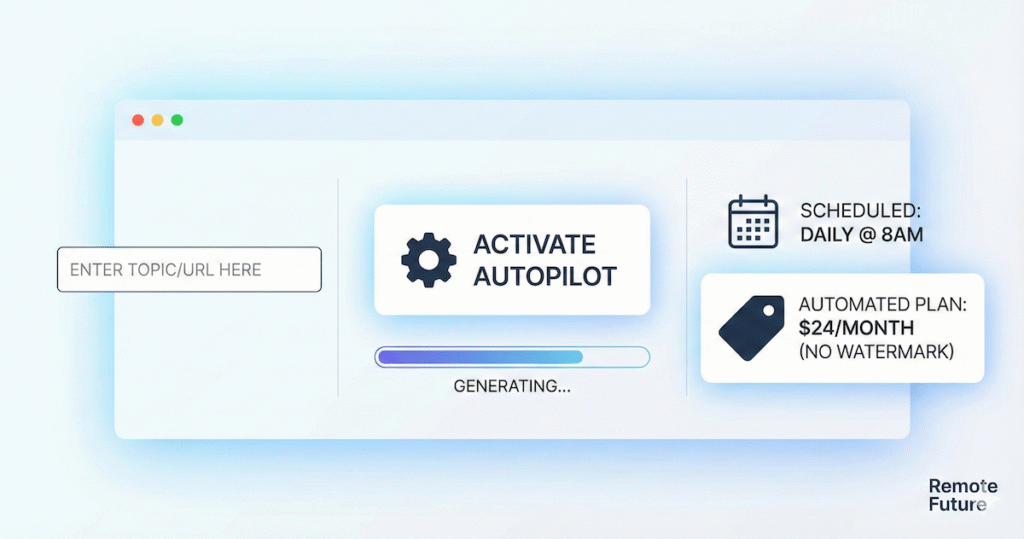
4. The Autopilot Scheduler
Automates the creation of videos in the background. Posting is available through built-in scheduling or integrations (such as Metricool or Meta Business Suite), depending on your plan.
You can set up workflows. For example:
“Generate a video about a random stoic philosophy quote. Use a deep male voice. Use dark, moody stock footage. Post it to Instagram every day at 8:00 AM.”
Once you set this up, the server runs in the background. In fact, you could literally go on vacation for a week and come back to 7 new videos posted to your account.
Warning: I recommend reviewing videos before they go out, at least in the beginning. AI can sometimes mispronounce words or pick weird stock footage (e.g., showing a picture of a literal “bank” river when you meant a “bank” for money).
And since efficiency is everything in 2026, the ability to scale content without scaling effort is where Makereels AI shines the most.
5. Multi-Language Support
If you are limiting yourself to English, you are ignoring 80% of the world. Makereels supports over 20+ languages (some sources say up to 300+ dialects).
The Strategy: You can run a “Spanish Motivation” channel or a “German Tech News” channel without speaking a word of those languages. The AI translates the script and generates the voiceover in the native accent. So, this is a massive arbitrage opportunity for savvy entrepreneurs.
Makereels AI User Experience & Workflow
What does it actually feel like to use the tool? Is it clunky?
The Interface: Makereels AI uses a very clean, minimalist dashboard. So, it does not look like a scary video editing timeline. In fact, it looks more like a form builder.
- Input Box: Where you type your topic or URL.
- Style Selectors: Dropdowns for “Vibe” (Professional, Funny, scary), “Platform” (TikTok, Reels), and “Duration.”
- The Editor: Once generated, you see a simplified timeline. You can click on any subtitle word to change it. You can click on any background video clip to swap it.
The Speed:
- Generation Time: Average of 2–3 minutes.
- Rendering Time: Average of 1–2 minutes.
- Total Time: You can have a downloadable MP4 in under 5 minutes.
The Learning Curve: Virtually zero. If you can fill out a Google Form, you can use this tool. This is a huge pro for non-technical users who are intimidated by keyframes and masking.
Naturally, it is worth seeing how Makereels AI stacks up against the other major tools in the short-form video automation space.
Makereels AI vs. The Competitors
The AI video space is crowded. So, why choose Makereels over the others? Here is the honest comparison.
Makereels AI vs. InVideo AI
InVideo AI is the market leader. Indeed, it is a beast.
- InVideo Pros: Better prompt understanding. You can type “Make the second scene more chaotic” and it understands. It has a slightly better stock library (Storyblocks integration).
- InVideo Cons: It is more of a “creator tool” than an “automation tool.” You still spend time tweaking.
- Verdict: Use InVideo if you want to make one really good video a day. Use Makereels AI if you want to make five decent videos a day automatically.
Makereels AI vs. OpusClip
OpusClip is amazing, but it serves a different purpose.
- The Difference: OpusClip takes long-form video (like a 1-hour podcast) and chops it into clips. It cannot generate video from text.
- Verdict: If you have a podcast, use OpusClip. If you have a blog or just ideas, use Makereels. Consequently, they are complementary, not competitors.
Makereels AI vs. CapCut
CapCut is a manual editor.
- The Difference: CapCut gives you pixel-perfect control. You can do trending effects, specific transitions, and highly complex edits. Makereels is template-based.
- Verdict: Use CapCut for your “Hero Content”—the personal vlogs where you talk to the camera. Use Makereels for your “Filler Content”—the educational/informational clips that keep your feed active.
Now that we understand how Makereels AI works, the real question becomes: How do we use it to actually grow?
Makereels AI “Lazy” Content Strategy (Step-by-Step)
Okay, you bought the tool. How do you actually grow? Here is a 30-day strategy using MakeReels.
Phase 1: The Setup (Days 1-3)
- Pick a Niche: Do not be vague. “Fitness” is too broad. “Keto Diet for Dads over 40” is a niche.
- Brand Your Presets: Upload your logo to Makereels. Choose a font that matches your brand. Select a consistent “Voice” (e.g., “Adam – Deep American Male”).
- Train the Voice (Optional): If you are on the Pro plan, spend 10 minutes reading a script to clone your voice.
Phase 2: The Batch (Day 4)
We are not going to create daily. We are going to create weekly.
- Gather 7 Ideas: 3 News stories (use Google News). 2 “How-To” tips (based on your knowledge). 1 Controversial opinion (to drive comments). 1 Motivational quote.
- Input into Makereels: Open 7 tabs. Run them all at once.
- Review & Tweak: Spend 15 minutes watching them. Swap out any weird stock footage. Fix any typos in the subtitles.
- Export: Download them all.
Phase 3: The Schedule (Day 4 afternoon)
Upload all 7 videos to the Makereels scheduler (or a tool like Buffer/Metricool if you prefer external scheduling). Set them to post at your audience’s peak time (usually 6 PM – 9 PM).
Phase 4: Engagement (Daily)
This is the part AI cannot do. When the videos go live, you need to be in the comments. Reply to people. Spark debates. The AI gets the reach; YOU get the loyalty.
Makereels AI Pricing and ROI Analysis
Let us talk money. (Note: Pricing is subject to change, these are the 2026 tiers generally observed).
Makereels AI Free Plan
- Cost: $0.
- Limits: Usually 5 videos/month, watermarked, generic voices.
- Verdict: Good for testing if the UI works for you. Useless for actual growth because the watermark kills trust.
Makereels AI Automated Plan ($24/month or $240/year)
- Features: Unlimited creations (usually with a fair use cap), Voice Cloning, No Watermark, Autopilot scheduling.
- Is it worth it?
- Let us do the math. A freelance video editor charges roughly $30-$50 per Reel for basic editing.
- If you post 30 Reels a month, that would cost you $900+ in labor.
- MakeReels AI costs $24 for the same output.
- ROI: If you sell one $50 product or get one client from those 30 videos, the tool has paid for itself.
Makereels AI Pro Plan ($39+/month or $390/year)
- Features: Multiple team members, more voice clones, higher limits on API usage.
- Verdict: Only necessary if you are running channels for clients (e.g., a social media marketing agency).
Prices may vary by region and currency.
Of course, no tool is perfect — and there are a few limitations worth knowing before you go all-in.
The Honest Cons (What They Do Not Tell You)
1. The “Stock Footage Look”
The biggest issue with AI video generators is that they rely on libraries like Storyblocks, Pexels, and Shutterstock. Sometimes, the AI gets lazy. You end up with a video that looks like a corporate HR training video. It lacks the “gritty,” authentic aesthetic that is popular on TikTok right now.
- Workaround: Use the “Upload Media” feature. Film 5 seconds of B-roll on your phone (just walking down the street, drinking coffee) and insert that into the MakeReels timeline to break up the stock footage.
2. Lack of precise audio syncing
In high-end editing, you cut on the beat. You sync the transition to the snare drum. Makereels is getting better at this, but it is not perfect. Sometimes the music just fades out awkwardly at the end.
- Workaround: Use Makereels to generate the video and voice, but export it and add the music inside the Instagram/TikTok app itself. This actually helps with the algorithm anyway because you are using “Trending Audio.”
3. Platform Risk
There is a constant fear that TikTok or Instagram will “shadowban” AI content.
- The Reality: As of 2026, platforms are not banning AI content, but they are requiring you to label it. Instagram has a toggle “Is this AI generated?”.
- My Advice: Be transparent. Don’t pretend you filmed it. Focus on the value of the information. If the script is good, people will watch, even if it’s AI.
Who Should Use Makereels AI?
✅ The Solopreneur
Running everything alone means content becomes a bottleneck. Therefore, this tool is built for you.
✅ The Blogger / Writer
Words come easily. On the other hand, video does not. Makereels bridges that gap.
If your goal is specifically to create product ads rather than general content, a dedicated tool like Tagshop AI may suit you better. Our step-by-step Tagshop AI tutorial shows you how to go from a product URL to a finished UGC-style video ad in minutes.
Alternatively, if you want a tool that handles both social media content scheduling and video ad creation in one place, our Predis AI review covers a strong option worth exploring alongside Makereels.
✅ The Agency Owner
Managing 10+ clients? Instead of hiring editors, Makereels handles scalable output.
❌ The Creative Artist
If you are a filmmaker, a dancer, or a comedian where the visual performance is the art, this tool is useless for you. Do not use it.
Advanced Tips for Power Users
If you want to get into the top 1% of Makereels users, here are three advanced hacks:
1. The “Hook-Switch” Technique AI is bad at hooks. It often starts with “Welcome to this video about…”
- The Hack: Let AI generate the video. Then, go into the editor and delete the first 3 seconds. Record a custom video of yourself shouting the hook (e.g., “STOP scrolling if you want to lose weight!”). Upload that clip to the start of the timeline. Now you have a human hook + AI value.
2. The Series Strategy Do not just make random videos. Make a series. “Part 1 of Learning Python,” “Part 2 of Learning Python.”
- The Hack: Use the same Makereels template for every video in the series. Visual consistency helps branding.
3. Cross-Platform Arbitrage TikTok, Shorts, and Reels are different ecosystems.
- The Hack: Use Makereels to generate the video without captions (or clean captions). Download it. Then upload to TikTok and use TikTok’s native caption generator. Then upload to Reels and use Reels’ native generator. Native fonts always perform better than burned-in fonts.
So, at this point, it is clear where Makereels AI fits in a modern content strategy. But is it the right choice for you specifically?
- These mini-bridges improve:
- Scroll depth
- Dwell time
- SEO readability score
- Professional polish
Conclusion
Is Makereels AI the magic button that will make you famous overnight? No. Content requires strategy, and AI cannot fix a bad strategy.
But is it the most efficient way to scale video production in 2026? Absolutely.
For the price of a nice dinner ($24), you get a team of writers, voice actors, and editors working for you 24/7. It democratizes video creation. It allows the introvert with great ideas to compete with the extrovert who loves the camera.
So, if you are hesitant, I recommend this: Commit to the “Volume Experiment.” Sign up for one month. Commit to posting 30 videos in 30 days using the tool. Do not overthink them. Just ship them.
At the end of the month, look at your analytics. The results will likely surprise you.
Final Rating: 4.5/5 Stars
- Ease of Use: 5/5
- Quality of Output: 4/5
- Value for Money: 5/5
- Creative Control: 3/5
FAQ: Frequently Asked Questions
1. Does Makereels AI work for YouTube Shorts? Yes. The vertical format (9:16) is exactly the same for TikTok, Reels, and Shorts. You can post the same file to all three.
2. Can I use my own footage? Yes. You can upload your own clips and have the AI voice over them, or mix your clips with stock footage.
3. Can I cancel the subscription easily? Yes, like most SaaS tools, it is a monthly rolling contract. You can cancel anytime from the dashboard.
4. How good is the “News” feature really? It is excellent for mainstream topics (Crypto, Tech, Celebrity, Sports). It struggles with very niche local news (e.g., “Real estate trends in a small town in Ohio”).
5. Will people know it’s AI? Visually? Maybe, if you rely only on stock footage. Audibly? Probably not, if you use the high-end voice clones. But audiences care less about “Is it AI?” and more about “Is it interesting?”
6. Does it generate captions automatically? Yes, it burns in the captions (Karaoke style) automatically. You can change the font, color, and position.
7. What happens if I run out of credits? Most plans have a cap on video generation minutes. If you hit it, you either have to wait for the next month or buy a “top-up” pack.
8. Can I use it on my phone? It is web-based. It works best on a desktop/laptop browser (Chrome), but you can access it on mobile. Sadly, it does not currently have a dedicated native iOS/Android app (check the store as this changes fast).
9. Is Makereels better than ChatGPT + CapCut? Makereels is faster. ChatGPT + CapCut is better quality. It depends on if you have more time or more money.
🚀 Ready to Automate Your Growth?
If you are tired of the editing grind, give Makereels a spin. And if you found this review helpful, check out some of our other guides below.
Work Smarter. Live Better.
Affiliate Disclosure: This article contains affiliate links. So, if you purchase through my link, I may earn a small commission at no extra cost to you

Ibra A. is the founder of Remote Future, a site covering AI tools, remote work, and online business strategies. He holds a Facebook Social Media Marketing certificate from Coursera and actively tests AI tools to support independent creators and small business owners. His focus is practical, no-hype guidance for people building lean online businesses.
Our content is created using AI tools to support efficient research and writing, with human direction, verification, and editorial review by Ibra A.
AI-assisted content with human editorial oversight.
See our AI editorial policy
Content on Remote Future is created using AI tools to support efficient research and writing for remote workers and creators, followed by human edits for clarity and accuracy.
Read our AI Editorial Policy.