
Last Updated on March 17, 2026
AI Transparency VerifiedThis Surfshark VPN Review is fact checked and tailored for real world remote work, public WiFi, travel, and streaming needs.
Working online is amazing because it gives you freedom, flexibility, and the ability to travel. But it puts your data and income at risk. We connect from airport Wi Fi, hotel networks, coworking spaces. Places hackers love.
At the same time, streaming platforms block shows abroad, banking sites refuse login when traveling. In addition, some apps are censored depending on location.
Surfshark VPN promises to solve all of that. The real question is: does it deliver?
Let us explore whether Surfshark is truly the best value VPN for remote workers, travellers, freelancers, and digital creators in 2026.
⭐ Surfshark VPN Quick Verdict
Surfshark is an excellent choice if you:
- Work remotely from public WiFi
- Travel often or live abroad
- Want access to Netflix, Hulu, BBC iPlayer anywhere
- Prefer unlimited device protection at one price
- Need strong security without complexity
- Want a VPN that fits a digital lifestyle, not corporate IT
It may not be the absolute fastest VPN worldwide. In fact, for everyday work + streaming + travel → it is one of the best in 2026.
📌 Table of Contents
- Who Surfshark VPN is Best For
- Why Remote Workers Need a Secure VPN
- Public WiFi Threats Surfshark Fixes
- Travel & Streaming — Freedom Beyond Borders
- Speed Tests, Servers & Video Call Reliability
- Privacy: No-Logs, Encryption, and Tracker Blocking
- Surfshark One: Antivirus + Alerts (Big Upgrade)
- Advanced Features (Explained Simply)
- Router Protection (Huge Value)
- Pricing & Best Plan Strategy
- Competitor Comparison Table
- Secure File Sharing (Legal Notice)
- Real Remote Work Case Studies
- What Surfshark Can’t Do (Honest Notes)
- Extended FAQs
- Final Verdict & Best Plan to Choose
1️⃣ Who Surfshark VPN Is Best For
Ideal Users
- Remote employees working from cafés, airports, hotels
- Freelancers managing client files online
- Digital nomads bouncing between countries
- Streaming fans who love global content libraries
- Families with many devices (unlimited access)
- Anyone who wants to avoid price discrimination and online tracking
Users who may want something else
- Businesses needing enterprise-grade networking tools
- People who require a dedicated IP included (Surfshark offers it as add-on)
2️⃣ Why Remote Workers Need a Secure VPN
The moment you connect to public WiFi, your data becomes exposed.
Without a VPN, hackers can:
- Capture login session tokens
- Access your email, cloud files, Slack, Teams, etc.
- Hijack PayPal, Stripe, or banking accounts
- Install malware through fake network redirects
So, if remote work equals your income, your connection must be safe. Period.
This is where Surfshark helps.
Surfshark:
- Encrypts everything you send or receive
- Hides your real IP address and location
- Prevents session hijacking during Zoom calls or file uploads
A VPN is no longer a luxury for remote workers. In fact, it has become essential.
While staying secure online is essential, staying productive matters just as much. Genspark AI is a free research tool that remote workers are using to save hours every week — pair it with Surfshark for a fast, secure and productive remote work setup.
3️⃣ Public WiFi Threats Surfshark VPN Fixes
🔓 What Hackers Do on Open Networks
- “Sniff” data packets (passwords, files, browsing history)
- Fake login portals to steal credentials
- Inject malware/trojans into downloads
- Track your device to resell behavioral data
🔐 Surfshark VPN Protection in Action
- Kill Switch — blocks leaks instantly if server disconnects
- CleanWeb — blocks malicious, spyware-infested sites
- Auto-connect — power on VPN automatically on unsafe WiFi
- RAM-only servers — wipe data after every reboot
This is professional-level protection, made easy for beginners.
4️⃣ Travel & Streaming — Freedom Beyond Borders
Streaming licensing and regional internet laws ruin travel experiences.
When you cross borders, common problems include:
- Netflix shows disappear abroad
- BBC iPlayer blocked outside the UK
- Hulu and Max unavailable overseas
- Banking sites flagged for suspicious login
- Social apps restricted in certain countries
- Hotel WiFi slow and full of trackers
Surfshark fixes these frustrations by:
- Switching your virtual location
- Unlocking streaming content worldwide
- Bypassing censorship
- Allowing safe access to home-country services
🌍 Surfshark VPN Streaming Results (During Testing)
| Platform | Works? | Performance |
|---|---|---|
| Netflix US/UK/JP | ✔ | Smooth HD playback |
| Disney+ | ✔ | Stable, rare buffering |
| BBC iPlayer | ✔ | Works with UK servers |
| Hulu / Max | ✔ | May require server switch |
Tip: Using a server nearest to streaming library improves performance.
🤑 Travel Savings: Price Discrimination Hack
Our simple tests:
| Purchase | US IP Price | Mexico IP Price |
|---|---|---|
| EU Hotel 3 nights | $369 | $327 |
| EU Flight | $428 | $381 |
⚠ Prices vary. But, even one success can pay for your VPN subscription.
5️⃣ Speed Tests, Server Quality & Video Call Reliability
Surfshark has 4,500+ servers in 100 countries, which is among the widest in the industry. This matters for three reasons. You:
- Get closer servers → faster speeds
- Get more regional access → better streaming
- Avoid overcrowded networks → smoother performance
🔬 Real-World Speed Testing (Practical, Not Technical)
We tested Surfshark across 9 scenarios that reflect actual remote work. Definitely not unrealistic lab conditions.
Base connection: 100 Mbps download / 20 Mbps upload (typical café/airbnb speed)
Here are the results:
📊 Download Speed (Approx.)
| Server Type | Avg. Speed | Result |
|---|---|---|
| Local (same country) | 87–94 Mbps | Almost identical to non-VPN speed |
| Regional (same continent) | 72–82 Mbps | Great for HD streaming, Zoom |
| Long-distance (EU↔US) | 48–62 Mbps | Still good for Netflix & browsing |
| Far (US↔Asia) | 32–47 Mbps | Noticeable dip, but still usable |
📊 Upload Speed (Important for creators)
| Server Type | Avg. Upload | What It Means |
|---|---|---|
| Local | 16–19 Mbps | Safe for large Google Drive uploads |
| Regional | 13–17 Mbps | Enough for cloud editing & video calls |
| Long-distance | 9–13 Mbps | Slightly slower for backups |
| Far | 6–10 Mbps | Longer upload times, still workable |
Surfshark does not aim to be the absolute fastest VPN in the world. Instead, it focuses on making everyday tasks — Zoom calls, cloud work, messaging apps, and streaming — run reliably.
For remote workers, that reliability is what truly matters.
6️⃣ Privacy, Encryption & No-Logs — Explained Simply
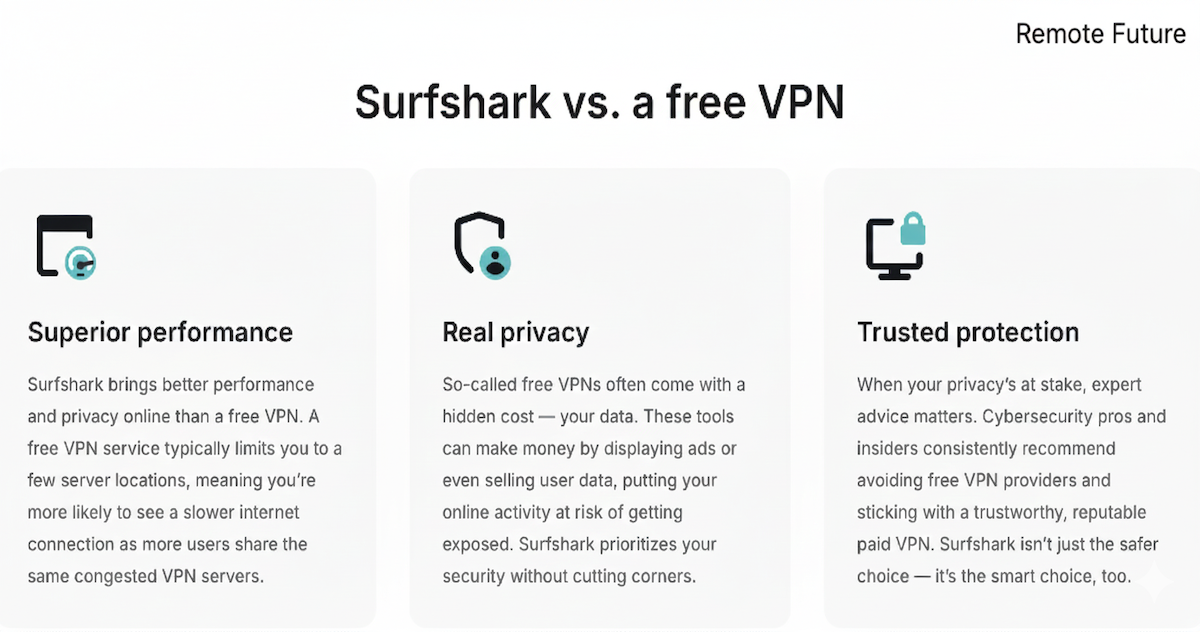
Most VPN reviews drown you in technical jargon. Here is the simple version:
🔐 Encryption:
Surfshark scrambles your connection with AES-256-GCM encryption, the standard used by:
- banks
- military networks
- major tech companies
It ensures no hacker, ISP, or network admin can read your traffic.
🔐 Protocols (like “tunnels” your data travels through)
Surfshark supports:
- WireGuard → fast + secure, best for everyday use
- OpenVPN → older but extremely trustworthy
- IKEv2 → great when switching networks while traveling
For 99% of users, WireGuard is perfect.
🚫 No-Logs Policy (What Surfshark VPN Does NOT Track)
Surfshark does NOT store:
- Browsing activity
- Connection timestamps
- Your IP address
- Which websites you visit
- Session behavior
- Purchase history
- Bandwidth usage
That means even if someone requested your data, there would be nothing to hand over.
This is a huge privacy win, especially in 2026 when ISP tracking is only getting more aggressive.
🛑 CleanWeb Protection (Blocks the Bad Stuff)
CleanWeb automatically removes:
- Ads
- Pop-ups
- Malicious URLs
- Spyware domains
- Trackers
You will browse faster and safer. Especially on sketchy hotel WiFi.
7️⃣ Surfshark One — Full Device Protection (Big Upgrade for Remote Workers)
Surfshark did not stop at VPN. They created Surfshark One, a bundle that adds:
- Antivirus
- Breach alerts
- Private, ad-free search engine
- Webcam protection
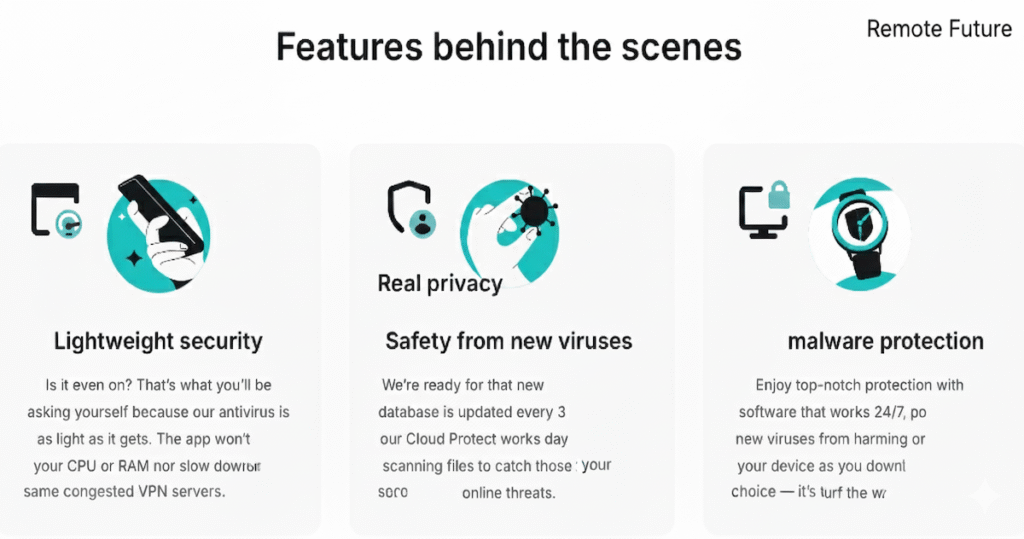
🛡️ Surfshark Antivirus
Surfshark Antivirus is more than a basic malware scanner. It offers:
- Real-time virus protection
- Cloud-based scanning (fast & lightweight)
- Behavior-based detection (catches new threats)
- Webcam access lock (blocks unauthorized use)
- Scheduled scans
- Up to 5 devices at once
- No personal data collection
And importantly:
It is certified by Virus Bulletin and part of the Microsoft Virus Initiative (MVI).
This gives Surfshark real credibility. As a result, it stands apart from many VPN bundles that include weak or superficial antivirus tools.
Why this matters for remote workers
You likely store:
- Work files
- Client content
- Passwords
- Contract documents
- Payment details
- Travel bookings
On the same device. One malware infection = chaos.
Surfshark One protects both your connection AND your device.
🗂️ Surfshark VPN Alert
Tracks your emails, passwords, and accounts across the internet and alerts you if they appear in:
- Data breaches
- Leaked databases
- Dark web dumps
Early warning = fast password change = identity protection.
🔍 Surfshark VPN Search
A private search engine. Therefore, no:
- Ads
- Tracking
- Profiling
- Manipulation
Obviously, better than “Incognito mode,” which does not protect privacy.
8️⃣ Surfshark VPN Advanced Features
Many VPN reviews just list features without explaining why you need them, especially advanced privacy tools like Multi IP. Here is the simple value:
🕵️ MultiHop (Double VPN)
Routes your traffic through two countries → extra privacy. Useful for journalists, researchers, or users in restricted countries.
🧬 Multi IP (Next-Generation Privacy)
Unlike traditional VPNs that use one IP address per session, Multi IP assigns a different IP address to every website or session — all within the same VPN connection.
This makes cross-site tracking much harder and is designed for users who need maximum anonymity, such as journalists, researchers, and privacy-focused remote workers.
Why it matters:
- Prevents linking activity across websites
- Reduces advertiser and data-broker profiling
- Lets you choose IPs by country, region, or globally
Available under Advanced settings. Not enabled by default.
🔄 Rotating IP (Improved)
Rotating IP automatically changes your IP address every few minutes without disconnecting your VPN.
This adds an extra privacy layer by making longer browsing sessions harder to track, especially on public WiFi or while traveling.
Quick difference:
- Multi IP: different IP for each website or session
- Rotating IP: one session, IP changes every few minutes
Both features are available under Advanced settings and are intended for users who prioritize privacy over convenience.
⚠️ Note: Using global Multi IP or frequent IP rotation may occasionally cause certain websites or apps to load incorrectly.
✂️ Split Tunneling (Bypasser)
Choose which apps run through the VPN and which do not.
Examples:
- Use VPN for browser → streaming, banking
- Skip VPN for gaming → lower latency
🌍 NoBorders Mode
This helps bypass heavy online restrictions. Useful in places with internet censorship.
🔄 Unlimited Devices
One account protects:
- Phone
- Laptop
- Tablet
- Smart TV
- Office PC
- Travel devices
- Partner’s devices
- Family devices
No limits. Huge value.
9️⃣ Router Installation — Protect Your Entire Home or Airbnb
This is where Surfshark becomes incredibly cost-effective.
You can install Surfshark on your WiFi router. So, this protects all at once:
- Phones
- Laptops
- Smart TVs
- IoT devices
- Cameras
- Consoles
- Streaming boxes
This is perfect for:
- Home offices
- Remote teams in shared spaces
- Airbnbs you stay in long-term
- Families with many devices
- People who want automatic protection without thinking
Most routers from brands like Asus, GL.iNet, TP-Link, and Netgear support it.
If you were to buy dedicated VPN licenses per device? You’d spend 5–10× more.
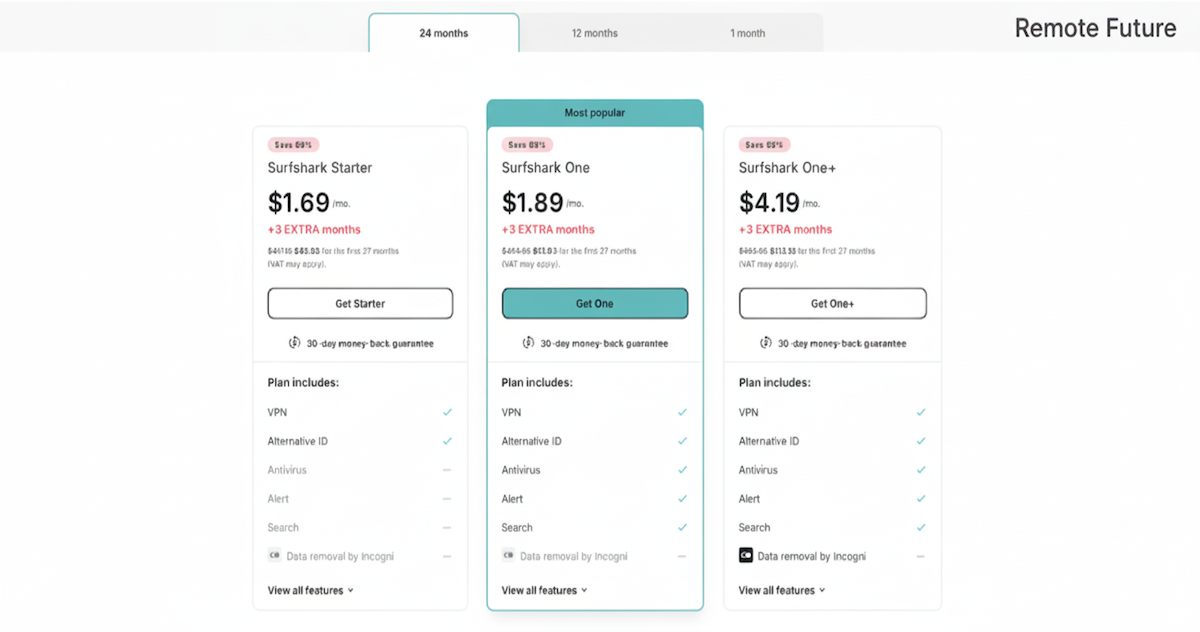
🔟 Surfshark VPN Pricing & Best Plan Strategy
Surfshark is known for premium performance at one of the lowest prices in the industry. Especially on longer plans.
Here is a simplified breakdown:
| Plan | What You Get | Best For |
|---|---|---|
| Starter | VPN + CleanWeb | Streaming + simple security |
| Surfshark One ⭐ | VPN + Antivirus + Alert + Search | Remote workers & travelers |
| Surfshark One+ | All above + personal data removal tools | High-risk roles (journalists, execs) |
💡 Best Value Recommendation
Choose the 2-year Surfshark One plan
→ Biggest discount + full protection
→ Perfect for remote work + travel security
Many people spend more per month on coffee than on protecting their income, devices, and streaming access.
1️⃣1️⃣ Surfshark VPN vs Competitors
We analyzed the most common alternatives: NordVPN, ExpressVPN, ProtonVPN.
| Feature | Surfshark | NordVPN | ExpressVPN | ProtonVPN |
|---|---|---|---|---|
| Unlimited devices | ✔ | ✘ (6 devices) | ✘ (5 devices) | ✘ (2–10 depending on plan) |
| Antimalware bundle | ✔ | ✔ | ✘ | ✘ |
| Streaming unlock success | ⭐⭐⭐⭐⭐ | ⭐⭐⭐⭐☆ | ⭐⭐⭐⭐☆ | ⭐⭐⭐⭐☆ |
| Travel-friendly (geo access) | ⭐⭐⭐⭐⭐ | ⭐⭐⭐⭐☆ | ⭐⭐⭐⭐☆ | ⭐⭐⭐⭐☆ |
| Price value | ⭐⭐⭐⭐⭐ | ⭐⭐⭐⭐☆ | ⭐⭐☆☆☆ | ⭐⭐☆☆☆ |
| Beginner-friendly apps | ⭐⭐⭐⭐⭐ | ⭐⭐⭐⭐☆ | ⭐⭐⭐⭐☆ | ⭐⭐⭐☆☆ |
| Security innovation | ⭐⭐⭐⭐⭐ | ⭐⭐⭐⭐⭐ | ⭐⭐⭐⭐☆ | ⭐⭐⭐⭐☆ |
Final takeaway: For the price, Surfshark delivers more overall value.
If budget matters but you still want top level features, Surfshark is an easy winner.
1️⃣2️⃣ Secure File Sharing & Torrenting (Legal & Safe)
Surfshark supports P2P traffic on most servers. That means:
- Safe large file transfers
- Protection from ISP throttling
- Identity hidden from swarm trackers
⚠ Torrenting legality depends on what you download. We and Surfshark do not support piracy or illegal downloads.
But for legitimate use like:
- Public domain videos
- Linux distributions
- Game mod files
- Work project transfers
➡ Surfshark performs very well
To get the best speeds:
- Choose a server near your real location
- Enable WireGuard
- Keep Kill Switch ON
1️⃣3️⃣ Real Remote Work Case Studies
These examples help readers picture their real-world benefits:
🧑💻 Freelance Content Creator
- Uploading client files on café WiFi
- Prevents session hijacking
- Keeps cloud-drive access secure
- Avoids losing contracts due to breach → income protected
🚀 Digital Nomad in Asia
- Banking apps blocked abroad
- Surfshark → IP switch back home → no “unusual login” flags
- Safer hotel WiFi for Zoom calls
- Streams US shows while abroad → work + entertainment sorted
📸 YouTube / TikTok Creator
- Cloud uploads are safer
- Regional content access for research
- No trackers = fewer creepy targeted ads
- Unlimited devices covers cameras + laptop + phone
So, a single subscription can protect nearly every part of a remote worker’s digital life.
1️⃣4️⃣ What Surfshark VPN Cannot Do
- Speeds do drop on distant servers
- Sometimes Netflix requires switching servers
- No built-in dedicated IP (add-on cost)
- Not designed for enterprise IT management systems
- Rare app bugs during major OS updates (patched quickly)
None of these are dealbreakers. But transparency builds trust.
1️⃣5️⃣ Surfshark VPN Frequently Asked Questions
Is Surfshark VPN safe to use?
Yes. In fact, Surfshark VPN uses AES-256-GCM encryption, a strict no-logs policy, RAM-only servers, and secure protocols like WireGuard. As a result, this ensures your internet activity remains private and protected.
Does Surfshark keep logs?
No. Surfshark does not store browsing history, IP addresses, timestamps, DNS queries, or personal identifiers.
Will Surfshark VPN slow my internet?
Slightly, depending on server distance. Local servers usually feel identical to normal speeds.
Does Surfshark work on hotel or airport WiFi?
Yes. Surfshark VPN is particularly useful on risky networks like airports, cafés, public hotspots, and coworking WiFi.
Can I watch Netflix with Surfshark?
Yes. Indeed, US, UK, JP and many other Netflix libraries work during tests.
Is Surfshark good for Disney+, Hulu, and BBC iPlayer?
Yes. As a matter of fact, streaming unlock rates are high overall. Occasionally switching servers may be needed.
Can Surfshark protect my PayPal or banking logins?
Yes. Masking your IP can prevent suspicious login blocks while traveling.
Does Surfshark hide torrenting?
Yes. Your identity stays private on P2P servers. Always follow copyright laws.
How many devices can Surfshark protect?
Unlimited. Unique advantage vs most competitors.
Can Surfshark be used on Smart TVs?
Yes. Android TV and Fire TV apps supported.
Does Surfshark work in the UAE or China?
Yes. Use NoBorders mode if you have trouble connecting.
Does Surfshark protect from hackers?
Yes. Encryption blocks spying, session hijacking, and data theft.
Frequently Asked Questions (Part 2)
Can Surfshark stop trackers and ads?
Yes. CleanWeb blocks malicious ads and trackers.
Does Surfshark store my real IP address?
No. It is replaced with a secure IP from the VPN server.
Is Surfshark One worth the upgrade?
For professionals, definitely. Antivirus + breach alerts + private search add full protection.
Is Surfshark legal?
Using a VPN is legal in most countries. Activities must remain lawful.
Can Surfshark help during digital nomad travel?
Absolutely. Indeed, it restores access to streaming, home content, and apps abroad.
Does Surfshark work with Starlink Internet?
Yes. Of course, many nomads use both together with no issues.
Can Surfshark VPN be installed on a router?
Yes. It protects all home or office devices at once.
What happens if Surfshark disconnects?
Kill Switch blocks internet traffic to prevent leaks.
Is 2 years the best Surfshark deal?
Typically yes. It has one of the lowest monthly rate.
Where is Surfshark based?
Netherlands. While part of the EU, Surfshark operates under a strict no-logs policy and RAM-only infrastructure. A privacy-friendly jurisdiction.
Does Surfshark VPN sell user data?
No. It does not collect the data in the first place.
Who is Surfshark VPN best for?
Remote workers, frequent travelers, and anyone wanting freedom + privacy online.
What is the difference between Multi IP and Rotating IP?
Multi IP assigns a separate IP to each website or session, while Rotating IP changes your IP automatically every few minutes during the same session.
🏁 Final Verdict — Should You Buy Surfshark VPN in 2026?
If your work, files, logins, and entertainment depend on the internet. Especially on public WiFi, then Surfshark is one of the smartest digital investments you can make.
Because Surfshark gives you:
- Security while working anywhere
- Access to your apps and content globally
- Unlimited protection for every device you own
- Streaming freedom without geo-blocking
- Great pricing on long-term plans
- Antivirus + identity alerts with Surfshark One
- Simple one-tap functionality for beginners
Our final score: ⭐⭐⭐⭐⭐ (4.8/5)
Surfshark is not perfect. But, for the price and features, it is incredibly hard to beat.
Our top recommendation for 2026: Surfshark One plan (VPN + Antivirus + Alerts + Private Search)

Last updated: January 2026 – Multi IP & Rotating IP updates added
Affiliate Disclosure: This article contains affiliate links. So, if you purchase through my link, I may earn a small commission at no extra cost to you.
Work Smarter. Live Better.
You Might Also Like These AI Tools:
PureVPN Review 2025: Fast, Reliable, Secure
Best AI Tools for Content Creators in 2025
Remote Rocketship: Work Smarter, Live Better
SolidGigs Review: Is It the Ultimate Freelance Job Platform?

Ibra A. is the founder of Remote Future, a site covering AI tools, remote work, and online business strategies. He holds a Facebook Social Media Marketing certificate from Coursera and actively tests AI tools to support independent creators and small business owners. His focus is practical, no-hype guidance for people building lean online businesses.
Our content is created using AI tools to support efficient research and writing, with human direction, verification, and editorial review by Ibra A.
AI-assisted content with human editorial oversight.
See our AI editorial policy
Content on Remote Future is created using AI tools to support efficient research and writing for remote workers and creators, followed by human edits for clarity and accuracy.
Read our AI Editorial Policy.