Last Updated on May 26, 2026
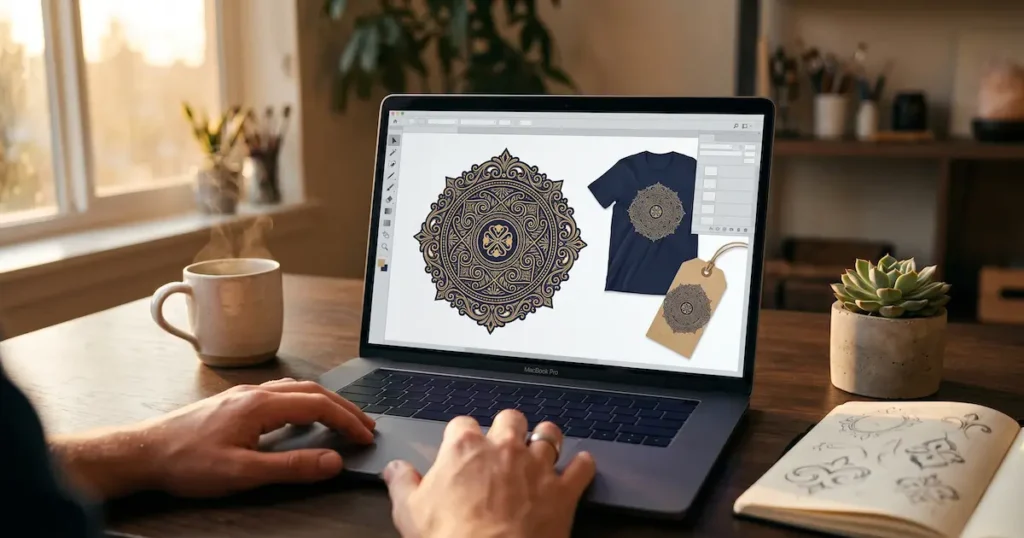
AI Transparency VerifiedMost designers hit the same wall at some point. You want to create beautiful brand designs. Yet you do not want to juggle three different subscriptions. You also do not want to spend weeks learning complex software. Kittl AI pitches itself as the answer to that problem. Specifically, it combines vector editing, AI image generation, typography tools, and short video animation inside a single browser-based workspace.
But does it actually hold up? Or is it just another platform that looks great in demos but disappoints in real use? In this review, we cover the full picture. You will find the features worth paying for, the limitations most reviewers skip, and an honest pricing breakdown to help you decide.
If you create logos, design merchandise, or sell through print-on-demand platforms, keep reading. This review will show you exactly whether Kittl can help you create beautiful brand designs without the usual complexity.
Affiliate Disclosure: This post contains affiliate links. So, if you sign up through our link, we may earn a small commission at no extra cost to you. We only recommend tools we genuinely believe are worth your time.
Free to use. No credit card required.
What Is Kittl AI?
Kittl is a browser-based design platform. Its focus is typography, vector graphics, branding, and merchandise. It is not trying to compete with Canva on presentations or social media templates. Instead, it is built for anyone who wants to create beautiful brand designs, including logos, t-shirts, labels, and brand assets.
The platform runs entirely in your browser. So, nothing needs to be installed. For freelancers who switch between devices, that is a practical advantage. You can, therefore, pick up a project anywhere without setup friction.
What makes Kittl distinct is the combination it offers. You get anchor point editing, layered text effects, and multi-artboard support. In addition, you get AI image generation, vectorization, and short video animation. Most beginner tools offer one side of that equation. Kittl, however, attempts to deliver both in a single workspace.
Key Features to Help You Create Beautiful Brand Designs
AI Tools That Help You Create Beautiful Brand Designs
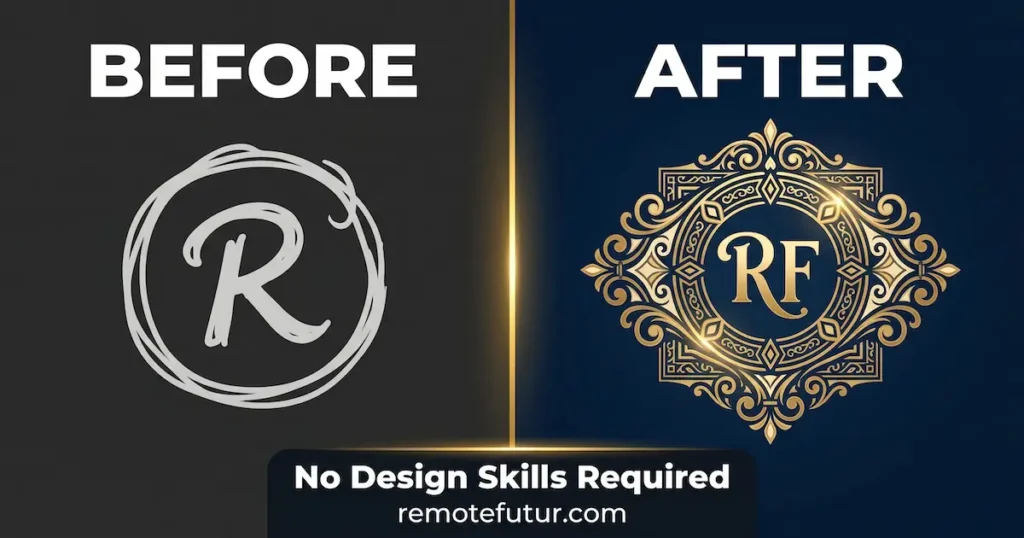
Kittl Flows is one of the most compelling features for iterative creative work. You start with a sketch or a basic layout. From there, the tool generates multiple design variations on a smartboard. As a result, you can explore different colors, themes, and styles without starting over. This makes it much easier to create beautiful brand designs through rapid iteration, especially for freelancers managing client revisions.
The AI image generator also stands out because it gives you a choice of 26 different models. These include Flux, DALL-E 3, Ideogram, and Google Imagen. Most platforms, however, make that decision for you behind the scenes. Kittl surfaces the choice directly. So, you stay in full control of the output style, whether you need photorealism or a clean vintage illustration.
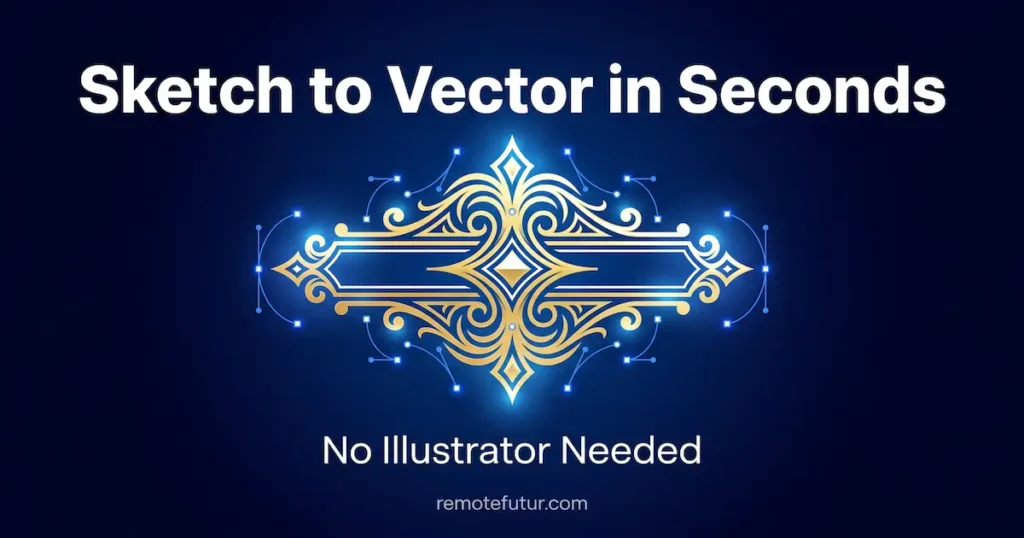
The AI Vectorizer is another feature that earns its place. You upload any JPEG or PNG and click “Vectorize.” The tool then converts it into clean, scalable vector paths inside the browser. No Illustrator subscription is required. As a result, the workflow becomes simple: sketch, scan, upload, and vectorize. The output is an editable SVG you can color and resize instantly.
Video, Zoom, and Typography Tools
Kittl also includes an AI video generator. You animate static designs using simple text prompts. Output clips range from 4 to 8 seconds. There are no timelines or keyframes involved. However, for quick product animations and social content, it adds real value without adding complexity.
One detail that rarely appears in reviews: Kittl supports zoom up to 40,000%. Most tools, in contrast, cap at 500%. For anyone refining tiny vector shapes or custom lettering, that level of precision is difficult to find outside expensive desktop software.
Typography is another area where Kittl goes further than its competitors. For example, you can layer a curve, a shadow, and a decoration on a single word at the same time. Canva, on the other hand, allows only one text effect per element. Additionally, Kittl provides access to glyphs and ligatures. These are decorative swashes and stylistic alternates within fonts. They are essential for creating authentic vintage or handcrafted lettering styles.
Why Kittl Lets You Create Beautiful Brand Designs Faster
One of Kittl’s most practical advantages is that it reduces tool-switching. Background removal, vectorization, mockup generation, and short video animation all live inside the same workspace. As a result, you can create beautiful brand designs from start to finish without leaving the platform. That unified approach eliminates friction when working across multiple deliverables for a single client.
The platform also includes Print-on-Demand presets built specifically for Printful, Printify, and Redbubble. These presets automatically match the file dimensions required by each platform. Many creators waste hours reformatting files manually. Kittl, therefore, removes that step entirely. So, if you are building a product-based store, this workflow fits directly into the broader process of setting up and running an e-commerce business.
Mockups, Artboards, and Client Work
The built-in mockup library adds further value for sellers. Instead of hunting for external mockup sites, you drop your design into realistic product scenes directly inside Kittl. For print-on-demand sellers, this makes preparing polished listing visuals much faster.
Multiple artboard sizes within a single project is another advantage. Kittl lets you place a poster layout and a t-shirt mockup side by side in the same file. Canva and Adobe Express, on the other hand, require every page to share identical dimensions. That constraint creates real friction for creators who work across multiple product formats.
For freelancers looking to find steady client work, the SolidGigs review covers one of the more consistent platforms for freelance design projects.
Pricing Analysis
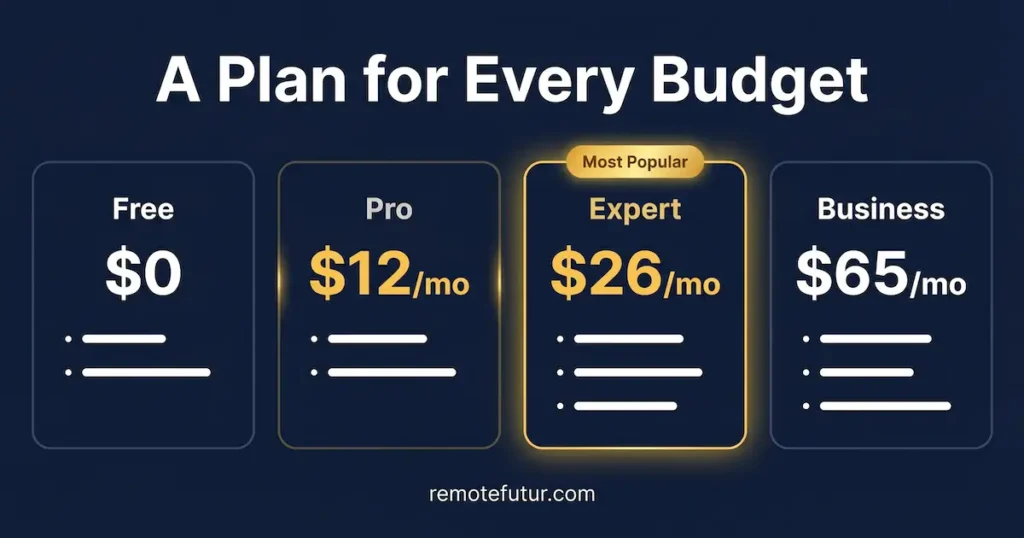
Kittl uses four pricing tiers. The difference between them is meaningful in practice. Whether you are just starting out or ready to create beautiful brand designs at scale, there is a plan for your budget.
The Free plan costs nothing. It allows up to 5 projects and low-resolution exports capped at 800px. You also get a one-time allocation of 200 AI tokens. However, the free plan is for personal use only. You cannot use outputs commercially. You must also credit Kittl on all downloads.
The Pro plan runs $15 per month or $12 per month on an annual cycle, totaling $144 per year. It unlocks unlimited projects, high-resolution exports, and SVG and PDF vector exports. You also get 10GB of storage and 2,000 AI tokens per month. Commercial use is covered for up to 500,000 copies per design.
The Expert plan costs $35 per month or $26 per month annually ($312 per year). It includes everything in Pro. In addition, you get 100GB of storage, 6,000 AI tokens per month, brand kits, and access to over 100 million curated assets.
The Business plan is $65 per month. It is designed for teams. It also removes the 500,000 copy reproduction limit and adds collaborative editing across users.
Token Packs and Student Discounts
If you run out of tokens before the billing cycle resets, add-on packs are available. For example, you can purchase 1,000 tokens for $8, 2,500 tokens for $20, or 10,000 tokens for $60.
Students receive 50% off the Pro plan. There is also a “Student Ambassador” option. Specifically, inviting 10 classmates unlocks a full year of Pro for free for the entire group.
One pricing concern worth flagging: the Pro plan only includes 10GB of storage. For designers working regularly with high-resolution files, that limit fills up faster than expected. As a result, heavy users may need to upgrade to Expert primarily for the storage increase.
Free to use. No credit card required.
Kittl vs. Canva: Which Helps You Create Beautiful Brand Designs?
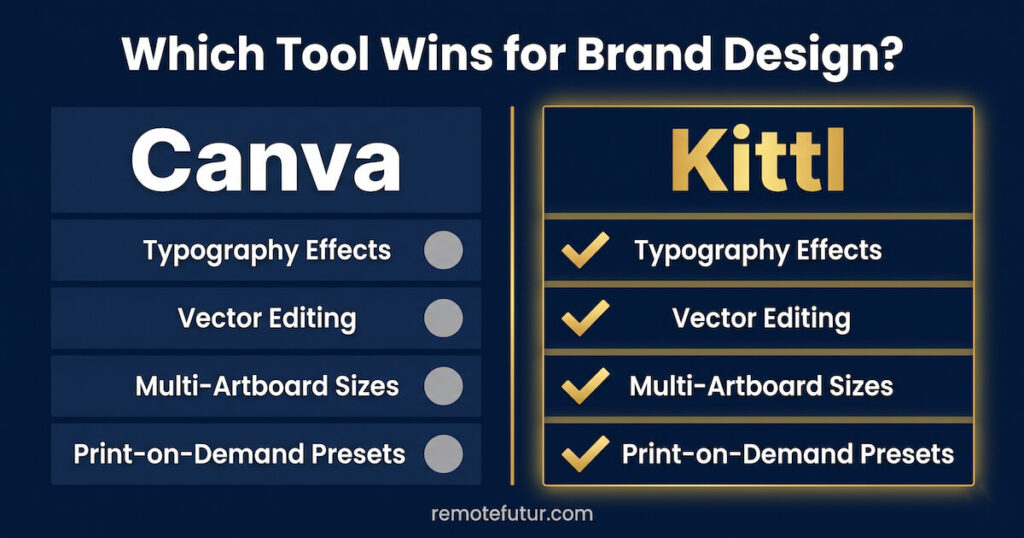
The comparison to Canva comes up constantly, so it deserves a direct answer.
Canva is a general-purpose platform built for social media graphics, presentations, and documents. Kittl, on the other hand, is purpose-built for design quality, branding, and merchandise. They serve different primary use cases. So, that context matters when choosing the right tool for your workflow.
Typography is the clearest gap. Kittl supports layered text effects freely. Canva, in contrast, restricts you to one effect per element at a time. For logo and merchandise designers, that flexibility is a regular practical advantage.
Vector editing is another meaningful difference. Kittl offers native anchor point editing with handles. Canva does not offer this. As a result, freelancers who deliver scalable assets to printers often need Kittl’s level of vector control.
On volume, however, Canva still wins. Its template library runs into the millions, compared to Kittl’s approximately 10,000. If your priority is quick inspiration across many categories, that gap is real. Still, if your goal is to create beautiful brand designs with vector precision and layered typography, Kittl has the clear edge.
For a broader look at the AI tool landscape, the guide to the best AI tools for content creators covers a wider range of options that complement Kittl.
Honest AI Analysis
This section covers what most reviews skip.
Transparency note: I have not personally used Kittl for paid client work. This review is based on thorough research from published user feedback, official documentation, and independent platform analysis. Where user experiences vary, I have noted that clearly.
First, the token system creates genuine confusion. Older sources suggest tokens may roll over to the following month. According to Kittl’s current official FAQ, however, they do not. Tokens reset at the start of each billing cycle. That distinction matters if you are planning heavy monthly AI usage.
Next, the video feature has real limits. Kittl generates short animated clips. However, you cannot trim, cut, or layer video within the platform. If short-form video is central to your content strategy, you will therefore need a purpose-built alternative. The StoryShort AI review covers a tool designed specifically around that use case.
Additionally, export format gaps matter for professional workflows. Kittl does not currently support EPS, TIFF, or PSD exports. Commercial printers often require these formats as a baseline. As a result, freelancers delivering assets to large-scale production clients may hit this limitation regularly.
Finally, there is no mobile app. The interface is not built for small screens. If you rely on a phone or tablet for design work, that is a hard constraint.
Despite these gaps, the honest summary is this: Kittl solves real problems for the right user. For most people who want to create beautiful brand designs without a steep learning curve, the platform delivers. Even so, the limitations above are worth knowing before you commit.
Pros and Cons
Pros
- Choice of 26 AI image models for precise style control
- Native vector editing without needing desktop software
- AI Vectorizer converts raster files to clean SVG paths in seconds
- Layered text effects and glyph access for advanced typography
- Multiple artboard sizes supported within a single project
- Print-on-Demand presets for Printful, Printify, and Redbubble
- Built-in mockup library for fast product visuals
- Zoom up to 40,000% for professional precision on vector work
- Designs are retained after cancellation
- Student discount of 50% off, plus a free-year Ambassador program
Cons
- Free plan carries no commercial use rights
- AI tokens reset monthly and do not roll over
- Pro plan storage is limited to 10GB
- No EPS, TIFF, or PSD export support
- Video generation cannot trim or edit clips
- No mobile app available
- Template library is significantly smaller than Canva’s
Related FAQs
Is Kittl free to use? Yes. The free plan covers up to 5 projects and includes 200 AI tokens as a one-time allocation. However, free plan outputs are for personal use only. You must also credit Kittl on all downloads.
Can I use Kittl designs for commercial projects? Yes, but only on a paid plan. The Pro and Expert plans cover commercial reproduction for up to 500,000 copies per design. The Business plan, however, removes that limit entirely.
Do AI tokens roll over each month? No. According to Kittl’s official FAQ, tokens reset at the start of each billing cycle. So, they do not carry over to the following month.
Can Kittl replace Adobe Illustrator for most freelancers? For many practical use cases, yes. Kittl covers anchor point editing, SVG exports, and AI vectorization. As a result, it handles the majority of logo and merchandise work well. It does not match Illustrator for highly complex professional workflows. However, it covers what most independent creators need day to day.
What happens to my designs if I cancel my subscription? Your designs remain accessible after cancellation. However, premium features like vector exports will be locked until you reactivate a paid plan. Your files are not deleted.
Does Kittl have a mobile app? No. Kittl does not currently offer a mobile app. Additionally, the interface is not optimized for small screens.
How many tokens does AI image generation cost? Standard image and vector generation typically costs between 2 and 42 tokens depending on the model selected. Video generation costs, however, vary based on model choice, clip duration, and whether audio is included.
Conclusion: Should You Use Kittl to Create Beautiful Brand Designs?
Kittl is not trying to be everything to everyone. Instead, it is a focused tool built for designers who care about typography quality, vector precision, and merchandise. For non-designers especially, it remains one of the most accessible ways to create beautiful brand designs without professional software or a steep learning curve.
The AI features are genuinely useful rather than decorative additions. The vector editing capability also fills a real gap for freelancers who need professional outputs without a large software budget. Furthermore, the print-on-demand workflow support makes it well-suited for creators who sell physical products online.
Start with the free plan to explore the interface. If you find yourself reaching for vector exports, commercial rights, or a higher token allocation, the annual Pro plan at $12 per month is a straightforward investment to justify.
For freelancers who want to round out a full content and design workflow, pairing Kittl with strong AI writing tools covers both the visual and written sides of content creation.
If you also need a tool that handles your social media content calendar and video ads alongside your brand assets, our Predis AI review covers a strong option that pairs well with Kittl for a complete content workflow.
Free to use. No credit card required.
Work Smarter. Live Better.
Affiliate Disclosure: This post contains affiliate links. So, if you click through and make a purchase or sign up, we may earn a small commission at no extra cost to you.

Ibra A. is the founder of Remote Future, a site covering AI tools, remote work, and online business strategies. He holds a Facebook Social Media Marketing certificate from Coursera and actively tests AI tools to support independent creators and small business owners. His focus is practical, no-hype guidance for people building lean online businesses.
Our content is created using AI tools to support efficient research and writing, with human direction, verification, and editorial review by Ibra A.
AI-assisted content with human editorial oversight.
See our AI editorial policy
Content on Remote Future is created using AI tools to support efficient research and writing for remote workers and creators, followed by human edits for clarity and accuracy.
Read our AI Editorial Policy.