

Last Updated on April 27, 2026
AI Transparency VerifiedPictory AI 2026: Great For Faceless Video
The AI video space has changed a lot over the past two years. Tools that were once basic are now serious platforms. So the competition for the best faceless video creator is fiercer than ever. When Pictory AI rolled out major updates for 2026, it made sense to take a proper look.
This is not a sponsored overview. Instead, what follows is an honest, research-backed breakdown. You will find out what Pictory does well, where it falls short, and who it is truly built for in 2026.
Affiliate Disclosure: This post may contain affiliate links. If you choose to sign up through one of our links, we may earn a small commission at no extra cost to you. Our assessments are always independent, and we only cover tools we have genuinely researched or used.
Research & Transparency Disclosure: I used Pictory AI extensively in the past before transitioning to HeyGen for my own video workflow. The 2026 feature updates described in this guide (including the new Avatar system and credit structure) are based on thorough research of official documentation and verified user reports, not current hands-on testing. Where I share a personal opinion, it reflects my direct past experience with the tool.
My Honest Verdict on Pictory for Faceless Video
I used Pictory AI heavily when I was first building my video workflow. At the time, it was one of the fastest ways to turn a blog post into a video without a camera. So I genuinely understand the appeal.
However, I eventually moved to HeyGen because Pictory had no AI Avatar feature at that point. I had decided I wanted to use an AI avatar presenter in all my videos. Pictory simply could not support that. So HeyGen became my platform, and that switch stuck.
Now, in 2026, Pictory has added AI Avatars. But after looking at the details, my view has not changed for digital presenter use cases. The avatar system relies on a shared credit pool. Even more importantly, lip sync only renders during export. You cannot see it while editing. For anyone who needs to fine-tune a presenter scene by scene, that is frustrating.
That said, here is where Pictory genuinely earns credit. If you do not need on-screen avatars and simply want to make faceless videos fast, Pictory’s URL-to-Video feature is one of the easiest tools I have seen. You paste a blog link, and it builds a video in minutes. For that use case, I would still choose Pictory over most alternatives.
So the real answer is simple: it depends on what you are trying to make.
Key Faceless Video Features Breakdown
URL-to-Video: The Top Faceless Video Feature
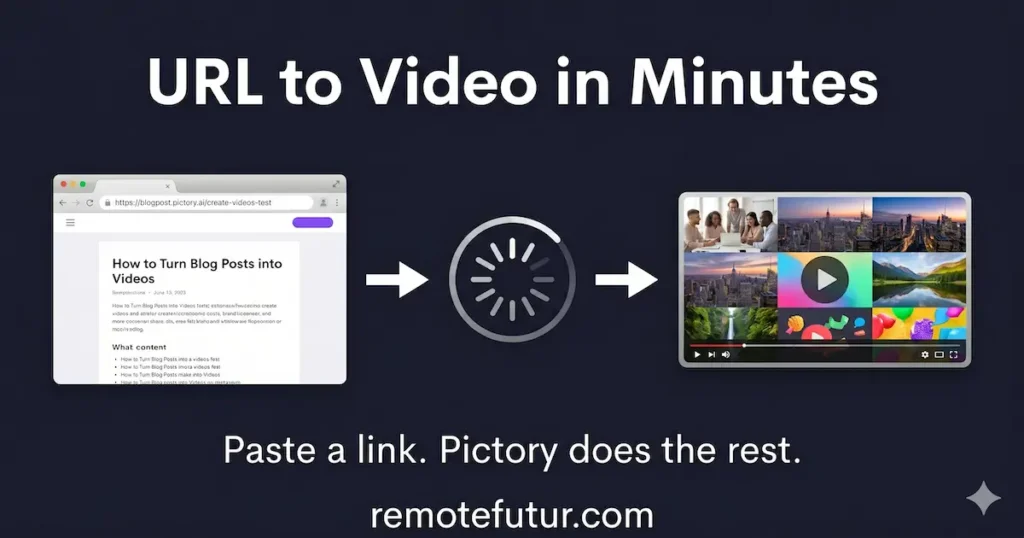
This is the feature that sets Pictory apart. It also works more smoothly than you might expect. You paste a URL from any blog post or webpage. Then Pictory’s AI pulls out the key highlights, matches them with stock visuals, and adds captions automatically.
For bloggers, this creates a great repurposing loop. Instead of starting from scratch, you can turn an existing post into a 60-second teaser video. That video then drives traffic back to the full article. If repurposing content is a big part of your plan, also check out our StoryShort AI review to compare both tools.
That said, there is a real limitation worth knowing. Roughly 20 to 30 percent of the extracted script may pull in generic page text like menus or footers. So a quick review pass before you export is always a smart move.
Script-to-Video
If you already have a script, this feature takes care of the rest. It breaks your text into scenes and finds matching stock clips. Then it adds subtitles without you touching a timeline editor. Overall, it is one of the cleanest faceless video workflows for script-based creators.
This works especially well for educators and course creators. The AI handles the visual layer while you focus on the message. Furthermore, automatic captions are a must-have. In fact, according to Insivia, a large share of social videos are watched without sound. So subtitles are not optional. They are essential for reach.
Text-to-Video and Idea-to-Video
For creators still at the idea stage, this tool does the heavy lifting. You type a topic like “Healthy Morning Habits.” Then Pictory builds a full video with visuals, music, and a voiceover.
However, it is important to be realistic. The tool is not a research engine. It works best with a clear, focused topic rather than a vague prompt. Think of it as a production helper, not a content strategist. Also, if you want a more flexible text-to-video tool, InVideo AI is worth comparing.
AI Avatars (New in 2026, With Caveats)
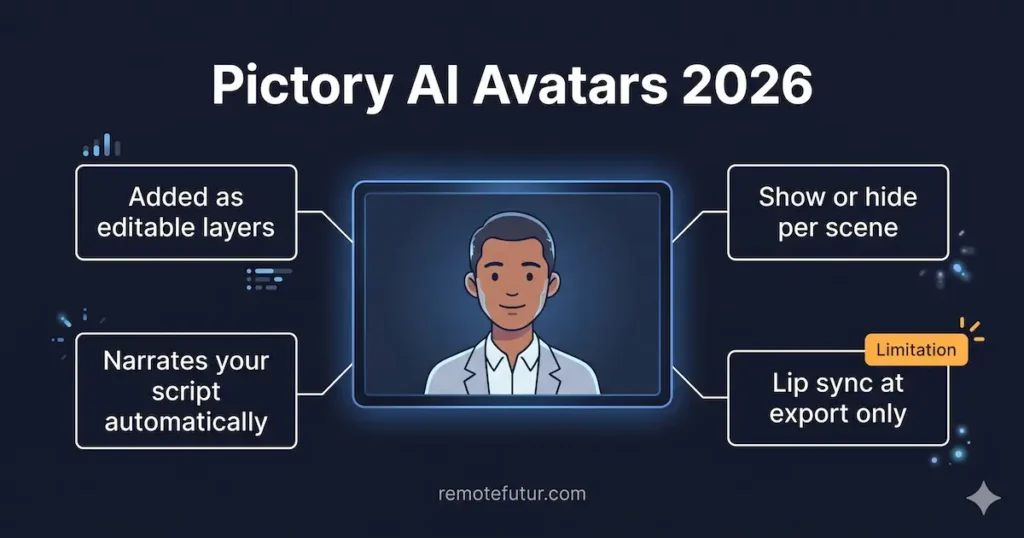
Pictory now has AI Avatars built into the editor on supported plans. You can add them as layers, show or hide them per scene, and they read your script aloud using AI voices.
However, the shared credit system is a real problem. Avatar creation pulls from the same credit pool as image and video generation. On the Starter plan, that pool is only 100 credits per month. Additionally, lip sync only renders at export, not during editing. So you are editing blind. For anyone who needs full control over their presenter, tools like HeyGen have already solved this problem. In fact, our HeyGen vs Synthesia vs Synthesys comparison breaks it all down if you want a deeper look.
Other Tools Worth Noting
Beyond the main features, Pictory also offers a PPT-to-Video tool. It turns slide decks into narrated video lessons. There is also an AI Video Editor that lets you cut footage by editing a transcript instead of a timeline. On top of that, the Video Highlights tool pulls short clips from long webinars or podcasts. Finally, Zapier and Make integrations let power users build fully automated pipelines from script to published video.
Pictory has just added the ability to download AI-generated images and videos directly from the platform. You can now download visuals instantly from the AI Studio chat, access them via the Uploads Library across personal and team workspaces, or bulk download multiple files as a ZIP.
This is a useful addition for creators who want to repurpose their AI-generated assets outside of Pictory.
Authoritative Context: Why Faceless Video Matters Right Now
According to Wyzowl’s State of Video Marketing 2024, 91 percent of businesses now use video as a marketing tool. That is the highest figure ever recorded. At the same time, faceless YouTube channels have proven you do not need to be on camera to build a real audience. As a result, tools like Pictory exist because the demand for fast, camera-free video is real and growing. For solo creators and bloggers, that shift changes everything about how video content gets made.
Honest Pros and Cons
Pros:
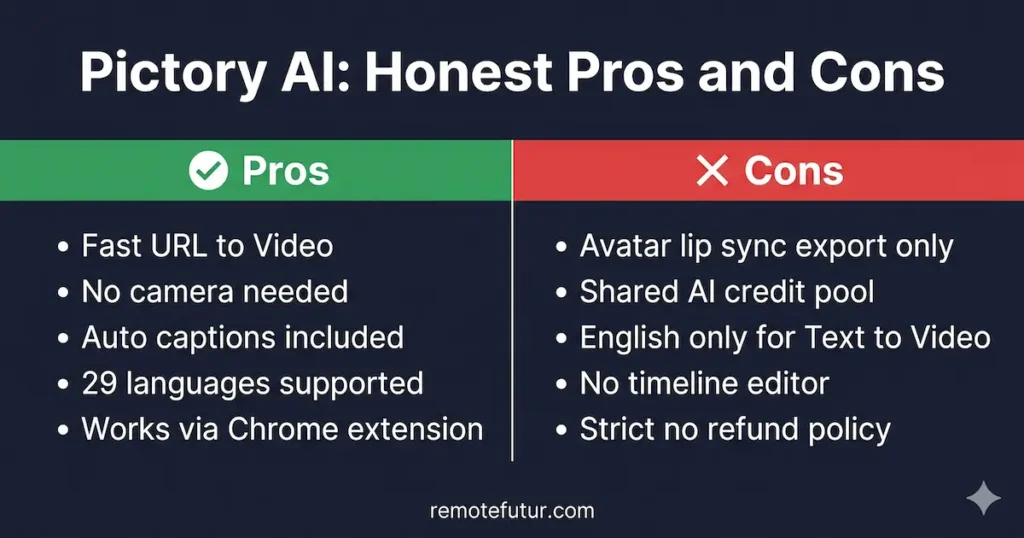
- The URL-to-Video feature is genuinely fast and beginner-friendly for bloggers and faceless video creators
- Script-to-Video produces clean, publishable results without any timeline editing knowledge
- Automatic captioning is accurate and valuable for social media reach
- The platform supports 29 languages across most features
- Zapier and Make integrations make full automation possible for advanced users
- The Chrome extension allows instant web-to-video conversion while browsing
- No camera or microphone is needed for any core workflow
Cons:
- URL-to-Video can pull 20 to 30 percent generic page text (menus, footers) into the script, requiring a cleanup pass
- AI Avatar lip sync is export-only, making editing blind and time-consuming
- Avatar and image generation share the same credit pool, so credits deplete quickly on lower plans
- The Text-to-Video tool supports English only for the core generation feature
- There is no traditional timeline editor, which limits fine-tuned adjustments
- Videos are capped at 30 minutes maximum length
- There is a strict no-refund policy, and canceling an account permanently deletes all stored projects
Pricing Breakdown (2026, Annual Billing)
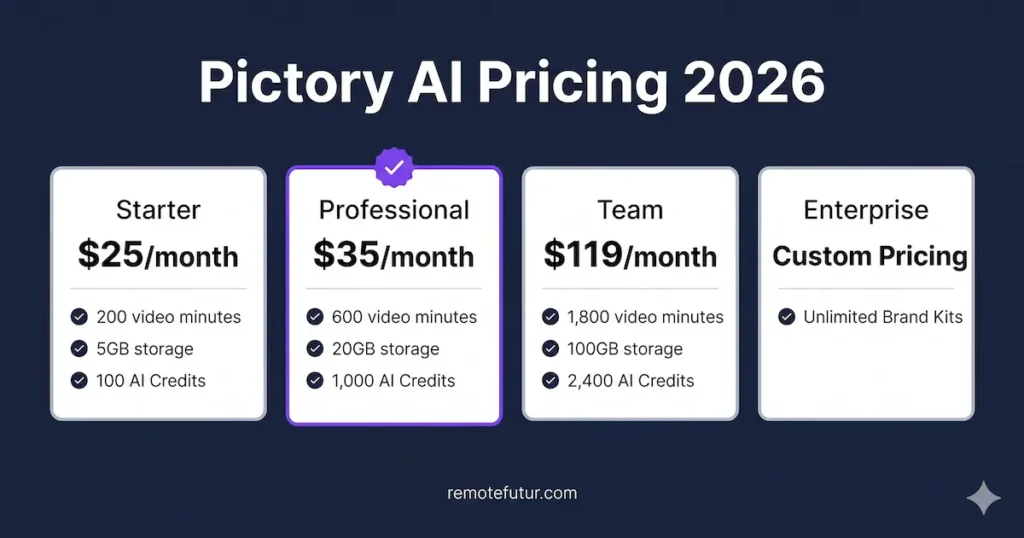
All prices below reflect the 40 percent discount on annual subscriptions.
Starter Plan: $25/month
This tier covers one user and 200 video minutes per month. You also get 5 GB of storage, around 5 million stock videos, and 5,000 music tracks. It includes 60 minutes of ElevenLabs AI voices and 100 Generative AI Credits. That credit limit is the main issue here. If you plan to use avatars and image generation together, 100 credits will not last long.
Professional Plan: $35/month
This is the most practical plan for solo creators. You get 600 video minutes, 20 GB of storage, and 18 million videos including the Getty Images library. Moreover, AI credits jump to 1,000 per month. The plan also adds advanced AI tools, video summaries, and voiceover auto-sync. For most bloggers and faceless video creators, this is where Pictory starts to feel fully usable.
Team Plan: $119/month
This plan is built for small teams of three or more. You get 1,800 video minutes, 100 GB of storage, and 2,400 Generative AI Credits. In addition, it includes a shared team workspace and professional onboarding support.
Enterprise Plan: Custom Pricing
This tier is for larger teams of 10 or more. It includes unlimited Brand Kits, Single Sign-On, and a dedicated success manager. You also get access to Pictory Central for interactive video hosting with quizzes and SCORM export for learning platforms.
Who Should Use Pictory for Faceless Video?
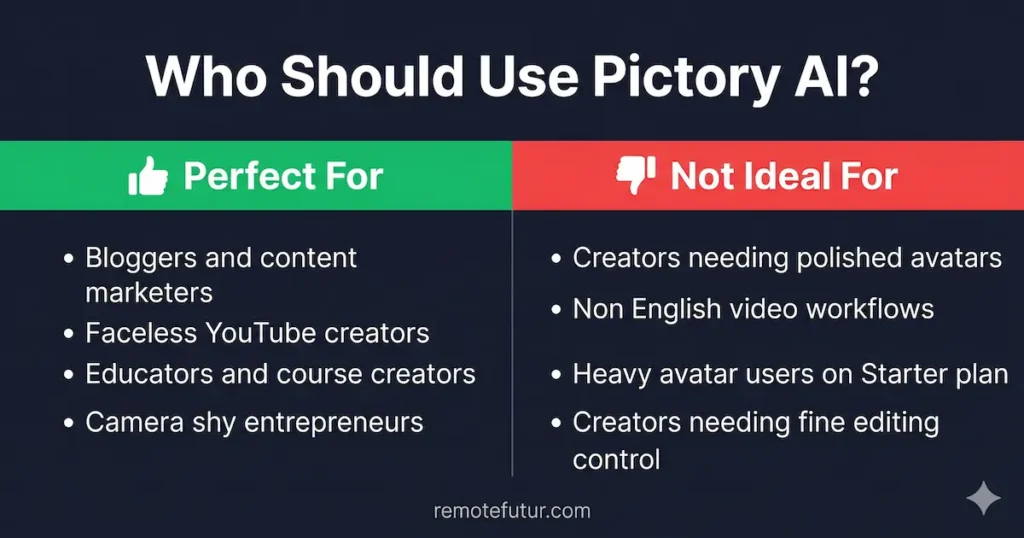
Pictory works well for a specific type of creator. Being honest about that fit matters more than selling it to everyone.
You will likely get real value from Pictory if you are:
A blogger who wants to turn articles into short social videos without starting from scratch. A faceless video creator who wants to make videos from scripts or prompts without going on camera. An educator or business professional who records webinars and wants to pull out short highlights fast. Or simply someone who is camera-shy and wants a clean, professional output with no complex software.
You should probably look elsewhere if you are:
A creator who needs a polished AI digital presenter with smooth, editable lip sync. In that case, HeyGen is the stronger choice for 2026. Synthesia is also worth considering for enterprise-level avatar needs. Similarly, if your main workflow uses non-English video via the Text-to-Video tool, the English-only limit is a real problem. And if your budget is tight and you plan to use avatars a lot, the shared credit system on the Starter plan will frustrate you quickly.
Frequently Asked Questions About Pictory AI
Is Pictory AI good for beginners?
Yes. Pictory AI is one of the most beginner-friendly video tools available in 2026. You do not need any editing experience. The URL to Video feature alone lets you create a full faceless video by simply pasting a link.
Can I use Pictory AI without showing my face?
Yes. Pictory is built specifically for faceless video creation. You never need a camera or a microphone. All videos are produced using stock footage, AI voices, and automated captions.
Does Pictory AI have a free plan?
Pictory does not offer a permanent free plan. However, it does offer a free trial so you can test the platform before committing to a paid subscription.
Is Pictory AI better than HeyGen?
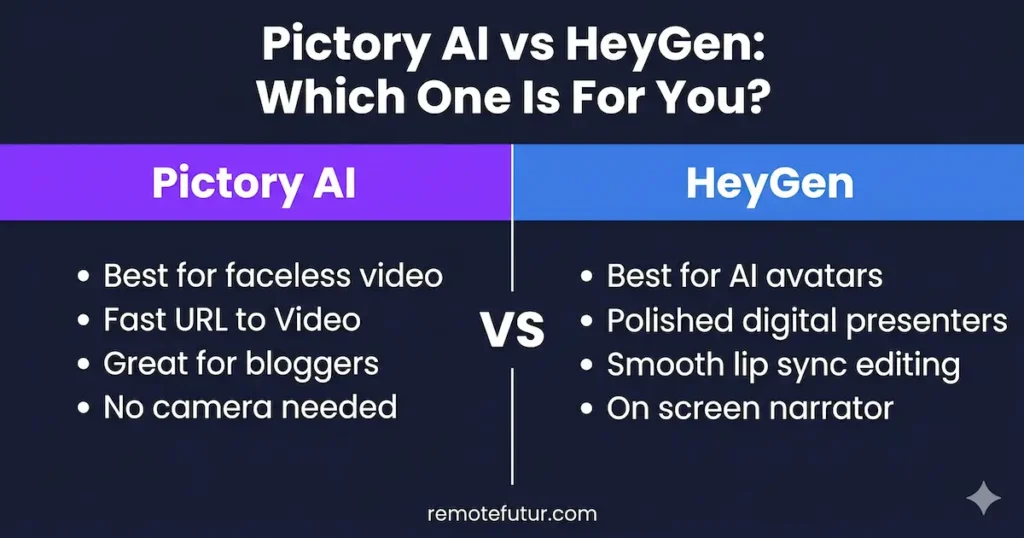
It depends on your goal. Pictory is better for fast faceless video creation and blog repurposing. HeyGen is better for AI avatar presentations with smooth lip sync. They serve different use cases.
What is the best Pictory AI plan for solo creators?
The Professional plan at $35 per month is the strongest option for solo creators. It includes 600 video minutes, 1,000 Generative AI Credits, and access to the Getty Images library.
Does Pictory AI support languages other than English?
Pictory supports 29 languages across most features. However, the core Text to Video tool currently only supports English for video generation.
Final Verdict: Is Pictory Great for Faceless Video?
Pictory AI in 2026 is a capable tool that has improved a lot. However, it is not the right fit for every creator. Its URL-to-Video and Script-to-Video tools are still among the fastest ways to produce faceless video content. That said, the Avatar feature still has real limits that other tools have already solved.
The simplest way to think about it: Pictory is built for faceless content speed. If that is your goal, it is worth the price. If you need a smooth AI presenter experience instead, keep looking.
Want More Honest AI Tool Guides Like This?
If this kind of honest breakdown is useful to you, the Remote Future newsletter covers the tools and strategies that actually matter for solo creators. There is no fluff and no affiliate pressure. Just practical guidance. You can subscribe on Substack.
Alternatively, if you are still figuring out which AI video tool fits your workflow, our Best AI Tools for Content Creators in 2026 guide covers the full landscape in one place.
Work Smarter. Live Better.
Affiliate Disclosure: This post contains affiliate links. If you click through and make a purchase or sign up, we may earn a small commission at no extra cost to you.
Related Reads
- TagShop AI: Quick Awesome AI UGC Video Ads
- Creatify AI vs Tagshop AI: Which One Should You Use?
- Creatify AI Review: How to Create High Converting Ads Fast
- How to Make TikTok AI UGC Ads (Fast & Free)
- Makereels AI Review: The Ultimate Guide to Viral Reels
- How to Use Genspark AI for Deep Research

Ibra A. is the founder of Remote Future, a site covering AI tools, remote work, and online business strategies. He holds a Facebook Social Media Marketing certificate from Coursera and actively uses HeyGen in his own content workflow. His focus is practical, no-hype guidance for independent creators and small business owners building lean online businesses.
Our content is created using AI tools to support efficient research and writing, with human direction, verification, and editorial review by Ibra A.
AI-assisted content with human editorial oversight.
See our AI editorial policy
Content on Remote Future is created using AI tools to support efficient research and writing for remote workers and creators, followed by human edits for clarity and accuracy.
Learn more.