
Last Updated on April 15, 2026
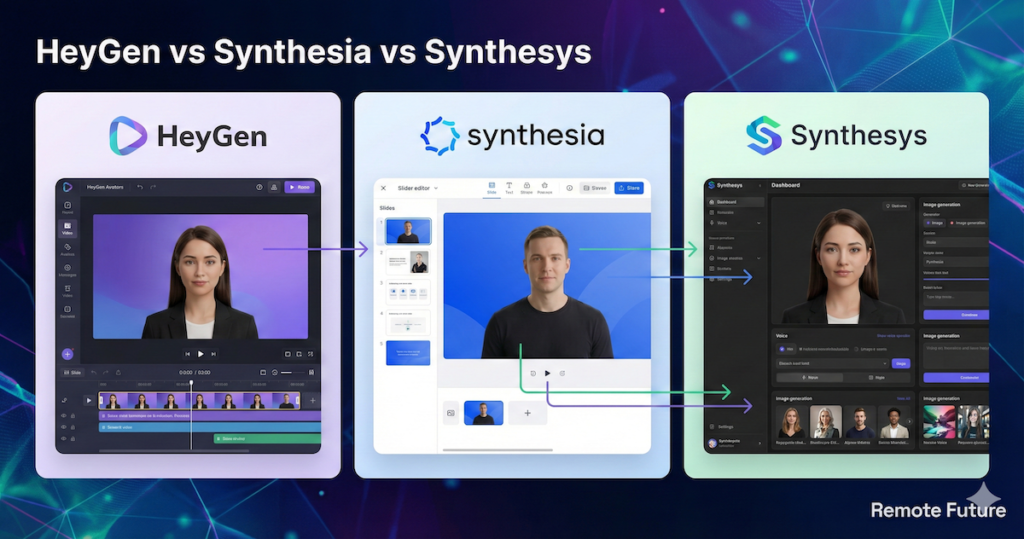
AI Transparency VerifiedIf you are trying to decide between HeyGen vs Synthesia vs Synthesys, you are not alone. These are three of the leading AI avatar video platforms in 2026, and honestly? You cannot go wrong with any of them.
But while they are all “good,” they are definitely not the same.
After analyzing these tools extensively (and using one of them daily for my own business), I have realized they have split into three very different paths:
- HeyGen has become the creative powerhouse for social media and viral content.
- Synthesia has locked down the corporate world with “safe,” professional security.
- Synthesys has quietly become the budget-friendly “Swiss Army Knife” for marketers who want it all.
The problem is not finding a good tool; it is avoiding the expensive mistake of buying the wrong one for your specific goals.
In this buyer’s guide, I am skipping the generic feature lists. Instead, we are going to look at the real-world differences in lip-sync quality, avatar realism, and pricing so you can decide which one deserves your money.
So, let us dive in.
HeyGen vs Synthesia vs Synthesys: At a Glance
If you are in a rush, here is the quick breakdown of how they compare.
| Feature | HeyGen | Synthesia | Synthesys |
| Best For | Viral Content & Creators | Enterprise & Training | All-in-One Marketing |
| Top Feature | Video Translation & “Avatar IV” | Security & Collaboration | Voices + Images + Video |
| Realism | ⭐⭐⭐⭐⭐ (Excellent) | ⭐⭐⭐⭐ (Very Good) | ⭐⭐⭐ (Good) |
| Ease of Use | Very Easy | PowerPoint-Style | Moderate |
| Pricing Model | Credit-based | Seat-based | Subscription Bundle |
1. HeyGen vs Synthesia vs Synthesys Avatar Realism & Lip Sync
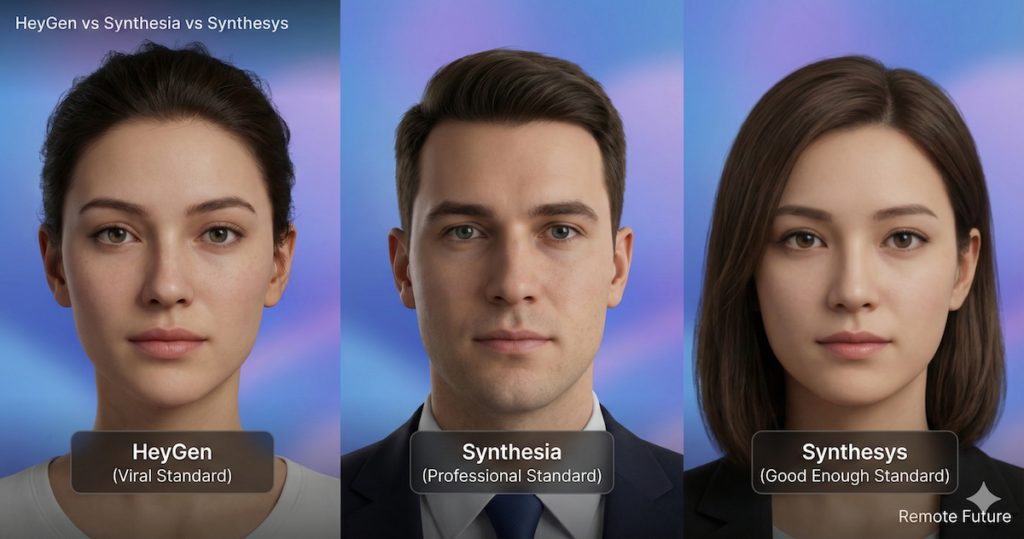
The most important question anyone has when buying these tools is simple: “Will it look fake?”
If your avatar looks robotic, your audience will scroll past. Here is how they stack up in the “Uncanny Valley” test.
HeyGen: The “Viral” Standard
HeyGen is currently leading the pack in raw visual fidelity. Their new Avatar IV technology is designed for high-detail close-ups that work especially well on modern social platforms.
- Lip-Sync: It handles fast-paced talking, slang, and high-energy scripts better than any other tool. If you watch AI videos on Instagram or TikTok, they are likely made with HeyGen.
- Movement: The avatars have natural head tilts, nods, and shoulder movements that make them feel “alive” rather than static.
Synthesia: The “Professional” Standard
Synthesia takes a different approach. Their avatars are incredibly polished, stable, and consistent.
- Expressive Avatars: Their latest update allows you to control the emotion of the avatar. You can make an avatar look “Empathetic” for a bad-news email or “Excited” for a sales pitch.
- The Vibe: They feel like professional news anchors. They are less “bouncy” than HeyGen, which makes them perfect for corporate training where you do not want distractions.
Synthesys: The “Good Enough” Standard
Synthesys has improved massively in 2026. While they may trail slightly behind the big two in micro-gestures (like subtle eye twitches), they are more than capable for explainer videos and marketing ads.
- Quality: Unless you are putting them on a cinema screen, most viewers on mobile will not notice the difference. They offer a solid balance of quality for the price.
2. HeyGen vs Synthesia vs Synthesys Pros And Cons
To give you a balanced view, I have broken down the specific strengths and annoying weaknesses of each platform. No tool is perfect, and knowing the “Cons” is often more important than knowing the “Pros.”
HeyGen: The Creative Leader
The Good (Pros):
- Instant Avatar 2.0: This is genuinely impressive. You can record a short webcam video, and within minutes, you get a digital twin that looks and sounds surprisingly close to the real you.
- URL-to-Video: You can paste a link to an Amazon product or a blog post, and HeyGen will scrape the text and auto-generate a video script and scene layout.
- Template Variety: Their templates feel modern, “Gen-Z,” and social-media-ready. They are not just boring corporate slides.
- Generative Outfit: You can use AI to change the clothing of your avatar with a text prompt (e.g., “Change suit to a casual t-shirt”).
The Bad (Cons):
- Credit Consumption: High-resolution generation burns credits fast. If you make a mistake and have to re-render, you lose those credits forever.
- Pricey for High Volume: If you are planning to pump out 50 videos a month, the costs scale up quickly compared to unlimited plans from lesser tools.
Synthesia: The Corporate Fortress
The Good (Pros):
- Unmatched Stability: The platform never seems to crash or glitch. It is built like a tank for enterprise users.
- Collaboration Features: You can invite your boss, your legal team, and your editor to the same workspace. They can leave comments on specific seconds of the video, just like in Google Docs.
- Screen Recorder: It has a built-in screen recorder that is fantastic for software tutorials. You can record your screen and have the avatar float in the corner explaining it.
- 140+ Languages: Their voice library is massive and the accents are very distinct and accurate.
The Bad (Cons):
- Stiff Avatars: While high quality, they lack the “swag” or natural looseness of HeyGen avatars. They rarely smile unless you force them to.
- Strict Moderation: Because they focus on brand safety, they have strict content moderation. You cannot generate anything that might be considered “edgy” or political.
Synthesys: The Value King
The Good (Pros):
- The “Suite” Approach: You are not just buying a video tool. You get access to a separate “AI Voice” dashboard (which allows more control over breathing and pausing than the video tool) and an “AI Image” generator.
- Humatars: They have a specific line of avatars called “Humatars” that are filmed real humans, not just CGI.
- One-Time Payment Deals: Unlike the others, Synthesys occasionally runs “Lifetime Deal” (LTD) offers or special bundles, making it much cheaper in the long run.
The Bad (Cons):
- User Interface (UI): The dashboard looks a bit dated compared to the sleek, Apple-like design of HeyGen. It takes a few more clicks to get things done.
- Rendering Speed: It can sometimes take longer to render a final video compared to the lightning-fast cloud servers of HeyGen.
3. The “Killer Features” (What Makes Them Unique?)
This is where the tools really separate. Depending on what you need, one of these features might seal the deal for you.
HeyGen: Video Translation
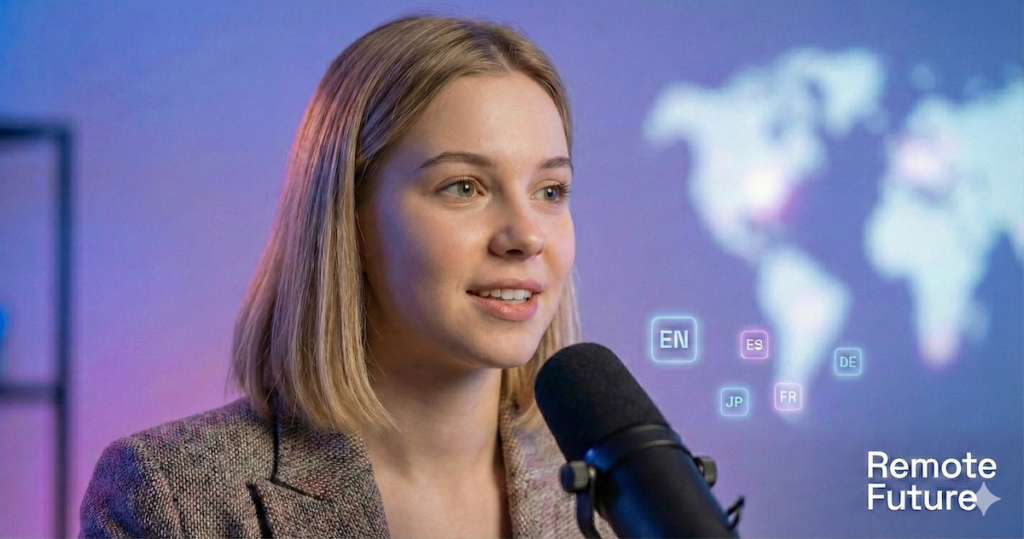
This is HeyGen’s secret weapon. You can upload a video of yourself speaking English, and HeyGen will clone your voice, translate the script, and re-animate your lips to speak Spanish, German, or Japanese with very convincing results.
- Why it matters: If you want to go global without re-recording videos, HeyGen is the only choice.
Synthesia: Collaboration & Security
Synthesia is built for teams. If you work at a company that requires SOC 2 Compliance or Single Sign-On (SSO), Synthesia is the standard.
- Why it matters: It works like Google Docs. You can leave comments on a video timestamp for your team to fix. No other tool has a collaboration workflow this smooth.
Synthesys: The “All-in-One” Suite

It is not just a video tool. When you buy a subscription, you often get access to their AI Audio (Voiceover) and AI Image generators too.
- Why it matters: If you are a solopreneur, you do not want to pay for Midjourney, ElevenLabs, AND a video tool. Synthesys gives you a “Good” version of everything in one dashboard.
4. The “Workflow” Test: How easy are they to use?
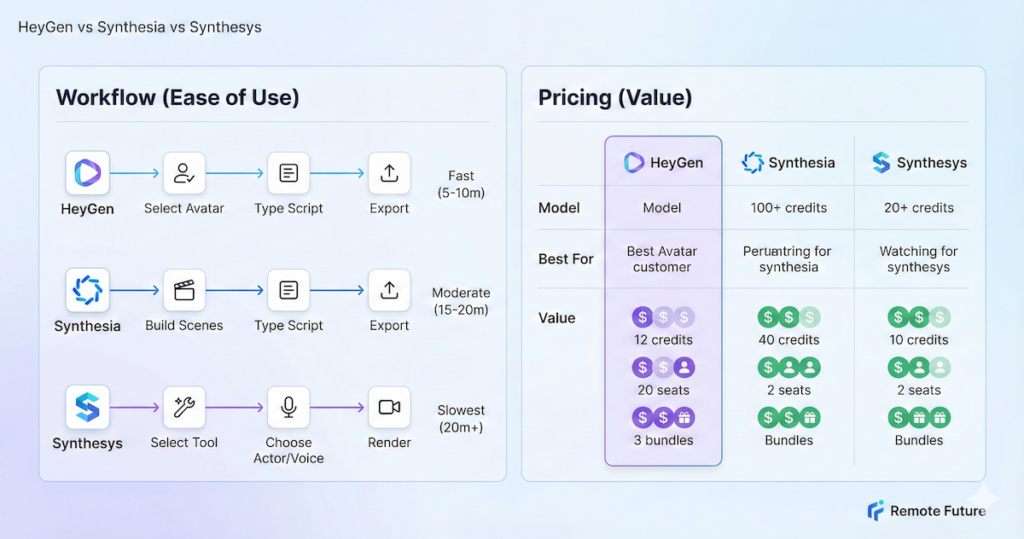
Features are great, but how does it actually feel to sit down and make a video on a Tuesday morning when you are in a rush? I walked through the creation process for all three.
The HeyGen Workflow
Speed: Fast (Avg time to create: 5-10 mins) HeyGen feels like using Canva. You start by picking a format (Landscape or Portrait).
- Select Avatar: You browse a Netflix-style grid of faces.
- Type Script: You paste your text. You can instantly click “Listen” to hear the voice without rendering.
- Add Assets: You can drag and drop images or videos onto the background instantly.
- Export: The “Submit” button is bright and clear.
- My Take: It is intuitive. You do not need a tutorial to figure it out.
The Synthesia Workflow
Speed: Moderate (Avg time to create: 15-20 mins) Synthesia feels like using PowerPoint.
- Scenes: You build your video in “slides.” Each slide is a scene.
- Text-to-Speech: You type your script into a box at the bottom of each slide.
- Customization: You can change the background colors to match your exact brand hex codes easily.
- Export: It takes a bit longer to process, but sends you an email when done.
- My Take: If you know how to use Microsoft Office, you know how to use Synthesia. It is structured and logical.
The Synthesys Workflow
Speed: Slowest (Avg time to create: 20+ mins) Synthesys separates its tools, so you have to choose “Video Automation” first.
- Select Spokesperson: You choose from a list of actors.
- Voice Settings: You have more granular control here. You can adjust the pitch, speed, and pauses of the voice more deeply than the others.
- Background: You upload your background image.
- Render: You have to wait for the render to see the final lip-sync.
- My Take: It feels more like a “tool” and less like a “creative studio.” It is powerful, but requires more patience.
5. HeyGen vs Synthesia vs Synthesys Pricing Comparison
Pricing for AI video is tricky because they all use different models.
- HeyGen (Credit System): You pay for ‘credits’ (credits are generally tied to video length, with higher resolutions and advanced features consuming more).
- Synthesia (Seat System): Their pricing is often based on “seats” (users). This is great for businesses with fixed budgets who want predictable billing.
- Synthesys (Tiered System): They often have aggressive pricing for their bundles. Because they include voice and image tools, the “value per dollar” can be higher if you actually use those extra features.
6. Real World Use Cases: Who is using what?
To help you decide, here are specific scenarios for 2026.
1. The “Faceless” YouTube Channel
- Best Tool: HeyGen or Synthesys
- Why: If you are running a channel about “Tech News” or “History Facts,” you need volume. HeyGen’s “Instant Avatar” allows you to be the face of the channel without filming. Synthesys is good if you want to stay purely behind the scenes and just use high-end voiceovers.
2. The Real Estate Agent
- Best Tool: HeyGen
- Why: You can upload a photo of a house, stand your avatar in front of it, and have it give a “Virtual Tour” in 5 languages. If you have buyers in China or Germany, HeyGen’s translation feature is a commission-saver.
3. The Course Creator (Udemy/Teachable)
- Best Tool: Synthesia
- Why: Consistency is key. You do not want your avatar changing lighting or clothes between Module 1 and Module 5. Synthesia guarantees that your “Digital Teacher” looks exactly the same in every single video, building trust with your students.
4. The E-Commerce Store Owner
- Best Tool: HeyGen
- Why: You can use the “URL-to-Video” feature. Paste your Shopify product link, and it generates a 30-second ad for TikTok showing off the product benefits. It is a massive time-saver for dropshippers.
HeyGen vs Synthesia vs Synthesys: Final Verdict
Choosing between HeyGen vs Synthesia vs Synthesys is difficult because they are all powerful.
To make it easy, I have categorized them by the type of person you are. Find your match below:
1. Choose HeyGen IF you …
- Are a Content Creator: You need viral, high-energy videos for social media.
- Need Video Translation: You want to speak 10 languages with very convincing, natural-looking lip-sync.
- Want Speed: You want to turn a URL into a video in minutes.
For a full breakdown of everything HeyGen offers in 2026 including the new AI Video Agent, Face Swap, and updated pricing, read our complete HeyGen AI Review. If you have decided HeyGen is the right tool for you, our step by step guide on how to create HeyGen video ads will help you get started right away.
2. Choose Synthesia IF you …
- Are a Corporate Manager: You need to create training videos that look professional and safe.
- Work in a Team: You need to comment, edit, and share drafts with colleagues easily.
- Prioritize Security: You need enterprise-grade compliance.
3. Choose Synthesys IF you …
- Are a Marketer on a Budget: You want a video tool, an image generator, and a voiceover tool all in one bill.
- Are an Internet Marketer: You want a tool that focuses on sales pages and explainer videos without the “corporate” fluff.
If your main goal is creating short-form video ads rather than spokesperson videos, Creatify AI is worth looking at as an alternative.
If none of these three tools feel like the right fit for your e-commerce ads, there’s another option worth exploring. Check out our guide on how to make TikTok AI UGC ads with Creatify AI — a tool purpose-built for product ads that sits in a different category from HeyGen, Synthesia, and Synthesys entirely.
If your primary goal is creating video ads for an online store or dropshipping business, you might also want to consider Creatify AI and Tagshop AI — two tools specifically built for e-commerce ad creation. Check out our full Creatify vs Tagshop AI comparison to see how they differ from avatar-based video tools like HeyGen, Synthesia, and Synthesys.
For a dedicated breakdown of TagShop AI on its own — features, pricing, and who it’s best for — our TagShop AI review covers everything in detail. And if you are ready to get started, our step-by-step Tagshop AI tutorial walks you through the full ad creation workflow with verified screenshots.
FAQ: HeyGen vs Synthesia vs Synthesys
Which one has the best lip-sync? Currently, HeyGen is widely considered to have the most natural lip-sync for fast-talking and casual speech, while Synthesia is excellent for formal, slower-paced delivery.
Can I create a custom avatar of myself? Yes, all three platforms allow you to create a “Digital Twin.” HeyGen is famous for its “Instant Avatar” which takes only 2 minutes of footage to train.
Are these tools free? They are not free forever, but HeyGen and Synthesia both offer free demos or trials where you can generate a short video to test the quality before you buy.
Do I own the copyright to the videos? Do I own the copyright to the videos? With paid plans, all three platforms generally grant you commercial usage rights for the videos you export. However, the avatars themselves remain licensed assets of the platform and cannot be trademarked.
Important: In some business or enterprise contracts (especially with Synthesia), continued public use may require an active subscription, so always review the platform’s terms before canceling.
Can I use these on Upwork/Fiverr to sell services? Yes! Many freelancers use Synthesys specifically for this because of its lower cost structure. You can sell “Spokesperson Video Services” to local businesses and keep the profit margin.
What happens if I cancel my subscription? Generally, you keep the rights to any video you already downloaded. However, you will lose access to edit them or generate new ones. Synthesia is strict about this—you must have an active license to display the content publicly in some enterprise contracts, so always check the Terms and Conditions.
Conclusion: HeyGen vs Synthesia vs Synthesys – Do not Get Left Behind
The gap between businesses using AI video and those ignoring it is widening every single day. The “AI Video” space is moving fast. The good news? All three of these platforms offer some form of trial or demo.
Whether you choose the creative power of HeyGen, the professional stability of Synthesia, or the versatile value of Synthesys, the most important step is simply to start.
By this time next year, using AI avatars will likely be as common as sending an email. The only question is: will you be an expert by then, or just getting started?
My advice? Do not overthink it. Click the links below, watch the latest samples on their homepages, and pick the one whose “vibe” matches your brand. You really cannot lose with any of the top three.

Work Smarter. Live Better.
Affiliate Disclosure: This article contains affiliate links. So, if you purchase through my link, I may earn a small commission at no extra cost to you.
You Might Also Like These AI Tools:

Ibra A. is the founder of Remote Future, a site covering AI tools, remote work, and online business strategies. He holds a Facebook Social Media Marketing certificate from Coursera and actively uses HeyGen in his own content workflow. His focus is practical, no-hype guidance for independent creators and small business owners building lean online businesses.
Content on Remote Future is created using AI tools to support efficient research and writing for remote workers and creators, followed by human edits for clarity and accuracy.
Learn more.